Assignment 4-RADIOSS Material Laws Challenge
AIM :
To run the rupture plate model by using Johnson cook material & Elastoplastic material with brittle failure as per case requirement. All should be done in HyperWorkRADIOSS.
OBJECTIVES :
Run the model as it is without any modification.
Run the model by changing the failure parameters as per requirements.
Run the model by deleting the failure parameter.
Run the model by deleting the failure plastic strain.
Run the model by converting it into LAW1 with the same mechanical properties.
Run the model by using "PLAS_BRIT" material, change into recommended element formulation and johnson cook parameter but different EPS based failure.
Run the model by using "PLAS_TAB" material.
Check the total number of cycles, Energy error, mass error & then simulation time as well for all cases.
Plot the energies for all cases.
PROCEDURE FOR ATTAINING THE OBJECTIVES
Importing the starter deck file :
Open a Hyperworks software, select the "Radioss" as an Explicit solver and then switch to "HyperMesh". Followingly, import the appropriate file through the import solver deck. In this case, we have to use the same model which is a Rupture plate for all cases. But, we have to change the material card image and other parameters based on each case requirement.
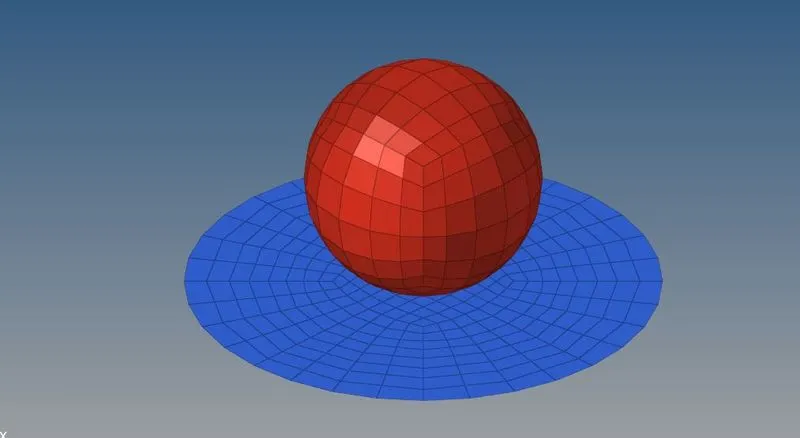
After importing the model, it has been showing in the Hyper works graphical area like as below. A rupture plate is made up of aluminium, its deformable-body and ball have been rigid body which means non-deformation body.
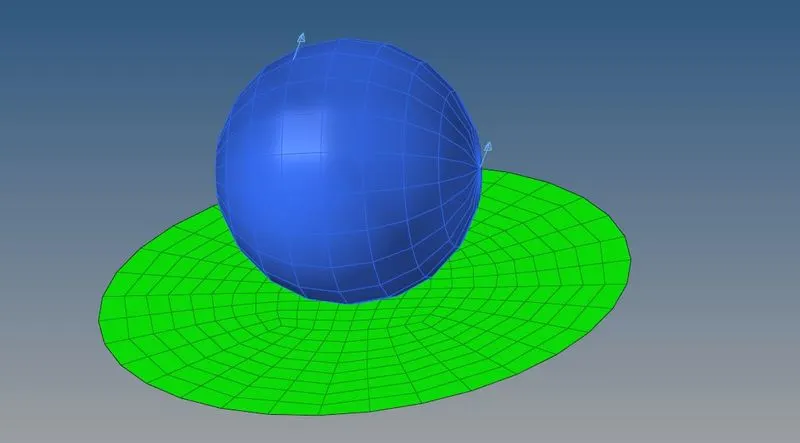
We are going to use aluminium material for all cases, but using different card images according to their given requirement.
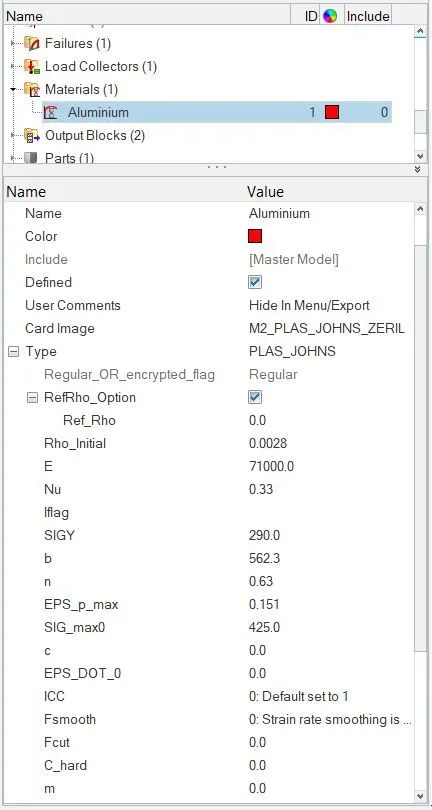
A Radioss has follows grams, millisecond & millimetre unit system.
Check the material card parameters before going to perform a simulation.
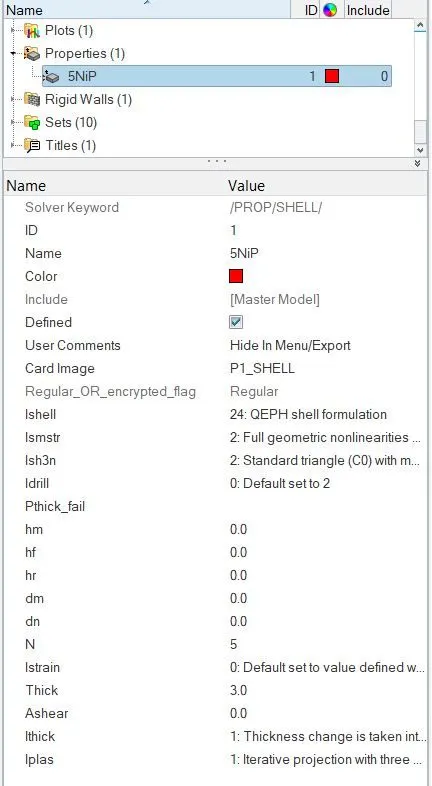
Subsequently, check the property card parameters where elements formulations are set to be recommended by default. The element formulation is the same for all cases.
And using the default termination time & animation time step frequency too.
CASE 1 :
The first & foremost thing is to import the appropriate model through the "Import solver deck" option which is the "FAILURE_JOHNSON_0000" file & it's a "rad" format.
As per the first case requirement, we have to run the analysis without changing any parameters. Use as same as default card settings by software.
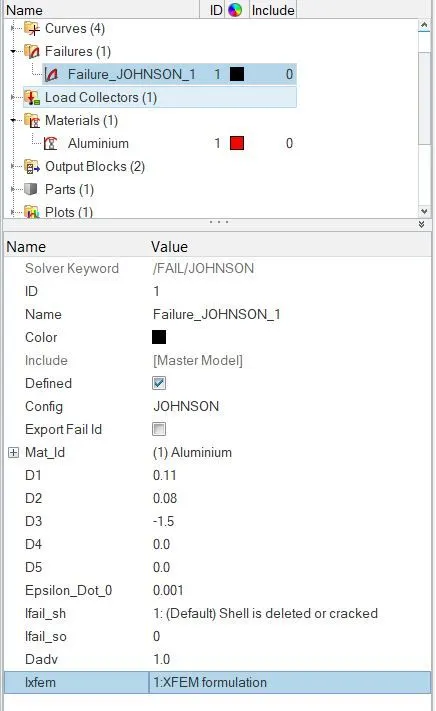
Here below shows the failure card & respective parameters. These are the default values is loaded in the failure card.
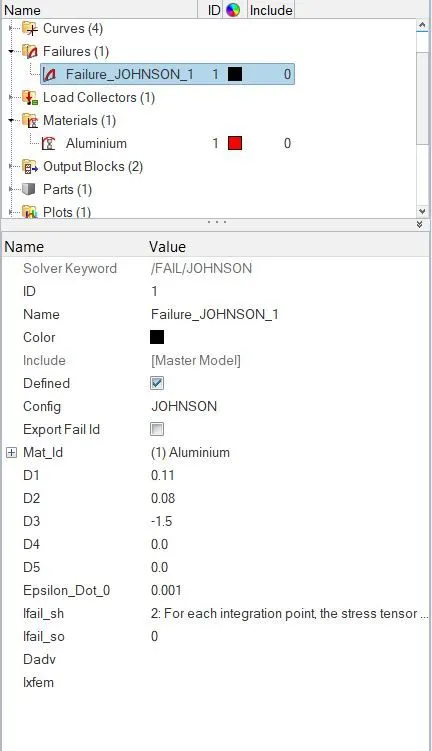
Select the "Radioss" sub-panel under where "Analysis" panel, save the file in the separate folder and click the radioss button to solve the problem by solver itself.
After calculating the model, a solver is generated different files such as the Starter listing file, Engine listing file, Animation files, Time history file and then restart file.
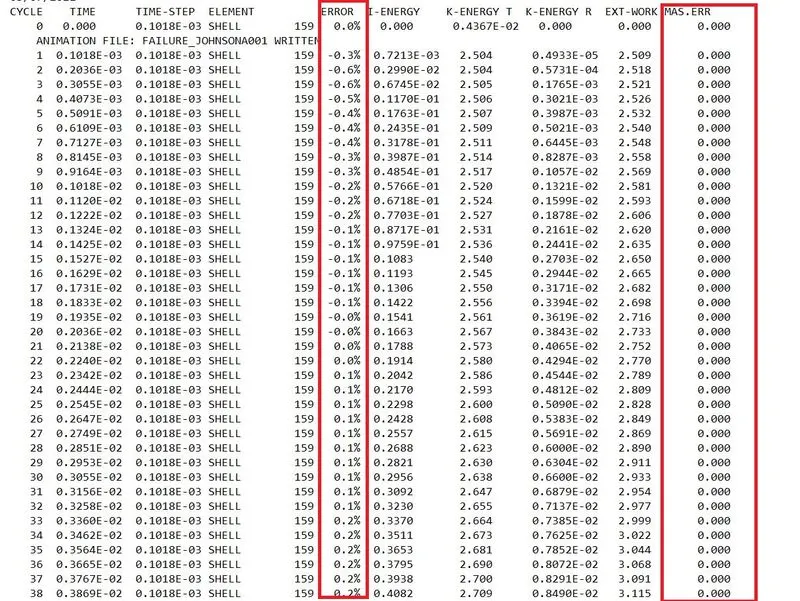
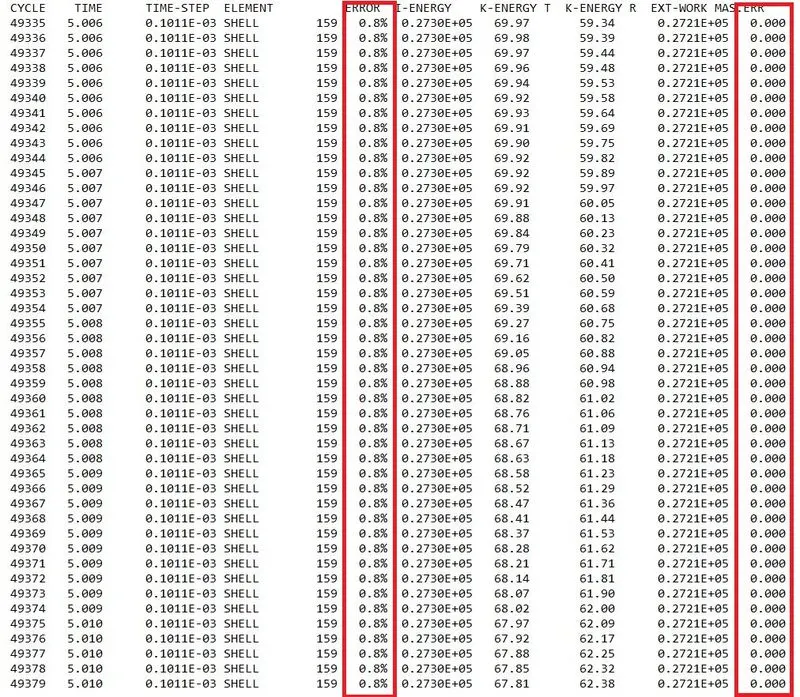
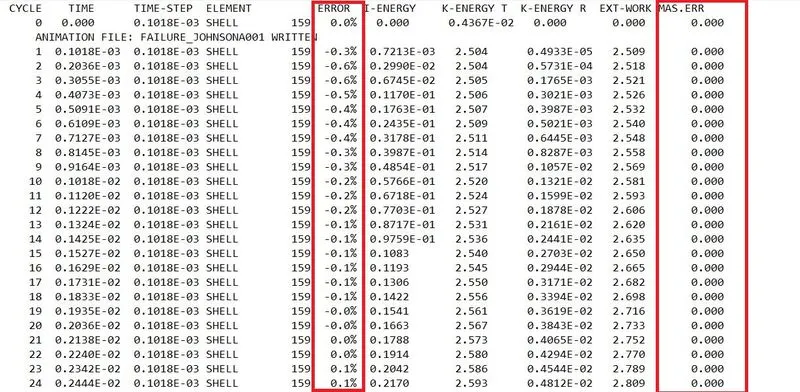
If the mass error has been falling in between -15 % to -5 %, that means the mass error is an acceptable thing. In this case, the error has been falling between -1 to 1 which means results are accurate and acceptable too.
A mass error has zero from beginning to end, so it's an acceptable thing.
After completion of solving, switch to "Hyperview" from the "HyperMesh" section.
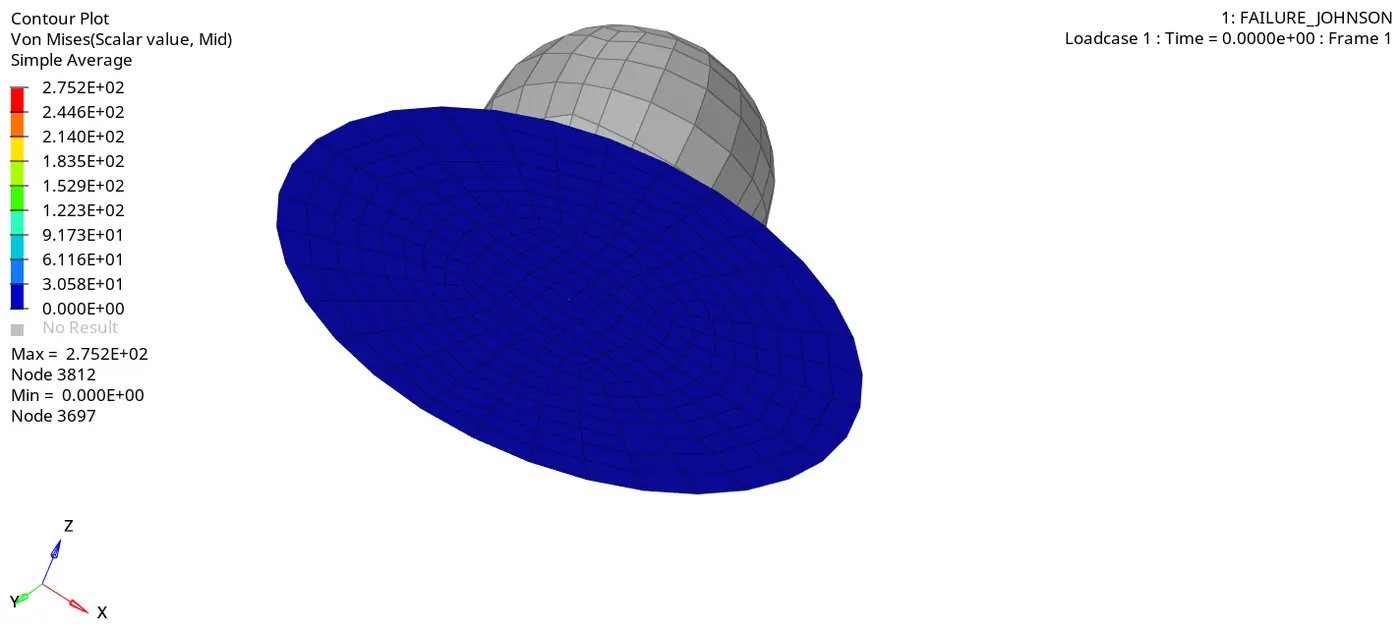
Open the appropriate file, it has looked like as below image.
Contour plot for Von mises stress :
Maximum stress is reached up to almost 275 Mpa over the period of time.
In this case, we used M2_Plas_Johns as a material card image. So, it represents Isotropic elastoplastic material and the failure criterion is based on the maximum plastic strain.
An Elastic-plastic strain value is set to be 0.151, which means when the plastic strain has to reach the 15 % of total strain energy. As result, an element is to be deleted after reaches that value.
If any of the one integration points in the element has reached the 15 % of total strain, then those elements are deleted.
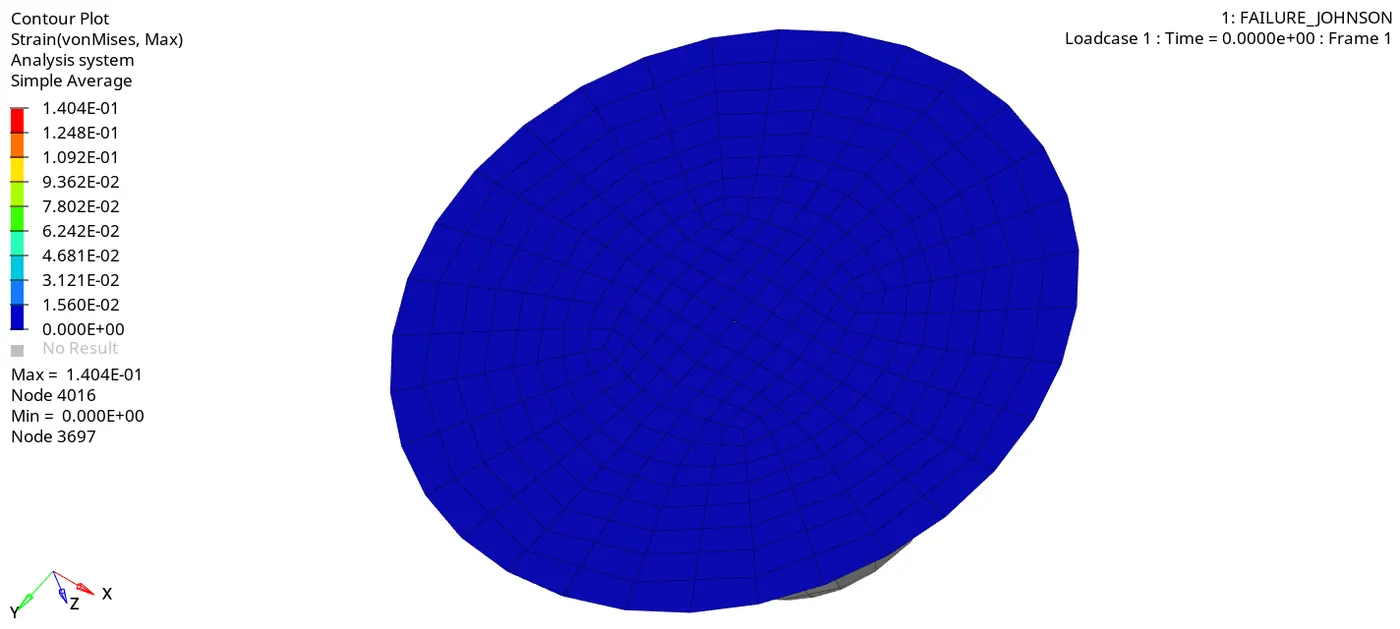
As we see below, an element is deleted where it reaches the plastic strain value.
Maximum strain reaches up to 0.140 mm
Switch to the "HyperGraph 2d" section from the "Hyper View" section.
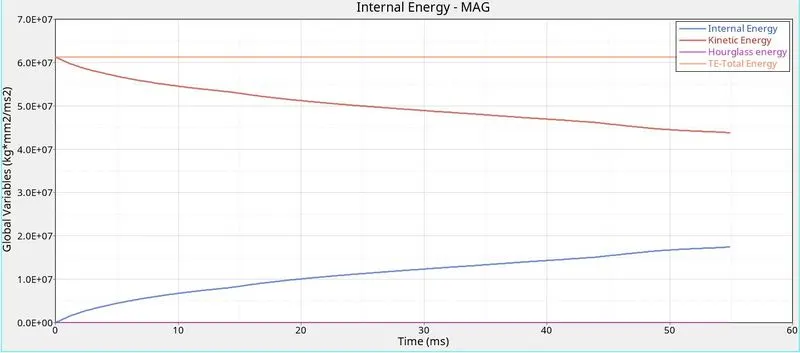
As we know the formula for Kinetic energy = 1/2 * m * V^2. As we see below, kinetic energy is decreasing from starting time to termination time. Because a displacement rate is reduced over a period of time so that kinetic velocity too decreased respectively.
As we know the formula for internal energy = Q + W. Since, there's no heat transfer in the system so only have to consider work done for calculating the internal energy. As we know, a product of force and displacement is work done. Since a displacement is continuously increased on the plate over a period of time so work done is to be increased, as a result, internal energy too increased respectively.
In this case, we used QEPH Ishell element formulation so there's no hourglass deformation is happens in the model.
In this case, the total energy is an addition of Internal energy and Kinetic energy which same has been plotted below.
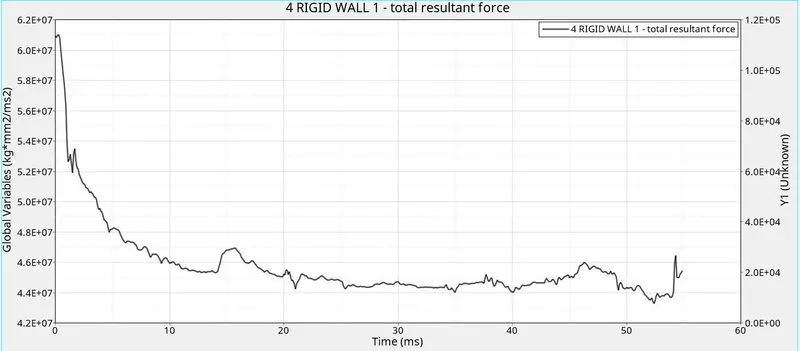
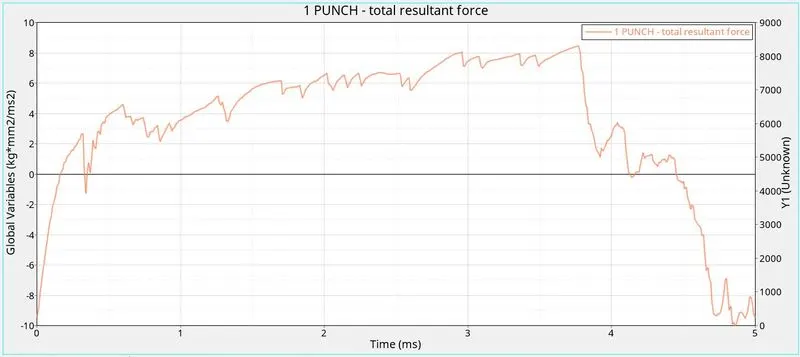
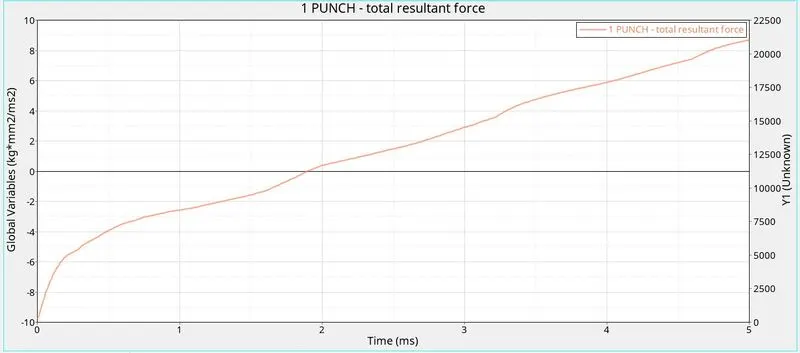
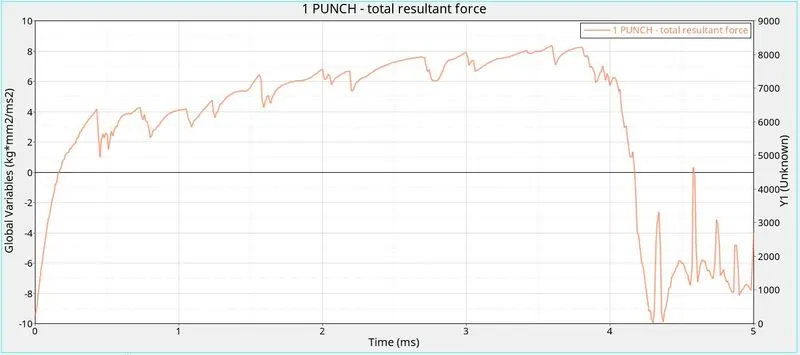
A resultant force is a resultant of x component, y component & z component. The resultant force is plotted below from starting time to termination time.
Initially, a plate has more stiffness so took more force to press on it. After attends some deformation, the stiffness of the component is decreased so that the resultant force also be decreased.
.
CASE 2 :
In this case 2, we have to edit some parameters such as Ifail_sh, Dadv & Ixfem in the failure card.
An Ifail_sh is a shell failure flag, which enables the shell to be deleted or cracked for one integration point or layer. The Ifail_sh value is 1.
An Ixfem is a failure type either cracked or deleted. In this case, use Ixfem is 1 so the element cracked when one integration point the maximum plastic strain value.
A Dadv is a Criterion for the crack advancement, by default value is 1.
Follows the same procedure which is to select the "Radioss" sub-panel under where "Analysis" panel, save the file in a separate folder and click the radioss button to solve the problem by solver itself. And same as solver has been generated different files.
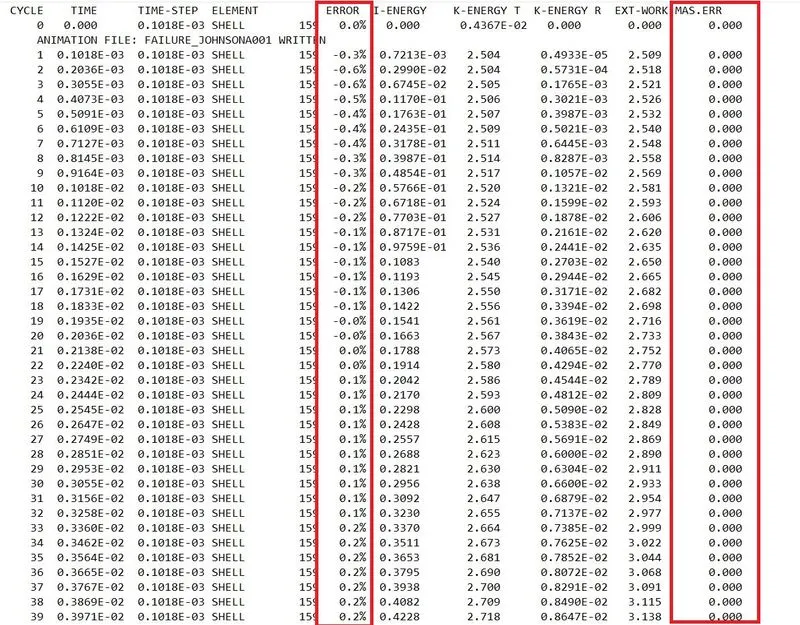
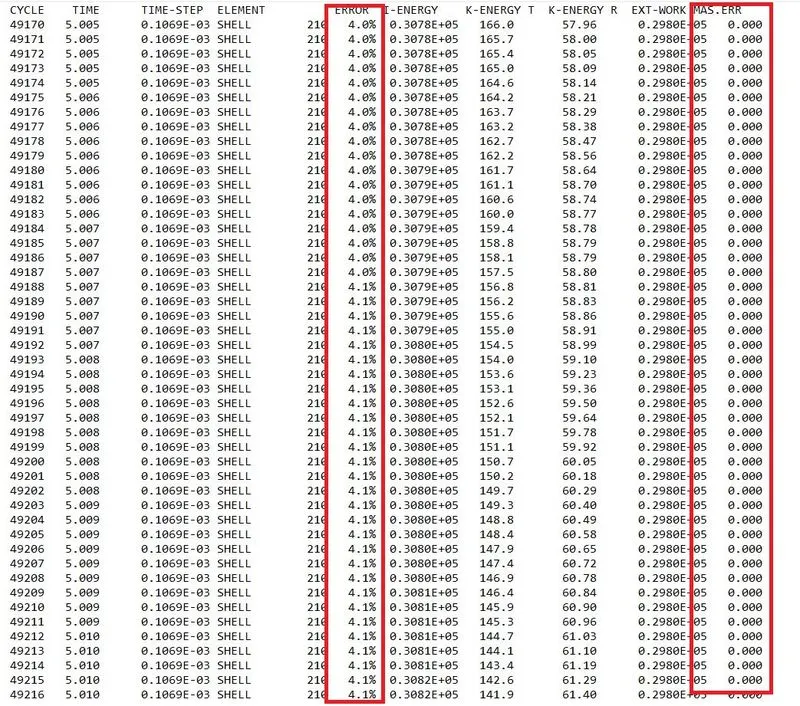
An energy error hasn't been beyond the 5% and not behind the -15% So, energy error is an acceptable thing and also mass error got zero from beginning to end.
After completion of solving, switch to "Hyperview" from the "HyperMesh" section.
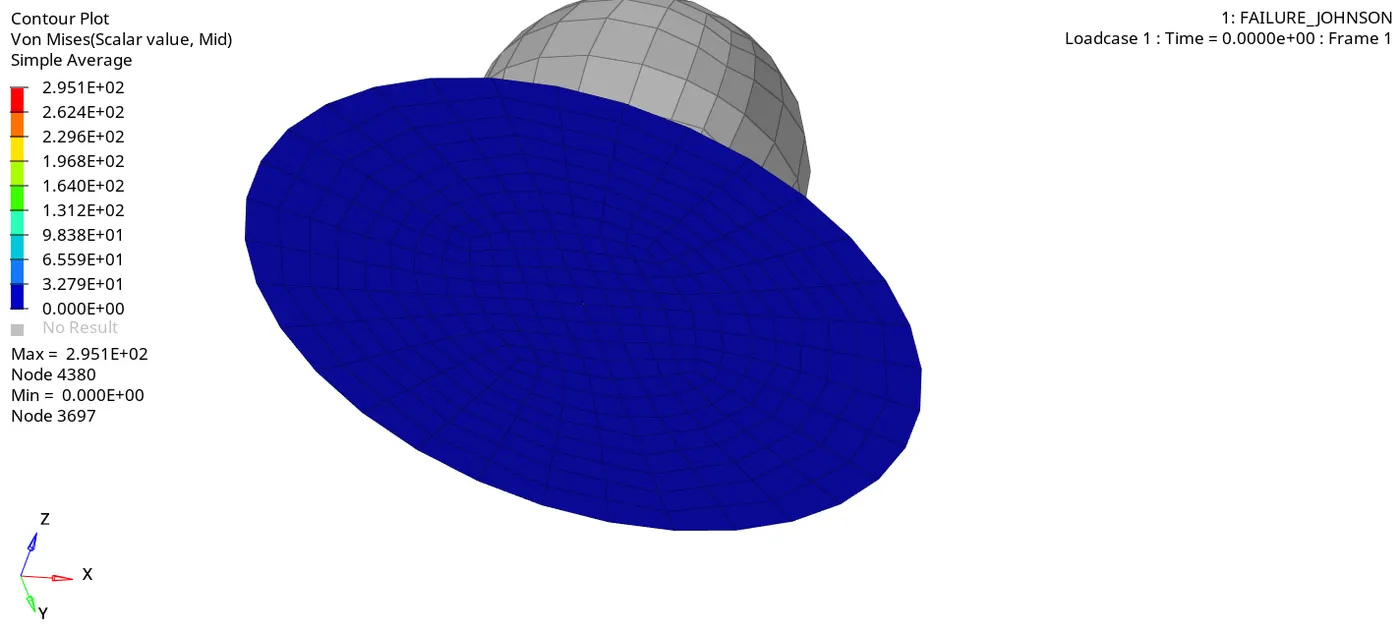
Open the appropriate file, it has looked like as below image.
Contour plot for Von mises stress :
Maximum stress is reached up to 295 Mpa. It seems generated more stress as compared to case 1.
As we can see below closely, an element is cracked once reach 15% of the total strain.
Switch to the "HyperGraph 2d" section from the "Hyper View" section.
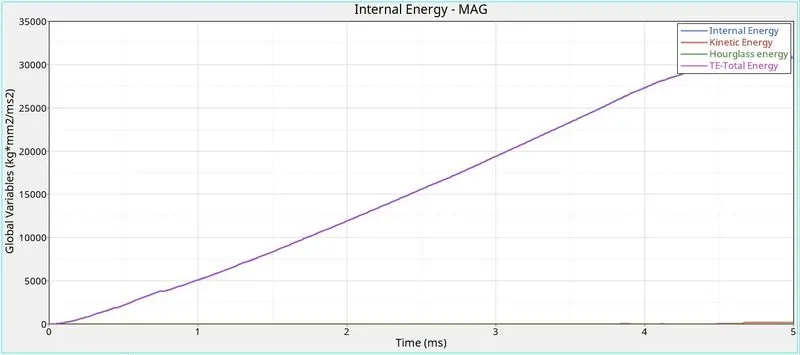
In this case, internal energy only developed on the plate over a period of time.
There's no kinetic energy had been developed, so total energy is equal to internal energy which plotted below.
Total Resultant force :
CASE 3 :
In this case 3, delete the failure card in the model browser.
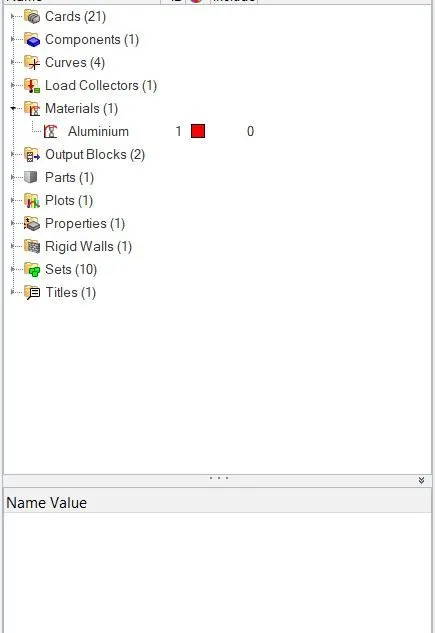
Follows the same procedure which is to select the "Radioss" sub-panel under where "Analysis" panel, save the file in a separate folder and click the radioss button to solve the problem by solver itself. And same as solver has been generated different files.
An energy error hasn't been beyond the 5% and not behind the -15% So, energy error is an acceptable thing and also mass error got zero from beginning to end.
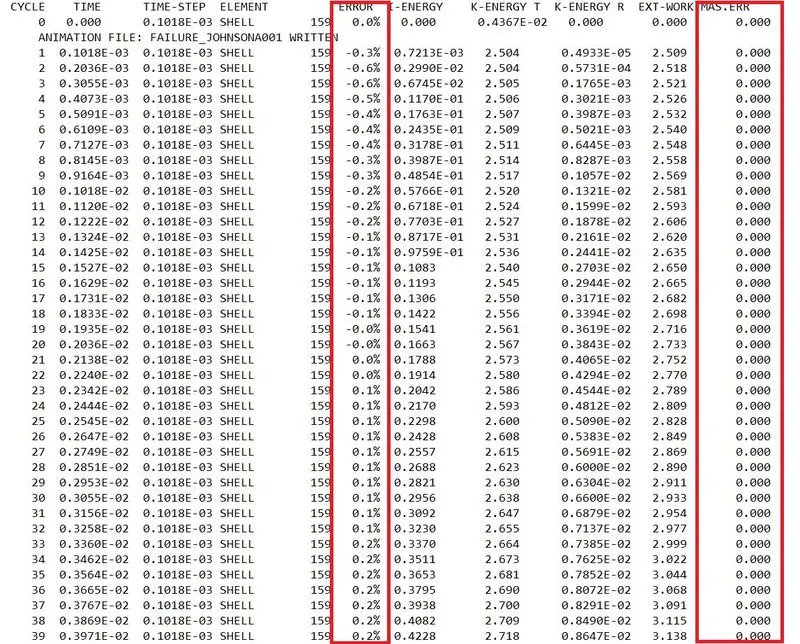
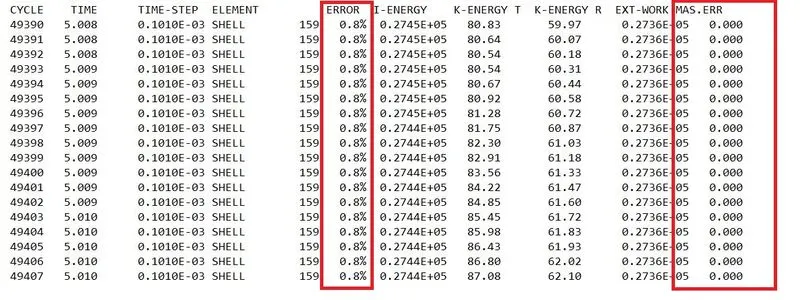
After completion of solving, switch to "Hyperview" from the "HyperMesh" section.
Open the appropriate file, it has looked like as below image.
Contour plot for Von mises stress :
Maximum stress is reached up to 270 Mpa. It seems to generate less stress as compared to case 2 and generate more stress as compared to case 1.
As we can see below closely, an element is deleted once reach 15% of the total strain.
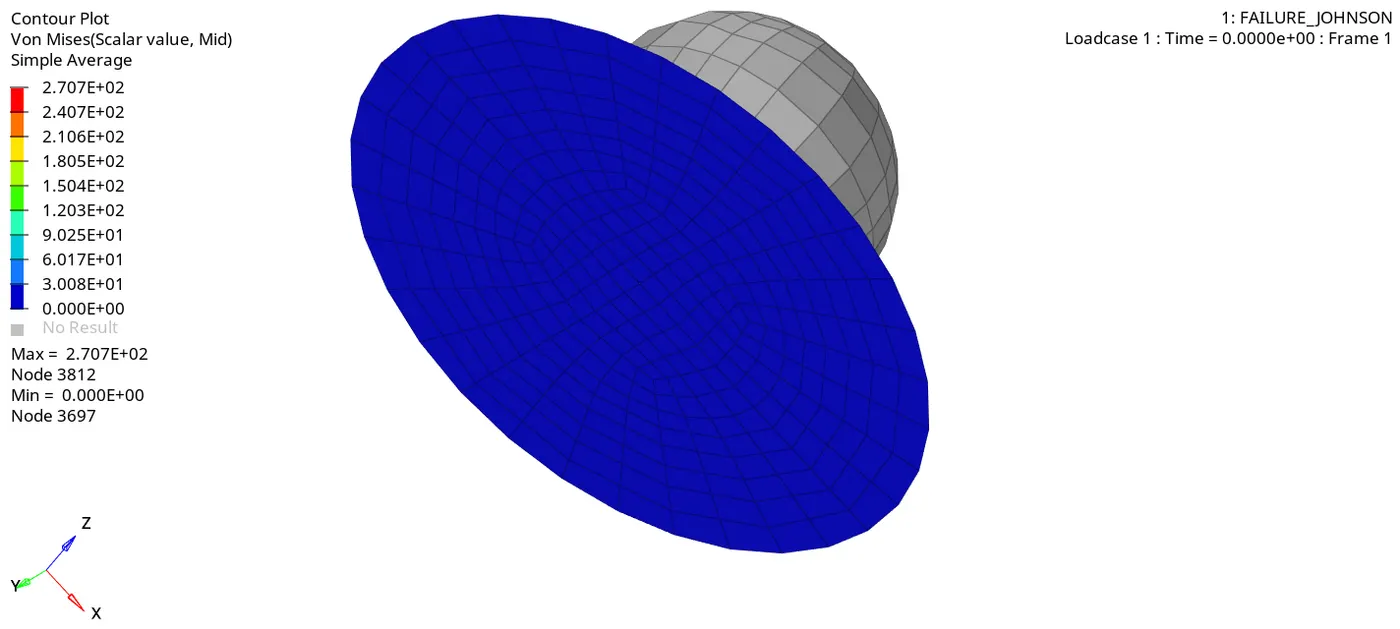
Switch to the "HyperGraph 2d" section from the "Hyper View" section.
In this case, internal energy only developed on the plate over a period of time.
Here also, there's no kinetic energy had been developed only internal energy is developed. So total energy is equal to internal energy which is plotted below.
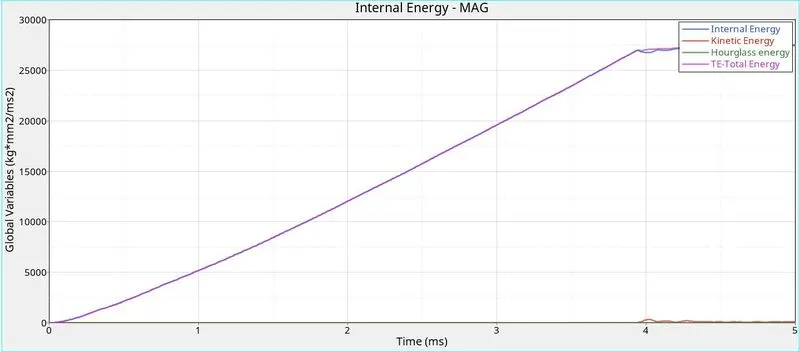
Total resultant force :
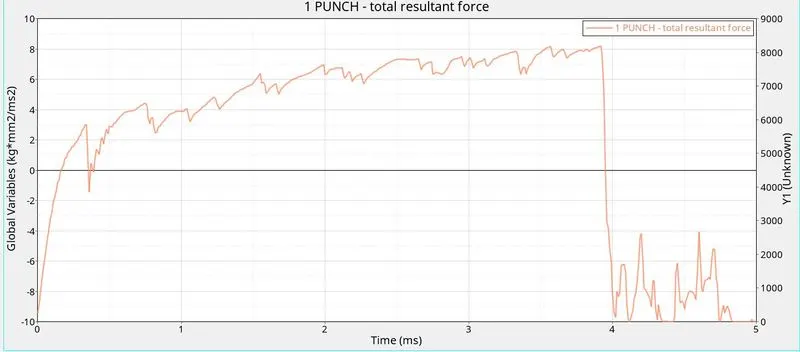
CASE 4 :
In this case 4, change into 0 as a maximum plastic strain value in the material card.
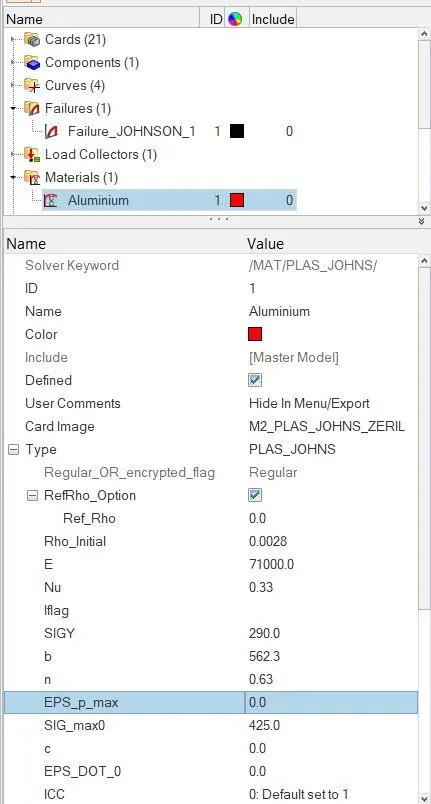
Follows the same procedure which is to select the "Radioss" sub-panel under where "Analysis" panel, save the file in a separate folder and click the radioss button to solve the problem by solver itself. And same as solver has been generated different files.
An energy error hasn't been beyond the 5% and not behind the -15% So, energy error is an acceptable thing and also mass error got zero from beginning to end.

After completion of solving, switch to "Hyperview" from the "HyperMesh" section.
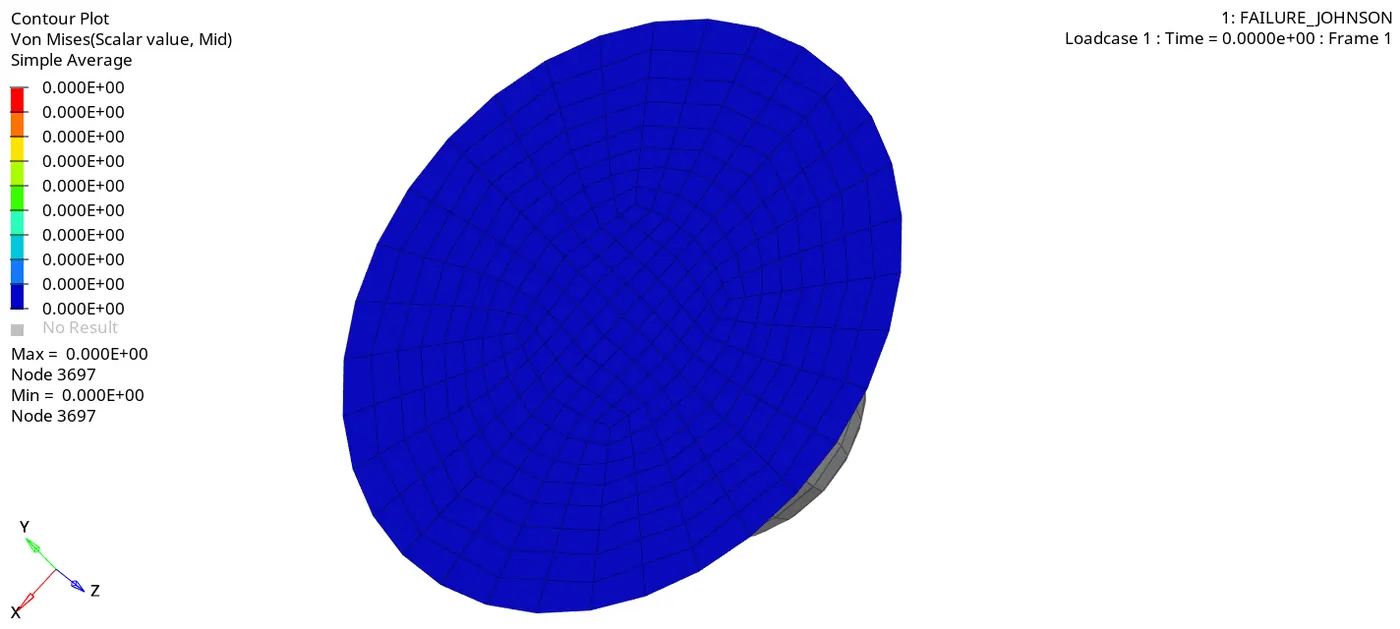
Open the appropriate file, it has looked like as below image.
Contour plot for Von mises stress :
Maximum stress is reached up to 420 Mpa. Because a plate element hasn't been deleted or cracked, a plate got to have more stiffness. It seems to generate more stress as compared to all previous cases.
As we can see below, an element isn't deleted or cracked because the Eps_p_max value is set to be zero. This means an element will be failing once reach 100% of total strain energy.
Switch to the "HyperGraph 2d" section from the "Hyper View" section.
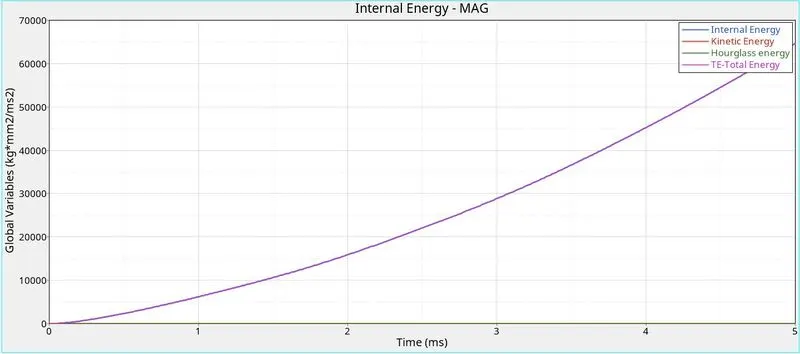
In this case too, internal energy only developed on the plate over a period of time and was also higher than in all previous cases.
Here also, there's no kinetic energy had been developed only internal energy is developed. So total energy is equal to internal energy which is plotted below.
Total Resultant force :
CASE 5 :
In this case 5, using the same model file but change into law_1 as a card image in the materials card, using the same material properties such as density, young's modulus & Poisson's ratio.
M1_Elast material is an isotropic linear elastic material that obeys Hooke's law.
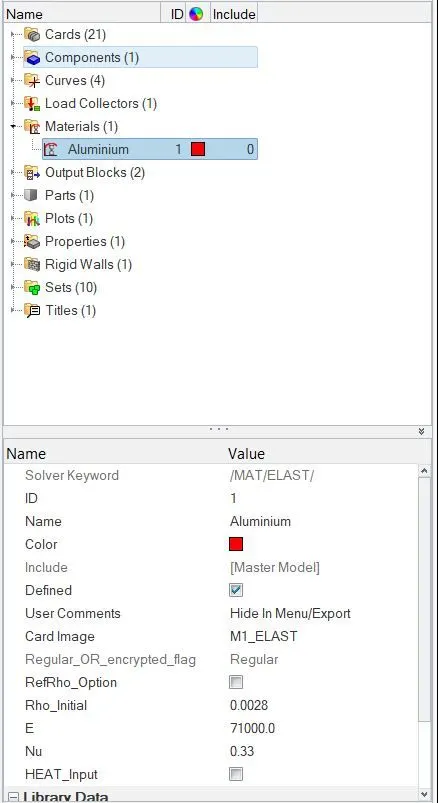
As same as follows the same procedure which is to select the "Radioss" sub-panel under where "Analysis" panel, save the file in a separate folder and click the radioss button to solve the problem by solver itself. And same as solver has been generated different files.
An energy error hasn't been beyond the 5% and not behind the -15% So, energy error is an acceptable thing and also mass error got zero from beginning to end.
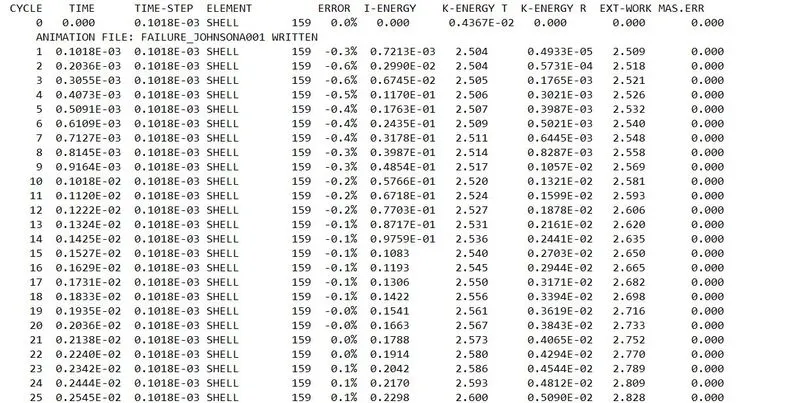

After completion of solving, switch to "Hyperview" from the "HyperMesh" section.
Open the appropriate file, it has looked like as below image.
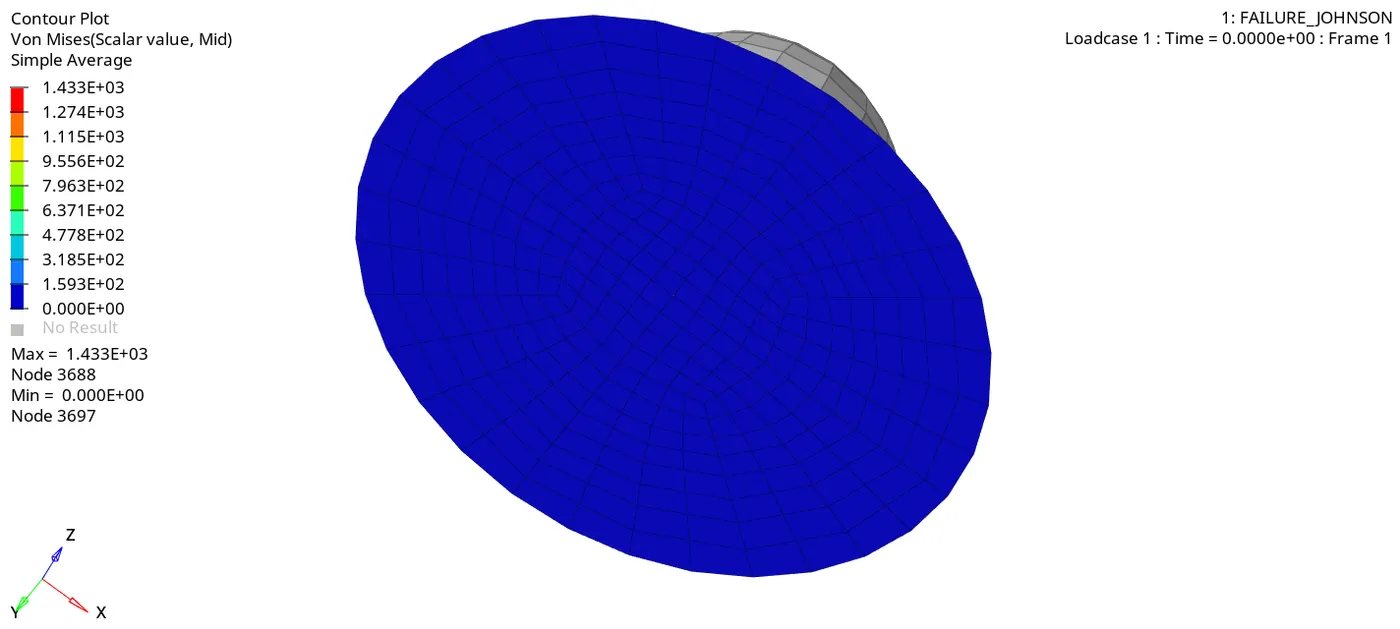
Contour plot for Von mises stress :
Maximum stress is reached up to 1433 Mpa. Because of we have used elastic material. It seems to generate more stress as compared to all previous cases.
As we can see below, an element isn't deleted or cracked because the Eps_p_max value is set to be zero. This means an element will be failing once reach 100% of total strain energy.
It generated more stress on the plate as compared to previous cases. It is a ductile material, it tends to allow deformation without cracking or delete.
Switch to the "HyperGraph 2d" section from the "Hyper View" section.
In this case too, internal energy only developed on the plate over a period of time and was also higher than in all previous cases. In this case, the internal energy is very high as compared to previous cases.
Here also, there's no kinetic energy had been developed only internal energy is developed. So total energy is equal to internal energy which is plotted below.
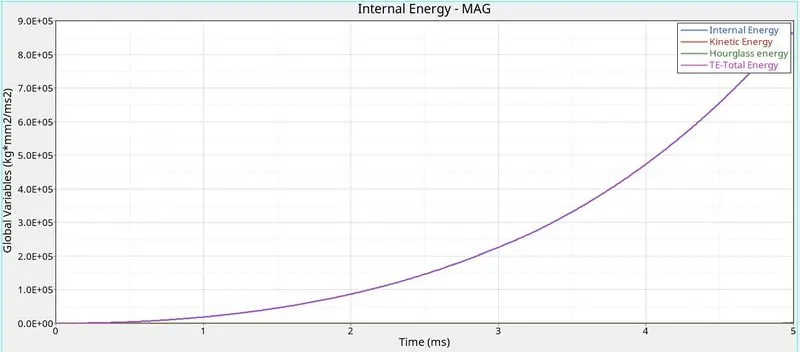
Total resultant force :
CASE 6 :
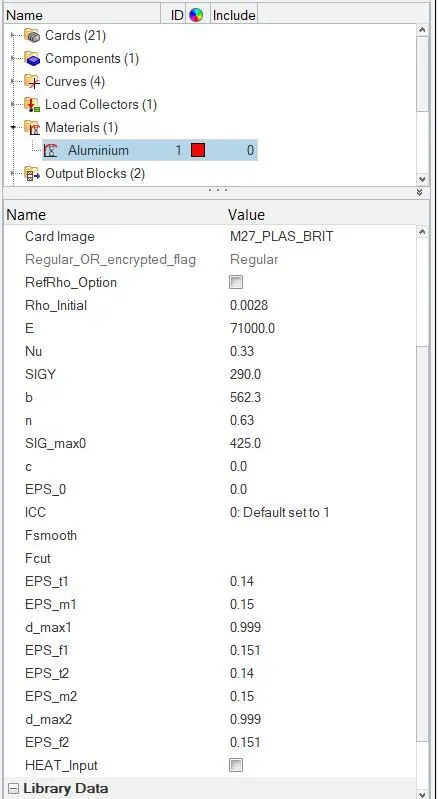
In this case 6, import the "Law_27_0000.rad" as a started deck file through the "import solver file". It is an isotropic elastoplastic johnson cook material model with an orthotropic brittle failure model.
Change into recommended element parameters in the property card.
In the material card, we have to provide the different Eps values based on failures such as plastic failure strain for tension, compression or shear & Rupture parameters for tension only. So, that failure & damage occurs only in tension and this law is only applicable for shell elements.
As same as follows the same procedure which is to select the "Radioss" sub-panel under where "Analysis" panel, save the file in a separate folder and click the radioss button to solve the problem by solver itself. And same as solver has been generated different files.
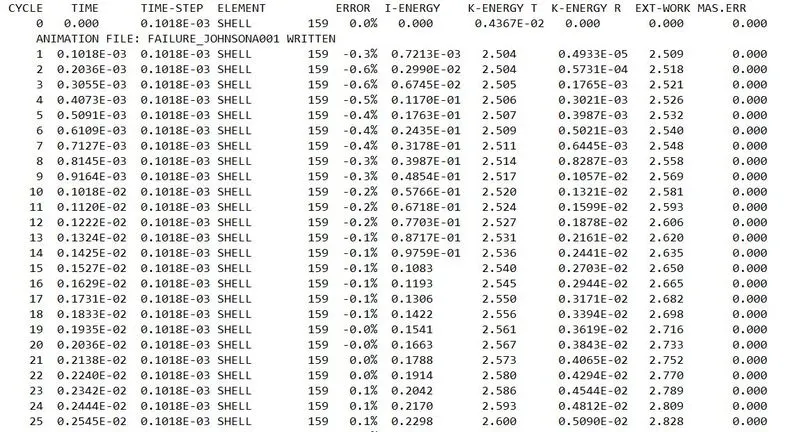
An energy error hasn't been beyond the 5% and not behind the -15% So, energy error is an acceptable thing and also mass error got zero from beginning to end.

After completion of solving, switch to "Hyperview" from the "HyperMesh" section.
Open the appropriate file, it has looked like as below image.
Contour plot for Von mises stress :
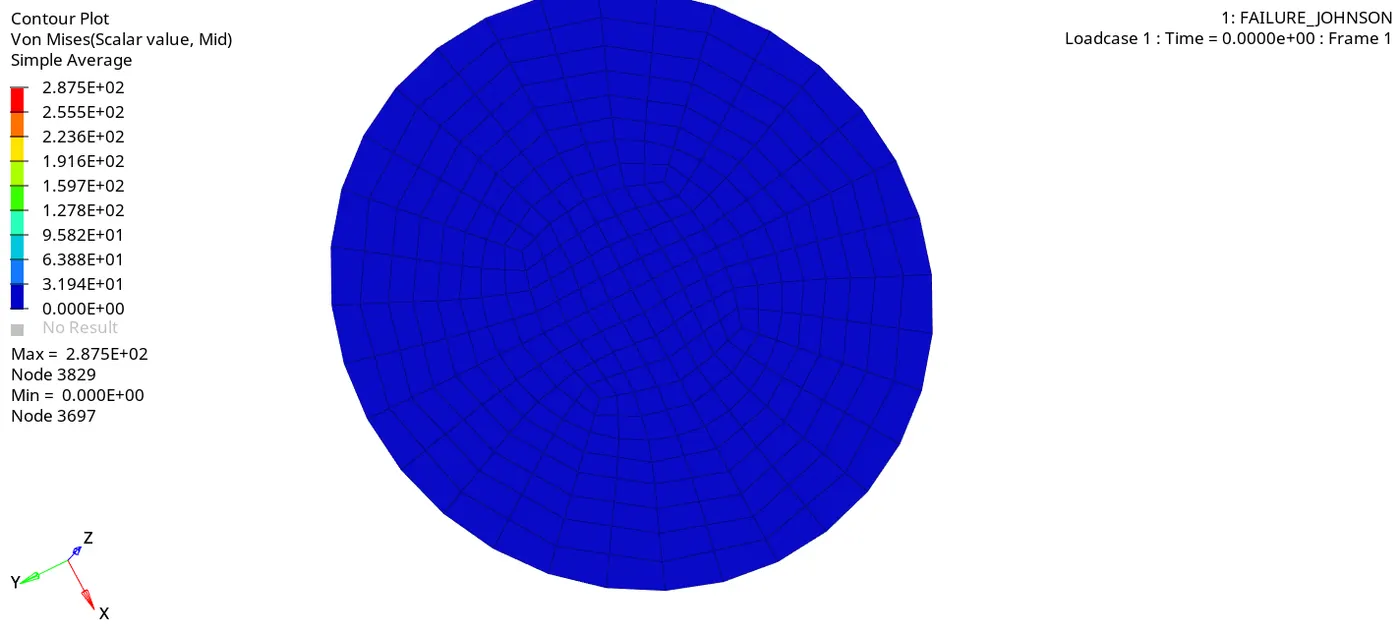
Maximum stress is reached up to 287 Mpa. It seems to generate more stress as compared to the first two cases.
In this case, an element has been deleted once reaches the maximum tensile strain because we used law_27 material.
Switch to the "HyperGraph 2d" section from the "Hyper View" section.
In this case too, internal energy only developed on the plate over a period of time and also maximum value is equal to the first four cases.
Here also, there's no kinetic energy had been developed only internal energy is developed. So total energy is equal to internal energy which is plotted below.
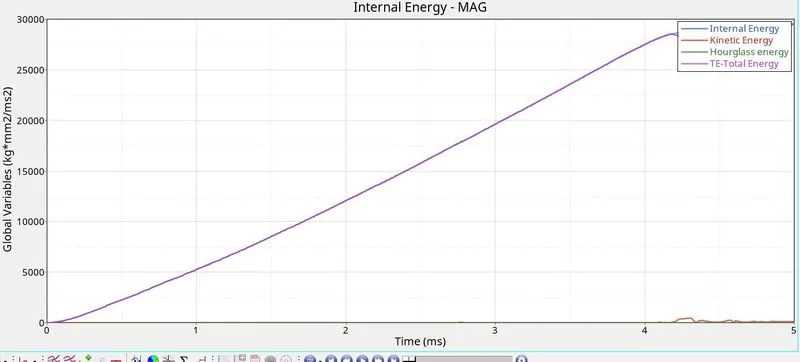
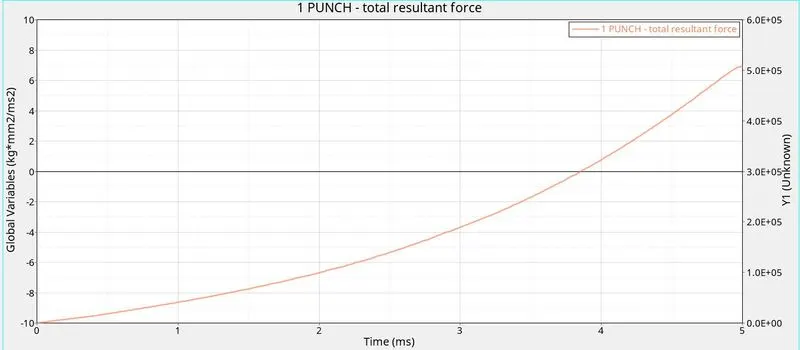
Tota Resultant force :
CASE 7 :
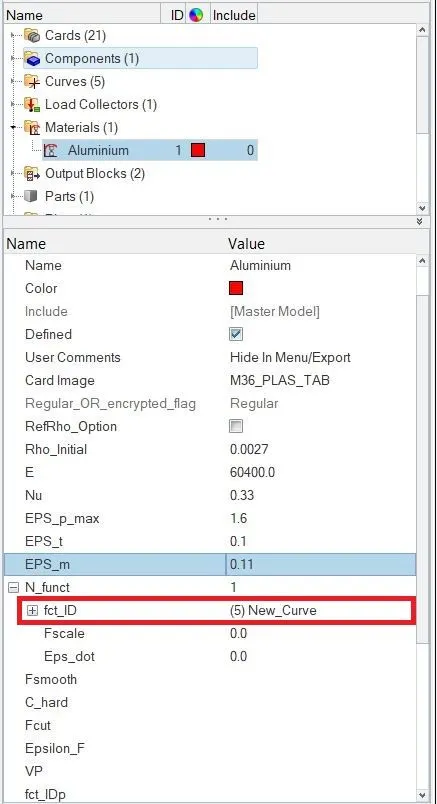
In this case 7, import the "FAILURE_JOHNSON_0000" as a started deck file through the "import solver file" and change it into "Law_36" material. It is an isentropic elasto-plastic material using user-defined functions for the work hardening portion of the stress-strain curve for a different strain. It is applicable for both shells as well as solid.
We have to define the stress-strain curve for this material. Using given plastic strain & post-yield stress value to define the stress-strain curve manually.
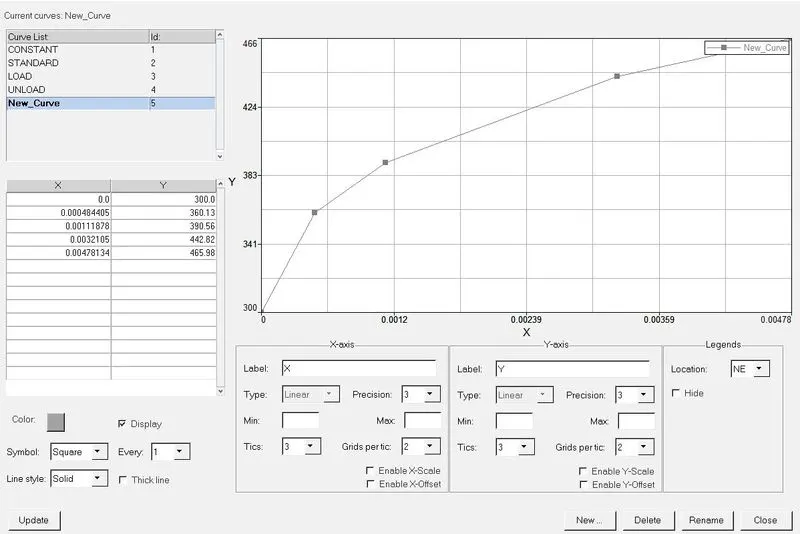
Then, we have to assign the newly created curve into "func_Id" as below which is the yield stress identifier based on corresponding to strain rate.
As same as follows the same procedure which is to select the "Radioss" sub-panel under where "Analysis" panel, save the file in a separate folder and click the radioss button to solve the problem by solver itself. And same as solver has been generated different files.
An energy error hasn't been beyond the 5% and not behind the -15% So, energy error is an acceptable thing and also mass error got zero from beginning to end.
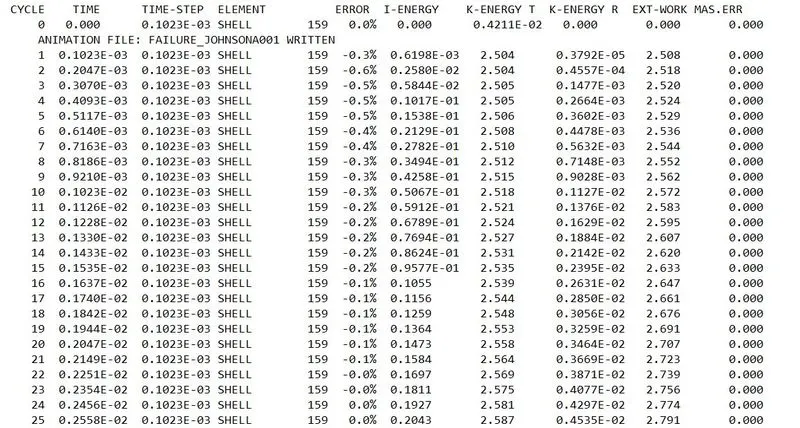
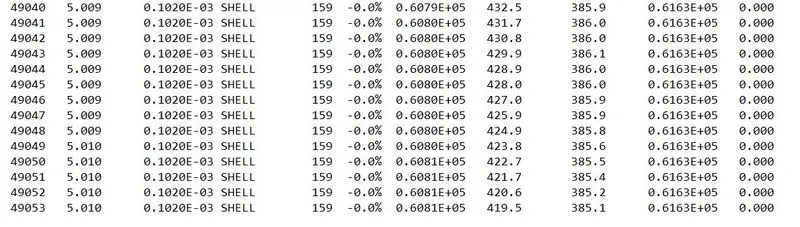
After completion of solving, switch to "Hyperview" from the "HyperMesh" section.
Open the appropriate file, it has looked like as below image.
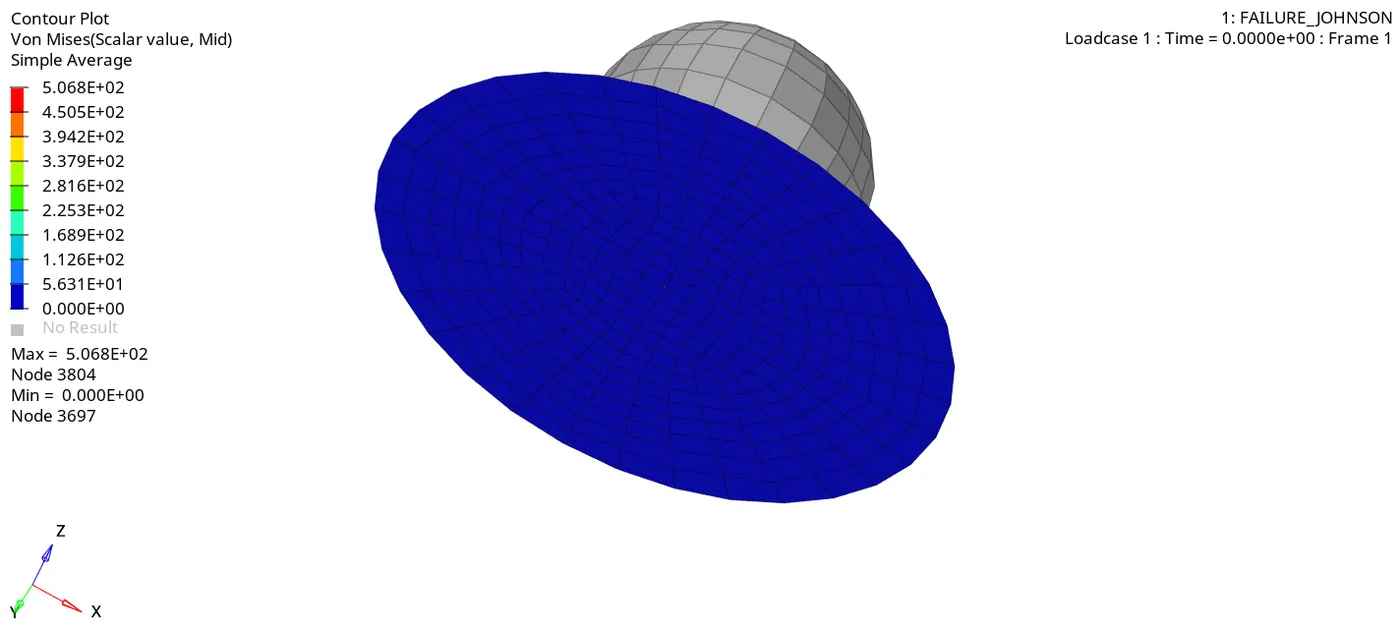
Contour plot for Von mises stress :
Maximum stress is reached up to 506 Mpa. It seems to generate more stress as compared to previous cases except cases 5 & 6.
In this case, an element has been deleted once reaches the maximum plastic strain.
Switch to the "HyperGraph 2d" section from the "Hyper View" section.
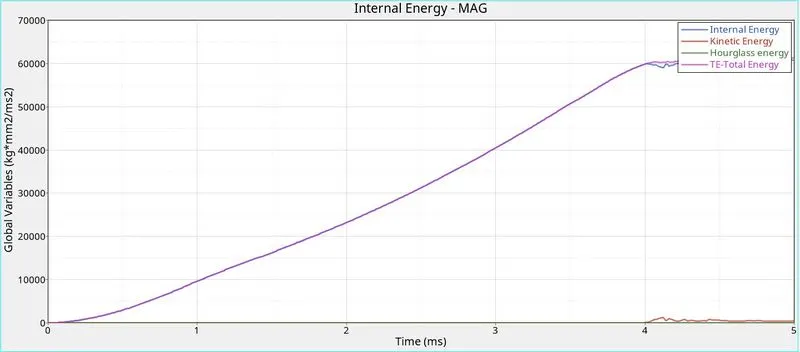
Even in this case too, internal energy only developed on the rupture plate over a period of time and also maximum value is pretty higher than in previous cases.
Here also, there's no kinetic energy had been developed only internal energy is developed. So total energy is equal to internal energy which is plotted below.
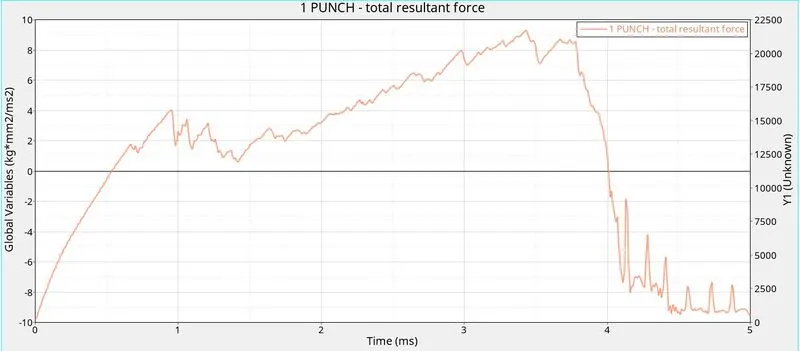
Total Resultant force :
CONCLUSION :
| Cases | Material Used | Changes | Elapsed time in sec | Total Number of cycles taken | Element failure behaviour |
| 1 | Johnson-Cook (Law_2) | Used default parameters | 47.89 | 49380 | Element deleted |
| 2 | Johnson-Cook (Law_2) | Changed values of Ifail_sh, Dadv & Ixfem in the failure card | 54.25 | 49217 | Element cracked |
| 3 | Johnson-Cook (Law_2) | Deleted the failure card from the model browser | 50.66 | 49408 | Element deleted |
| 4 | Johnson-Cook (Law_2) | Changed into zero for maximum plastic strain | 49.27 | 48737 | Element deformed without deleted & cracked |
| 5 | Elastic (Law_1) | Changed into law_1 as card image & Keep same material properties | 43.54 | 47969 | Element deformed without deleted & cracked |
| 6 | Elasto-plastic brittle (Law_27) | Provided rupture parameters & used recommended element parameters | 48.84 | 49508 | Element deleted |
| 7 | Elastoplastic tabulated | Provided the stress-strain curve by user-defined | 52.32 | 49054 | Element deleted. |