Assignment 4-Rupture plate analysis using Radioss.
AIM:
-To run and analyse the simulation of rupture plate faliure behaviour using different material models for LAW1 LAW2 LAW27 and LAW36 using radioss and compare its results with different cases like total number of cycles,energy error and mass error.Finally to plot the result graph in hyper veiw and hypergraph.
Solution:
CASE1:
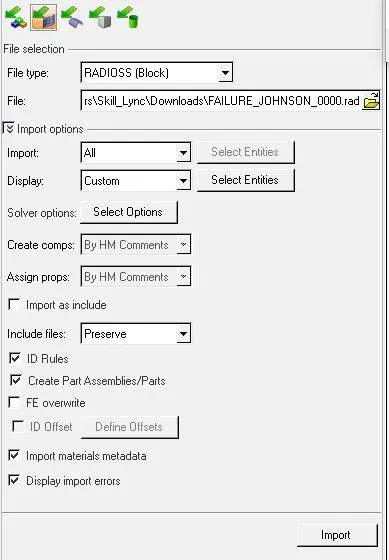
-Initially we have to import the file (Failure_johnson.0000.rad) in to hypermesh file which can by following option(file>import>solver desk>upload the file) and finally select the import button at the bottom so that the imported model gets displayed on the work space.
Default model after the file is imported: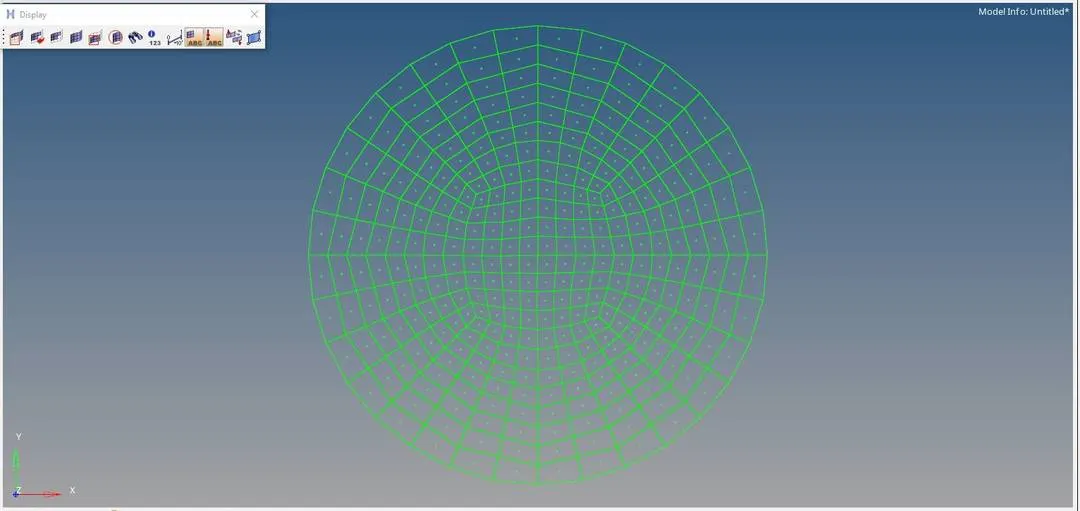
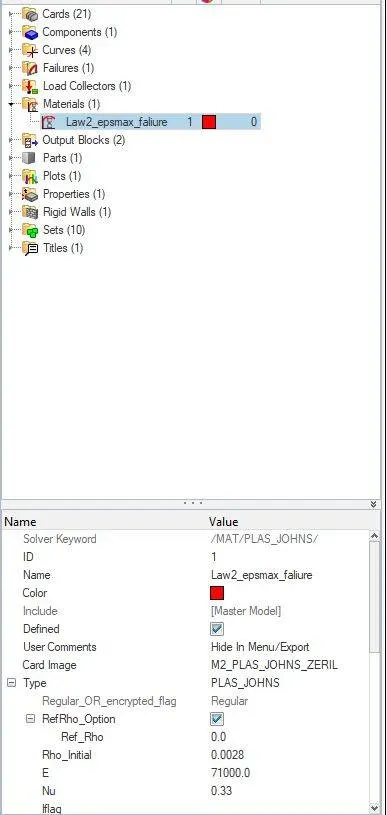
-Here under the model there is an option called as material,select it and another sub title will appear ,here we have to change the name from Aluminum to Law2_epsmax_failure.(file>material>select the material name and right click and select rename ).
-Here the default material name is Aluminum.
-Now we need to run the simulation by using the following steps,Main menu page>Analysis>Radioss.Also we need to click on save as to change the file directory to case 1 folder,then click on include connectors.In the place of option type -nt 4 which acts as a reference for time period and finally click on Radioss.
Step1:

Step2:

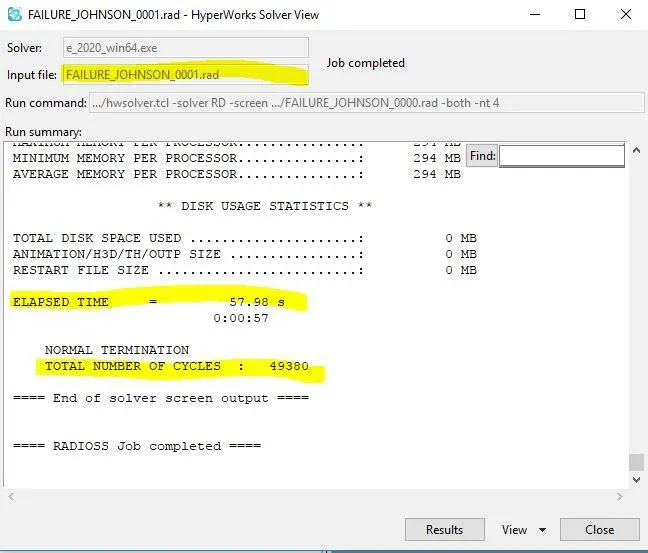
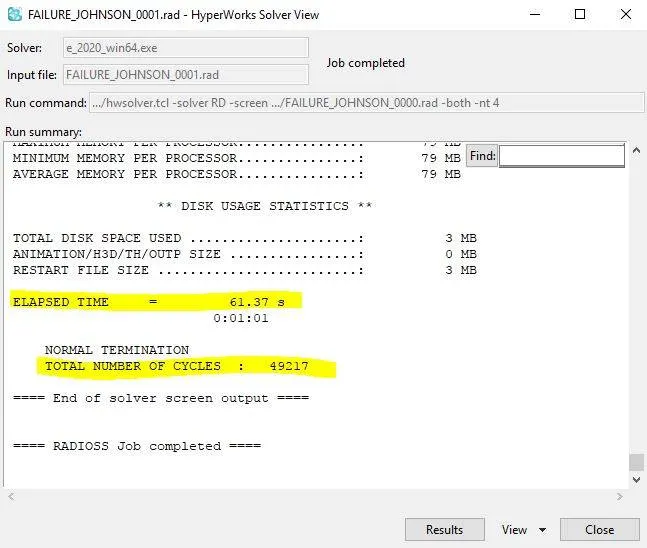
-After running the simulation we will an output screen which shows us the number of cycle and time taken for it and is displayed as below:
-Now if we want to get the animation file (.h3d) we can get it from Hyperveiw option this is done by selecting the Hyperveiw icon.After opening the hyperveiw upload the file and click on Apply.
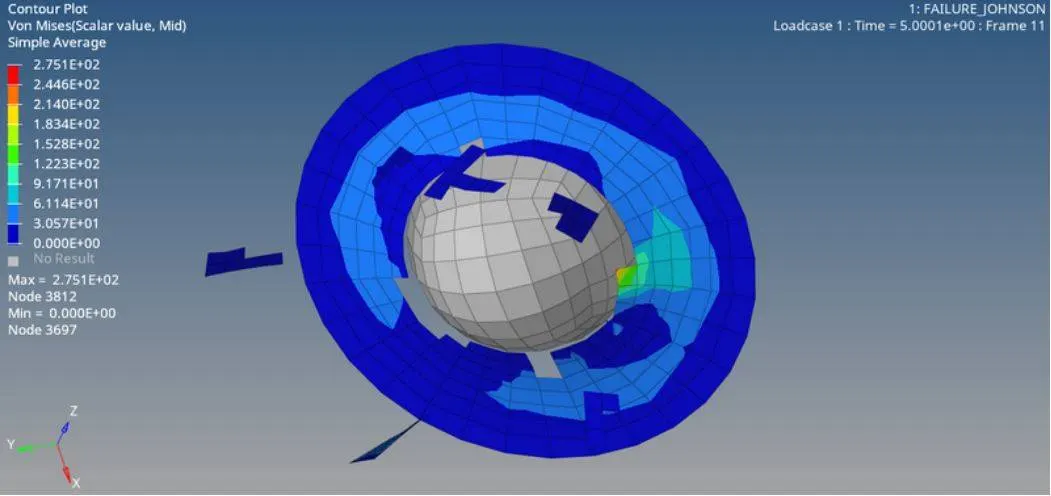
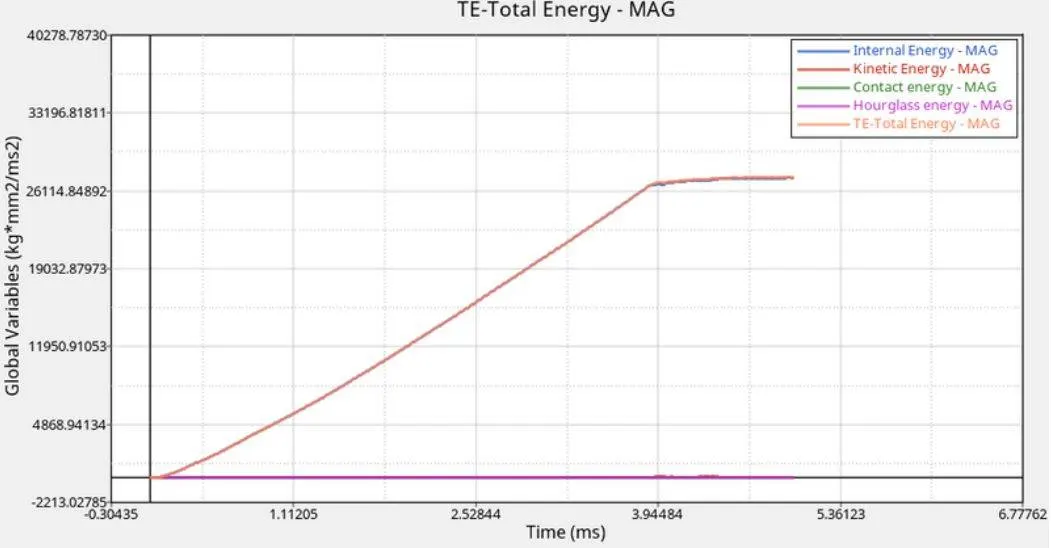
-To plot the kinetic,contact ,hourglass,internal and total energy of case 1 we need to click on Hypergraph 2D.The result of graph is obtained as below:
CASE2:
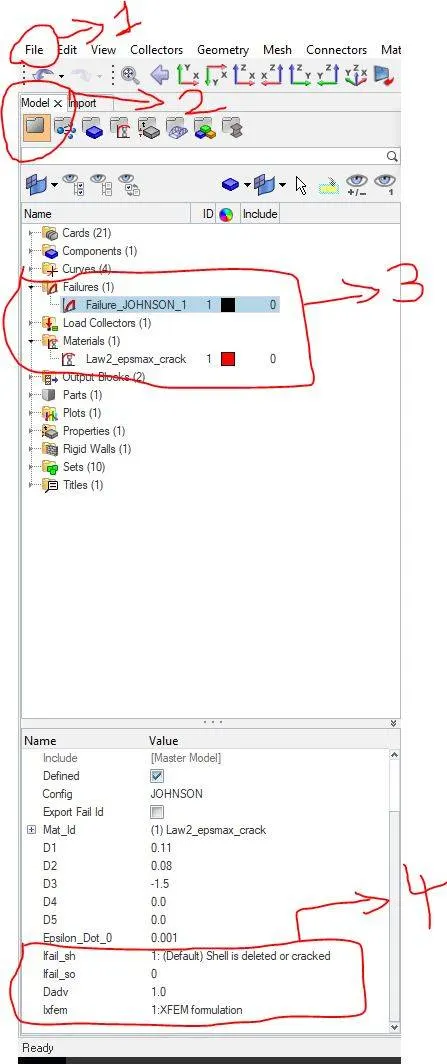
-Here we once agaun going to use the case1 stater file and Law2 material card but here we only need to change the value of failure cards.
-The given failure card value are as follows:
1)Ifail_sh=1.(shell is cracked for one intergration point.
2)Dadv=1.(A criterion for crack advancement and will be active only if ixfem=1.
3)ixhem=1.(They actually represent the crack over an element,also gives an elastic behaviour in a system).
-for doing this process follow the steps(file>model>failures>failure_johnson>change the failure card model).Also we need to change material card as Law2_epsmax_crack.
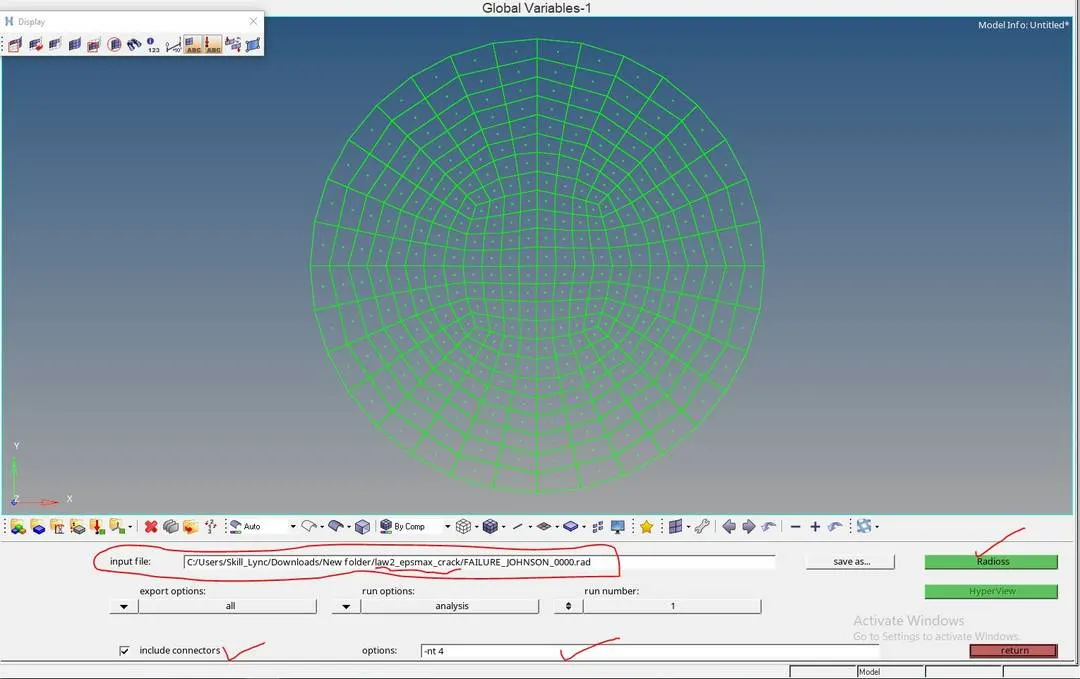
-Now here input file option we have to give the name as Law2_epsmax_crack and just run the program.
-The result obtained will be as follows:
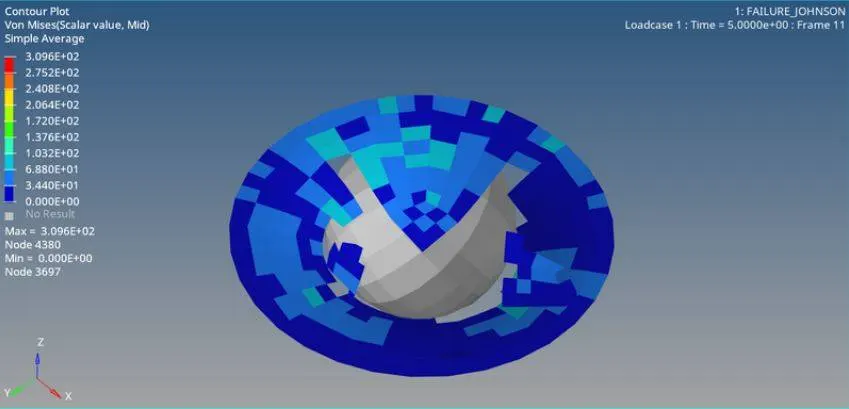
-Now if we need to get the annimation file of the above file in .h3d format,click on hyper view.
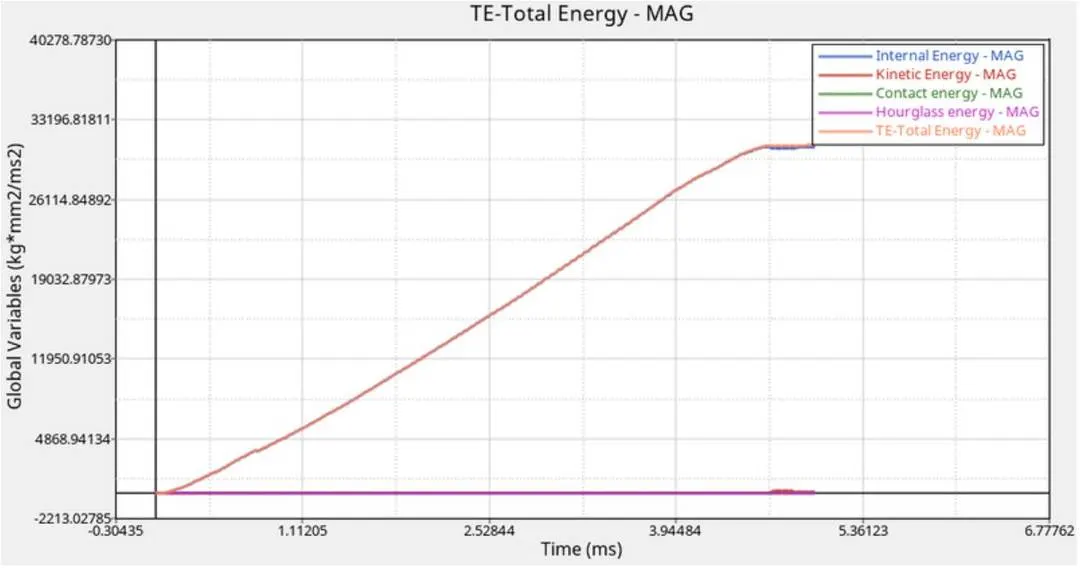
-Now we need to plot the graph for internal,kinetic,contact,hourglass and total energy for the respective simulation,go to Hypergraph 2D.And the output plot is displayed below:
CASE 3:
-Here in this case we are using the case 2 file stater and law 2 material card but here we need to delete the failure card,before running the simulation.
-Here we mainly remove or delete the failure because as we know that the failure of a material occurs when the materials EPS_ P_max values increases beyound the limit .So if we avoid this card the chances for the material will be nulified.We can delete it right clicking on failure johnson and select delete.Then we can run the simulation after selecting or changing necessary parameter.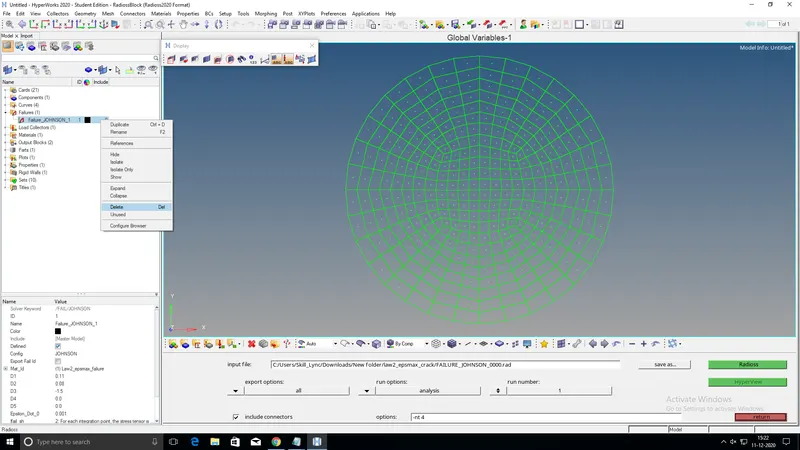
-After running the simulation:

-The output for simulation will be as follows:
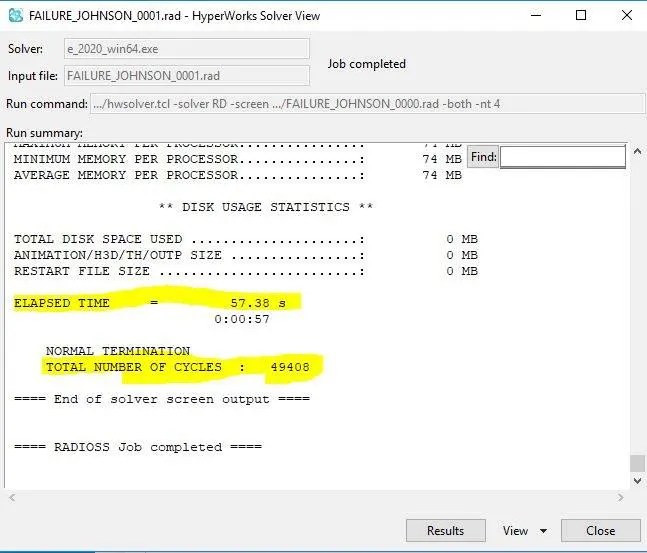
-The animation of the simulation for (h3D) format in hyperveiw and is given below:
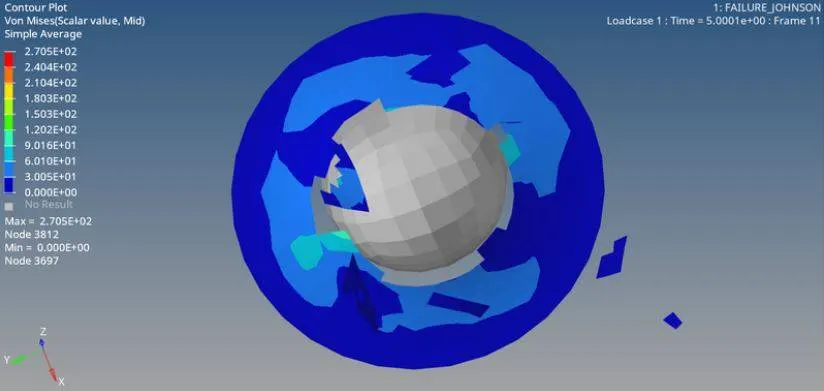
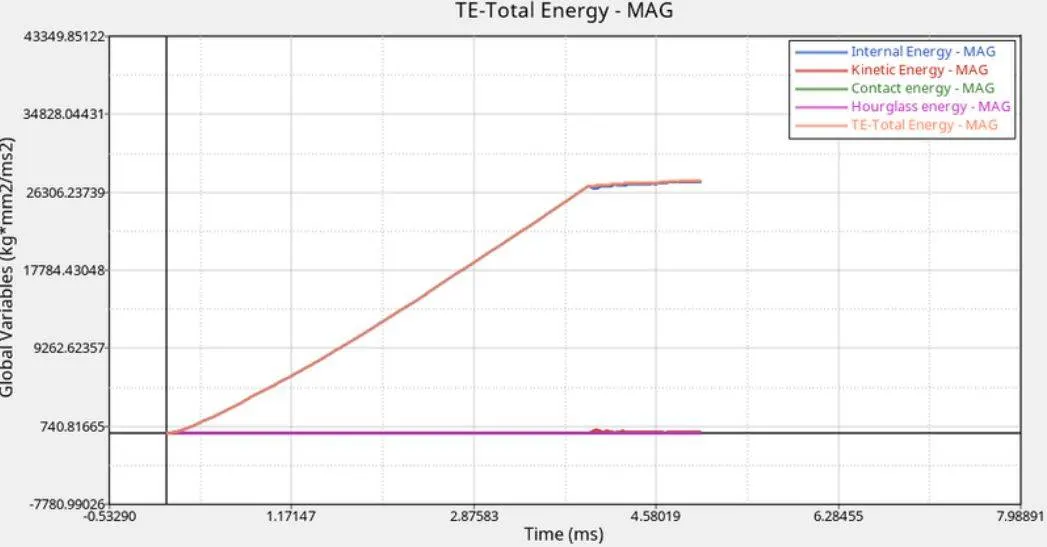
-The plot for the above simulation will be as follows:
CASE 4:
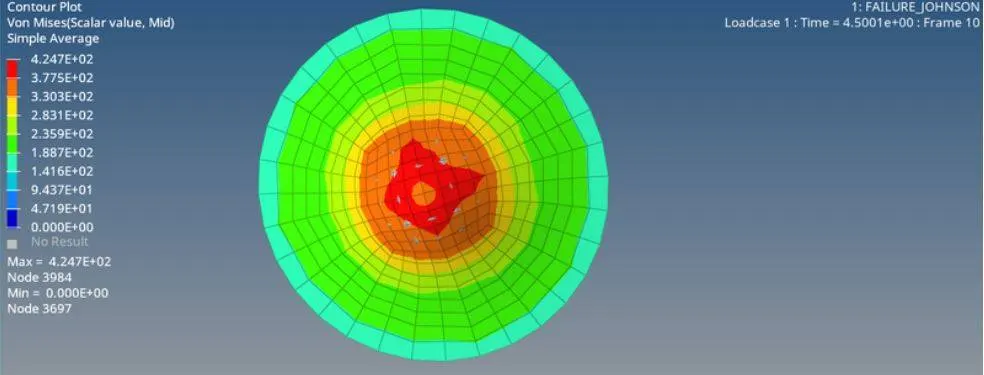
-Here we going to use case 3 stater file and law 2 material card,the only thing to be made change is we need to remove/delete the EPS_p_max value which means here the p_max value is zero.EPS_P_max is plastic failure strain for tension,compression or shear.
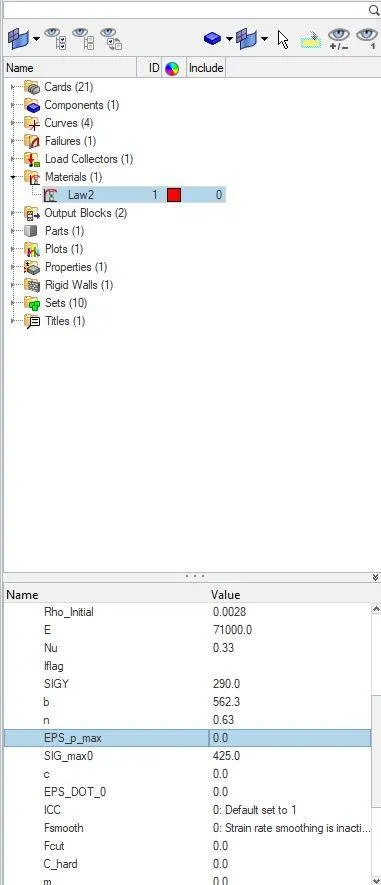
-After making the necessary change we can now run the simulation.(main menu>analysis>radioss>select the file to run the simulation in input box>give the time period>click radioss.The result of the simulation is given below:
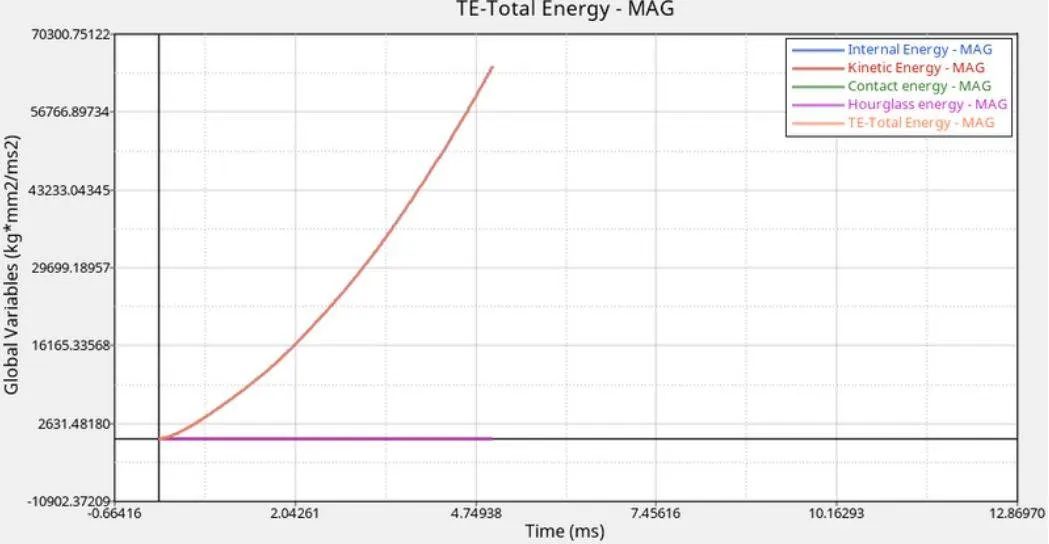
-The energy plot for the above simulation is as below:
CASE 5:
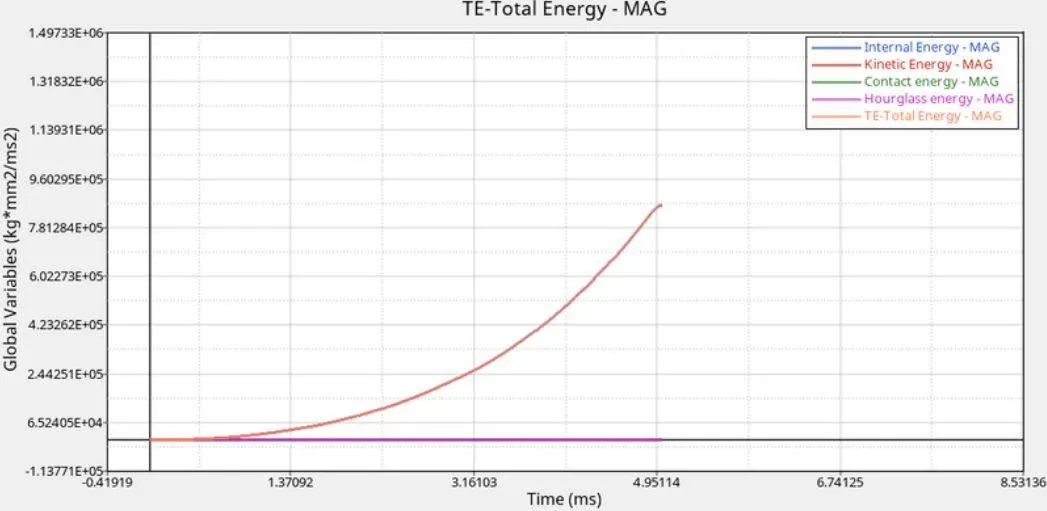
-Here in this case we are going to use case 4 stater fill but have to convet the material card into Law1 as this card helps in defining the elsaticity which needs three points density of material,youngs modulus(E) and poissons ratio (Nu) and the values used to run the simulation are the folowing:"
1)Density=0.0028
2)Youngs modulus(E)=71000
3)Poissons ratio(nu)=0.33
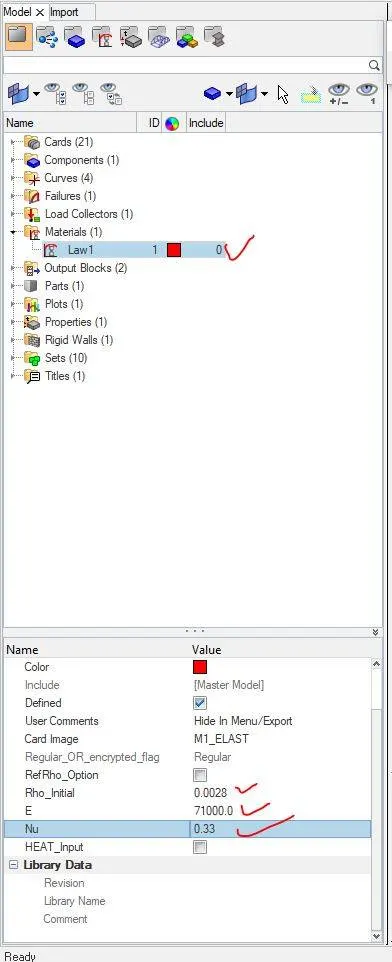
-After making necessary changes we need to upload the file and save it and finally run the program.
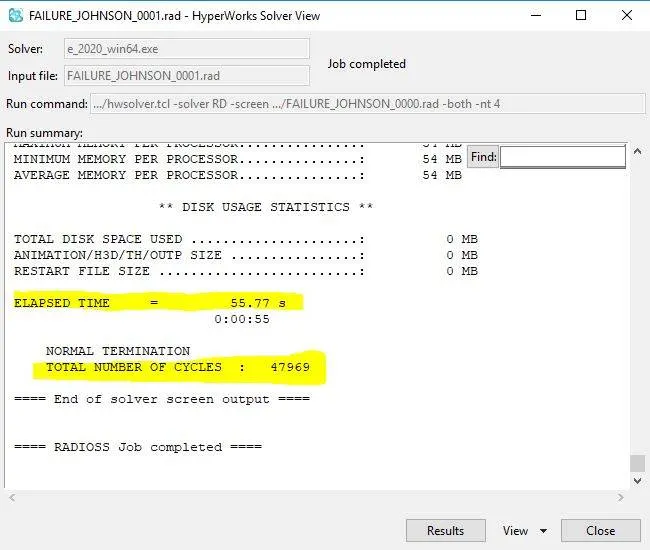
-The output result will be displayed as follows:
-The animation (.h3d) of the above simulation will be veiwed by clicking on hyperveiw
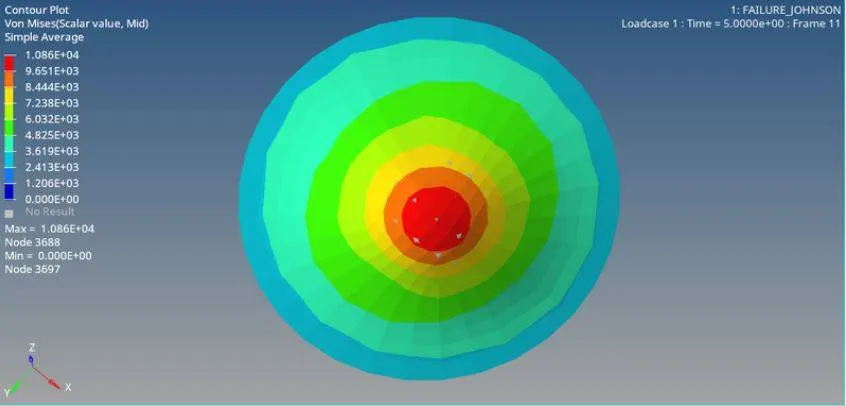
-The plot for various energies of the simulation is given below:
CASE 6:
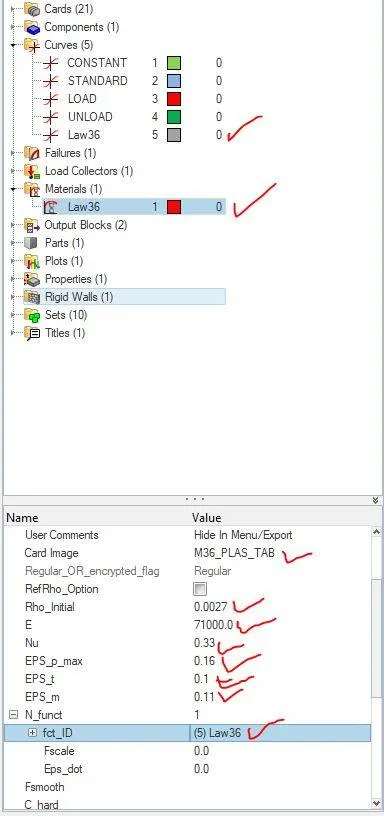
-Here in this case we are going to use case5 stater file and Law 36 material card(Law36_PLAS_Tab).Here Law 36 card also called as Elastic plastic wise linear material card and they are most commonly used in indutrial application because in reality we not able to determine the yield stress,failure parameter and failure property of plastic region behaviour.
-The value for the Law 36 material card is listed below:
1)Density=0.0027
2)Youngs modulus (E)=71000
3)EPS_p_max=0.16
4)Poissons ratio (Nu)=0.33
5)EPS_t=0.1 (tension failure plastic strain ,a point where stress starts coming down to zero)
6)EPS_m=0.11(stress is equal to zero)
7)N_funct=1 (No. of funtion)
-The below paramters are to be changed and are marked in red tick mark.
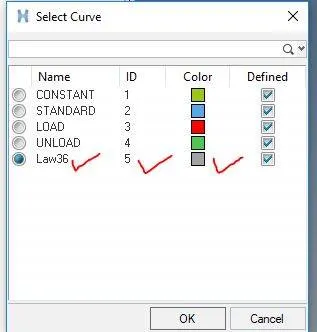
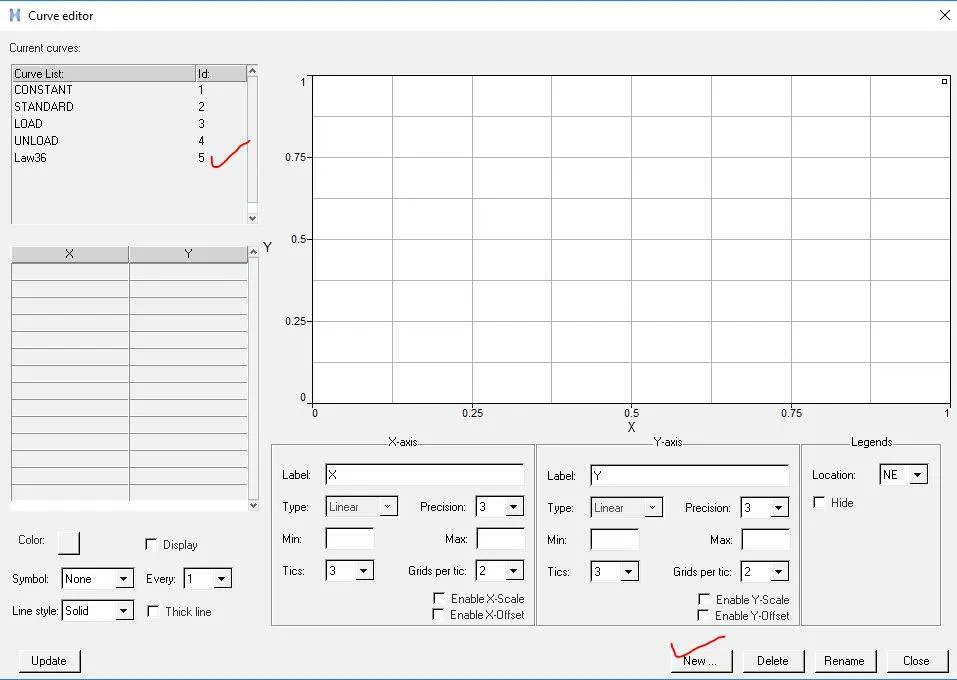
-Here we are going to create a new curve (law 36) using the option right click on material>create>new curve>a box apperas and in that box click on new and in the given name space type Law 36>proceed.
Step 1:
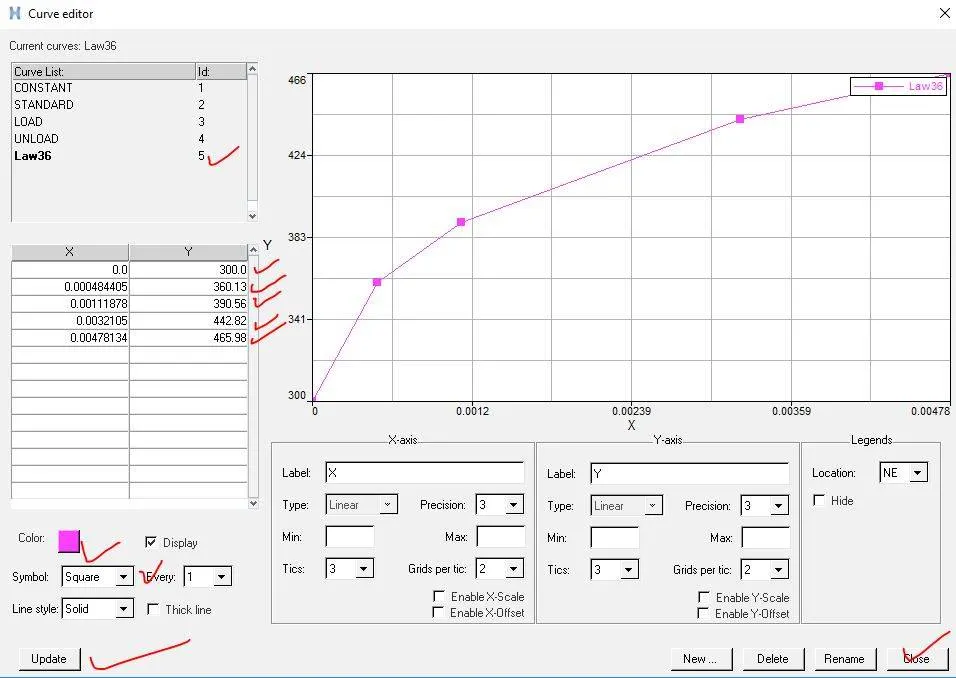
-Now we need to define the curve of law 36 material card by entering the values as given below and finally we will get the curve graph plotted.
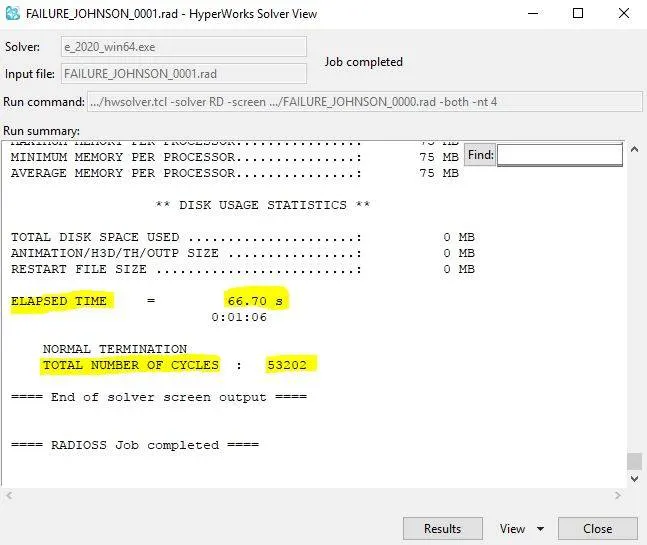
-After creating the curve for law 36 now we as usual can run the simulation and we get the output result as below:

-The animation.(h3d) file can be veiwed using hyperveiw command.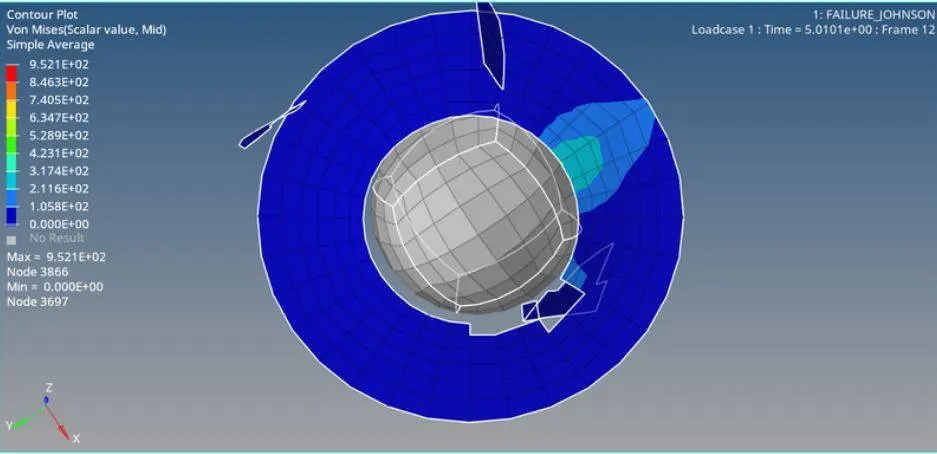
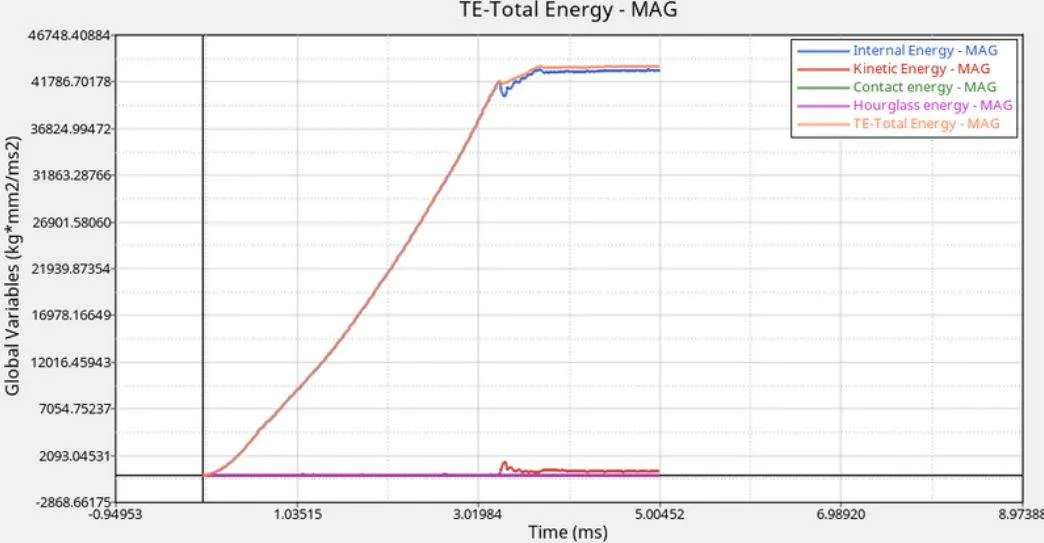
-The energy graph for the above simulation is plotted as below:
CASE 7:
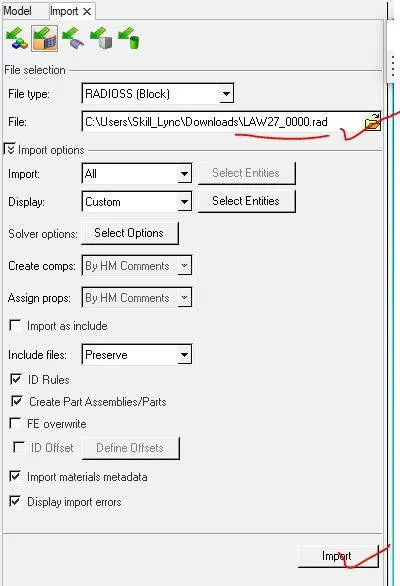
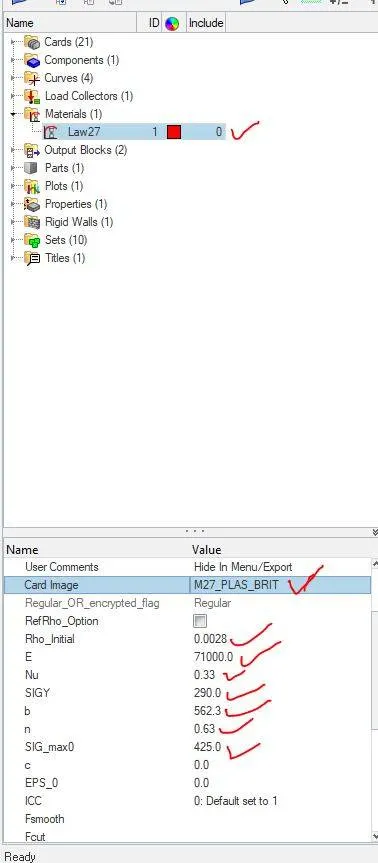
-In this case we are import a new stater file Law27_0000.rad file and the material card used in this case is M27_PLAS_BRIT which is basically an isotropic elastic plastic material with brittle failure and we now need to import the file by clicking on Import option.
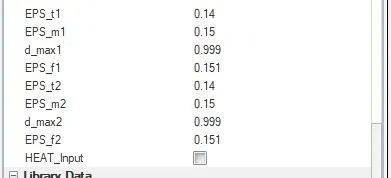
-After importing the file we now need to to change the material name and its properties as per our requirement and is shown below:
-Before the running the simulation we need changes that is we need to input the Law 27 file in the input file option and need to give a tick on inclide connectors and in option space type -nt 4 and finally we now need to run the simulation.

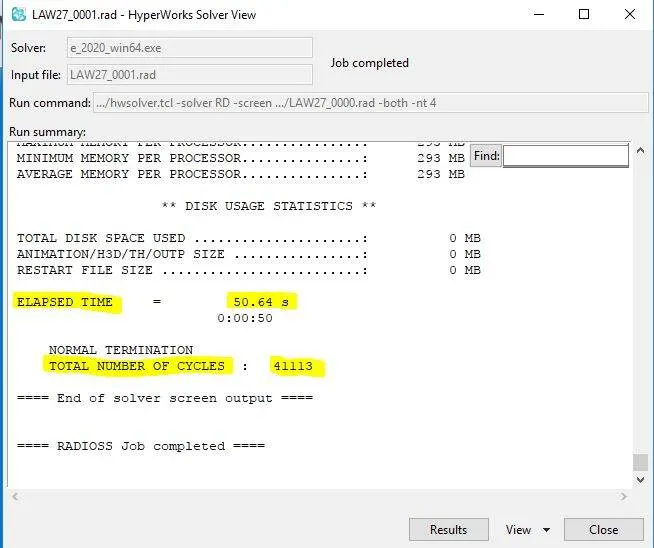
-The output of simulation will be as follows:
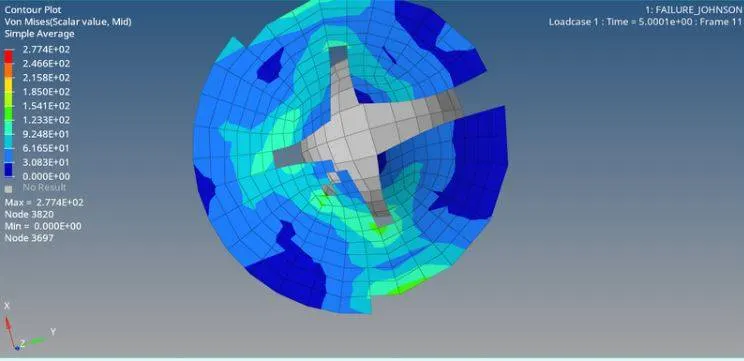
-The animation (.h3d) file of the above simulation is as below:
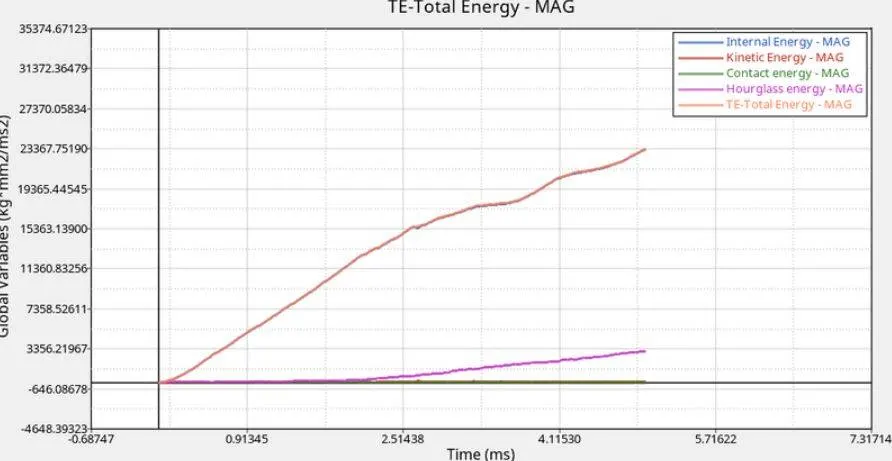
-The energy plot for the above simulation here is as follows:
Comparision:
-Here when we compoare case 1 and case 2 we come to know that element in case 1 is getting deleted during the simulation and here the ifxem value is kept at 0 where as in case 2 the ifxem value is changed to 1.Also changing the value of element gets cracked after the simulation.
-Also from the graph curve we can see that energies gets distorted from the simulation with default value,where as in case 2 the ixfem value is changed after element gets cracked inorder to produce a proper manner.
-Here when we compare case 3 and case 4,we can see that in case 3 the elements gets craked after deleting it as it is not in a regular manner.where as in case 4 the EPS_p_max is kept zero which shows elements in strain.Since it is defined that sig_max:425 in case 4,where the stress has not exceed than thye value or else it would have got deleted during simulation.
-Here in case 5 and 6 ,in case 5 we have used elastic material,where the material deformation occurs it will come back to zero to its original position after the process gets simulated.In caase 5 we have used Law36 PLAS_TAB material which generate a proper hole with low stress.
-In case of 7 we can see from the simualtion that the whole material is getting rupted even when the circumference of material also gets deleted.In this element the elements gets deleted only when the impact occurs a bit on circumference of the componenet.
-Total number of cycle,energy error,mass error and simulation time for various 7 case are the following:
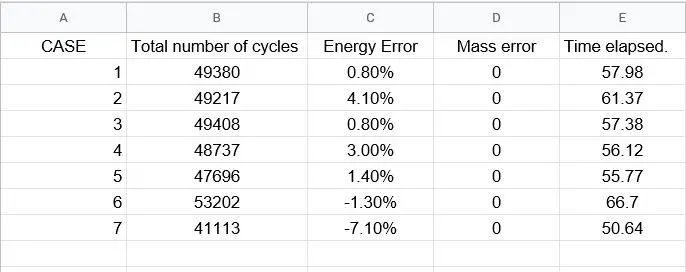
-From all the 7 cases we came to know that Law 36 material card can be widely used for reducing the failure and hence this card can be selected for preference.