Assignment 3-2D Element Formulation Challenge
1. Import Solver deck file into RADIOSS
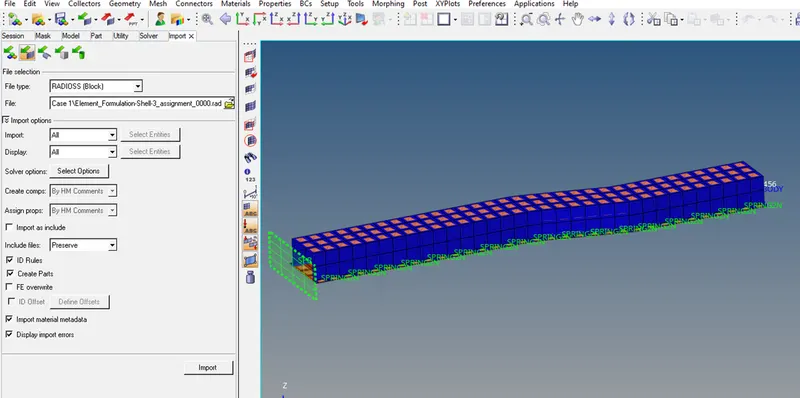
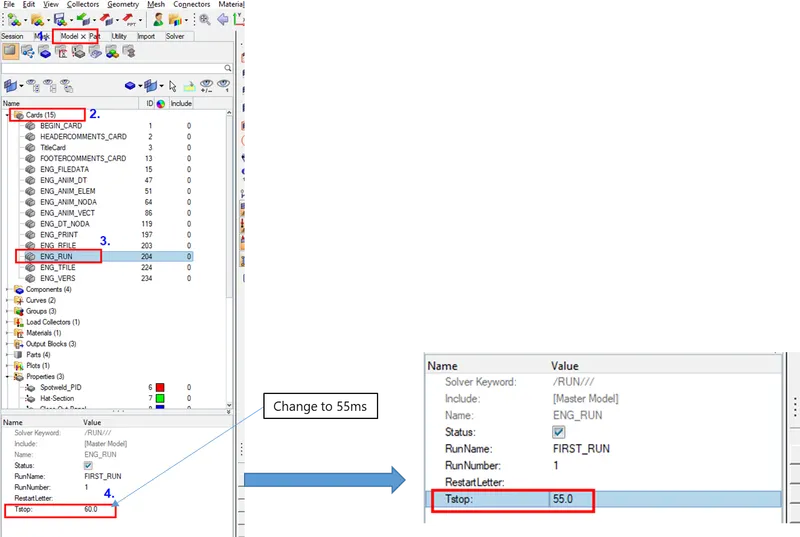
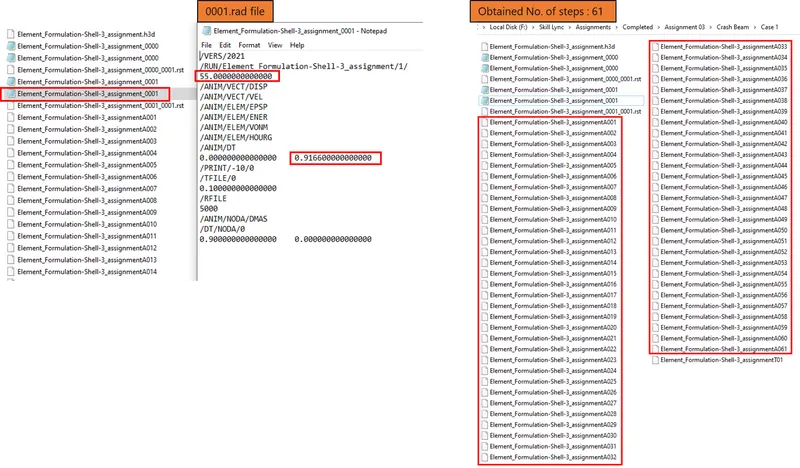
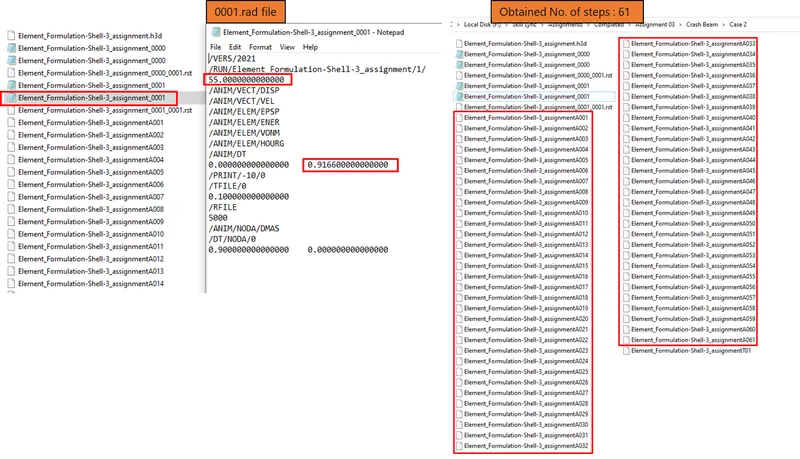
2.change the run time to 55 ms
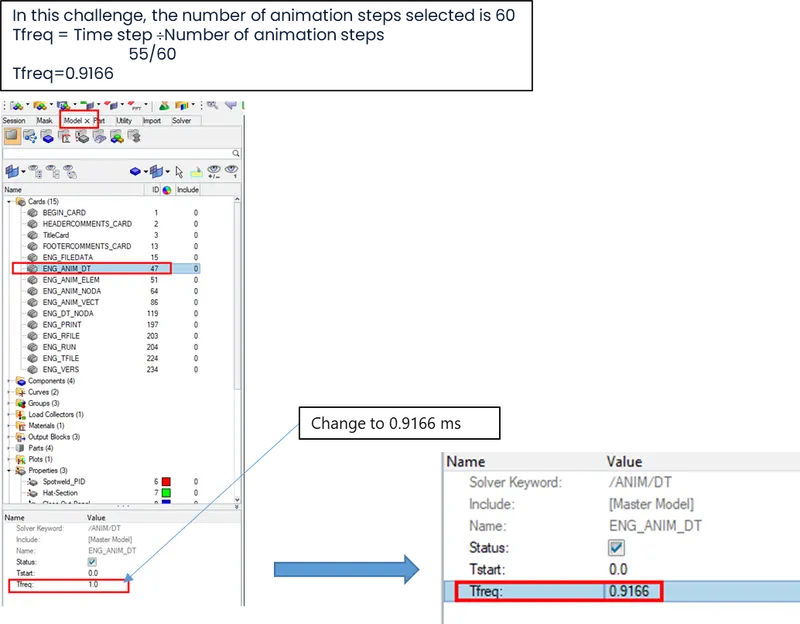
3. Change the number of animation steps
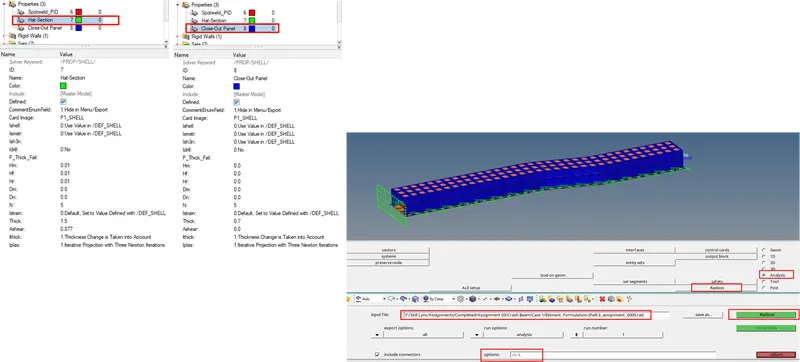
Case 01: without changing element property
Analysis > Radioss > check input folder > include connector > select Radioss
1. To check generated files
go to folder & check if necessary files generated or not, here we have total 61 animation files.
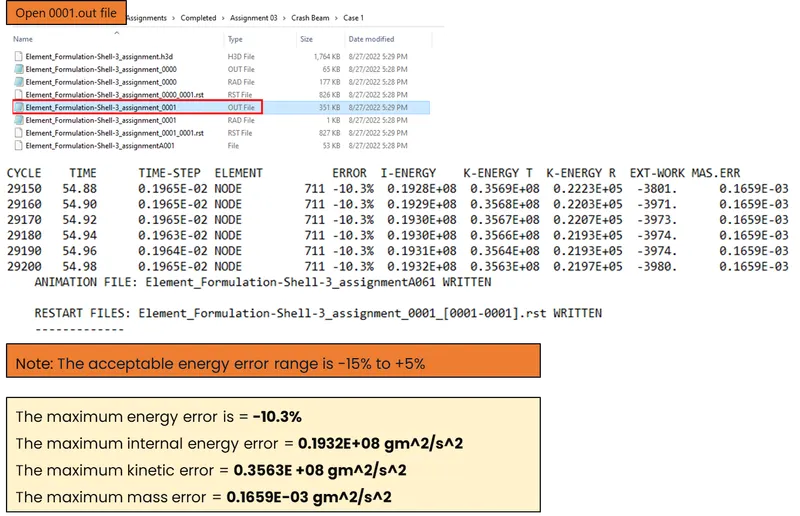
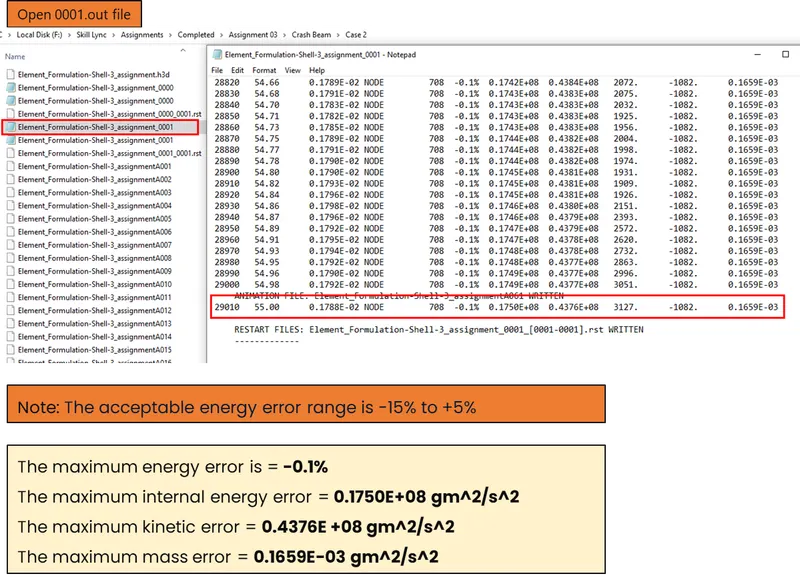
2. Energy error and mass energy error checks
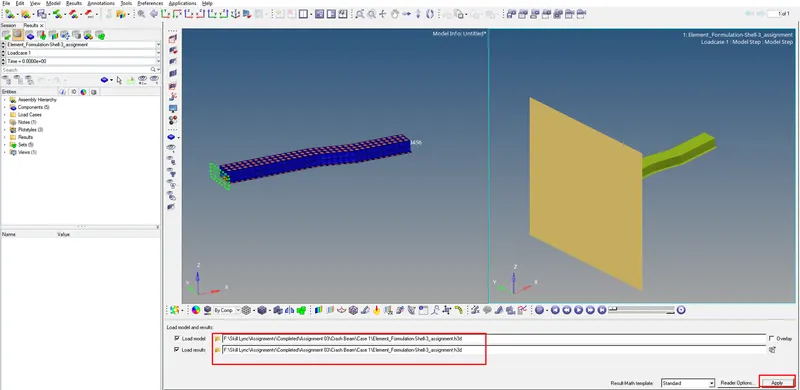
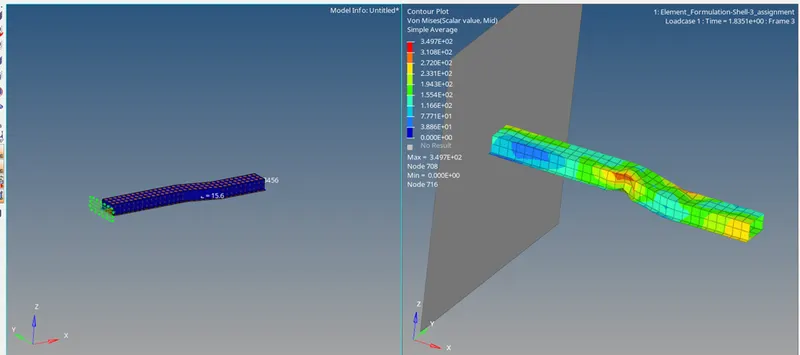
3. Open .h3d file for animation
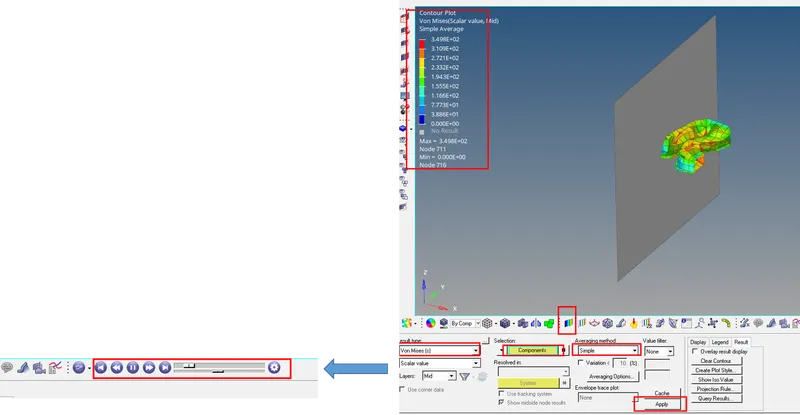
4. To enable contour
Go to results toolbar> contour
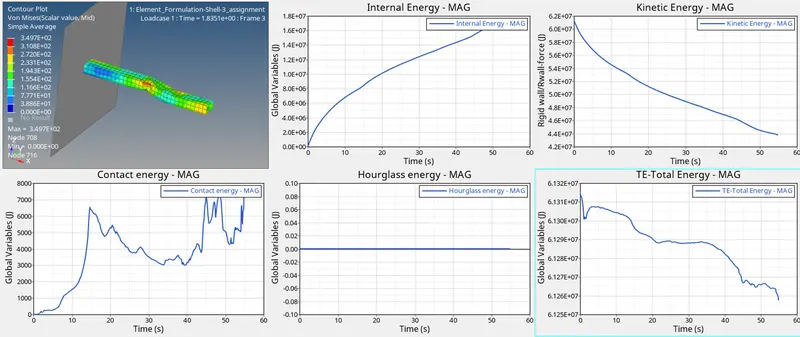
Select von misses -stress > select the component> select simple> Apply
Now run the animation
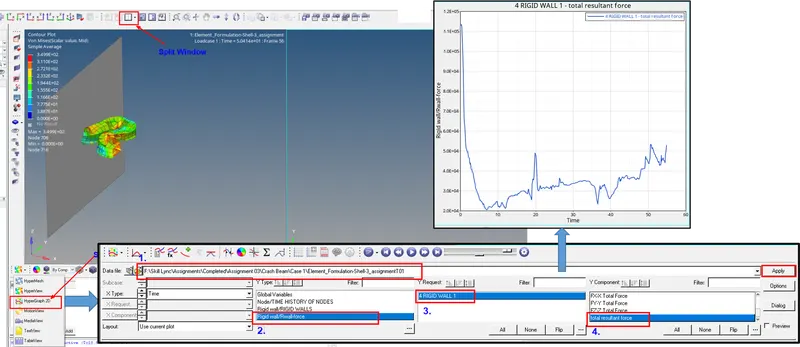
5. To plot the graph : total resultant force
hypermesh 2D > data file > element_formulation-shell-3_assignmentT01 > Apply
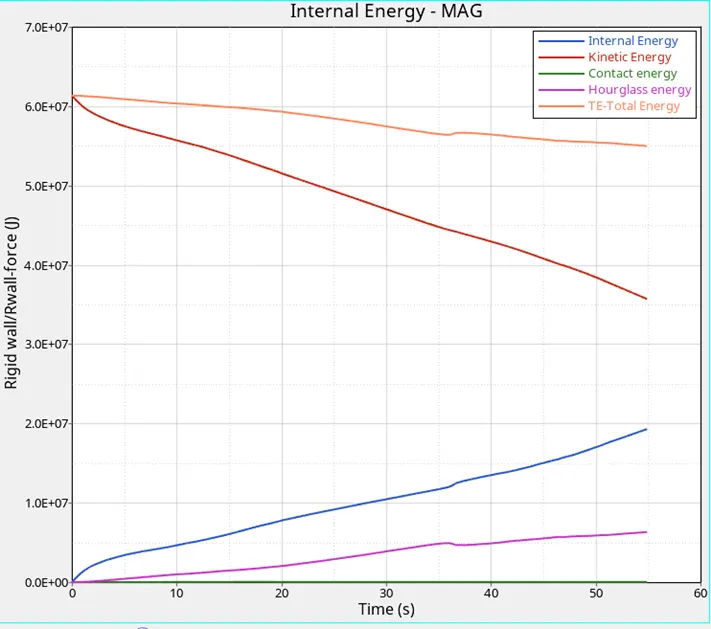
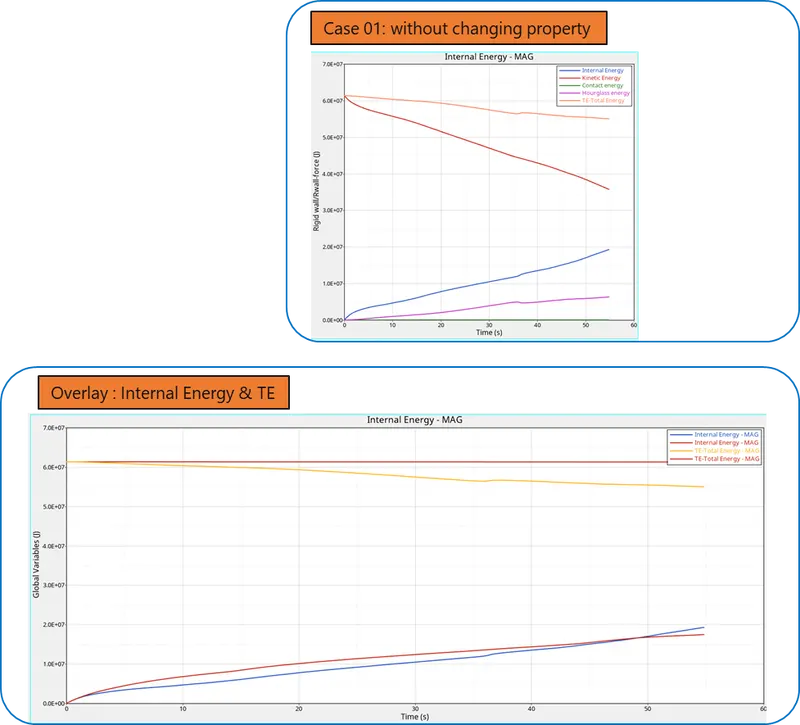
6. Graph : Internal E, Kinetic E, Hourglass E & Total E
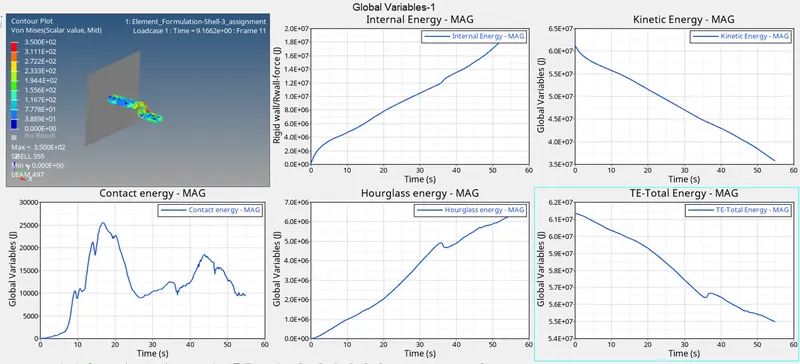
Case 02: with changing element property
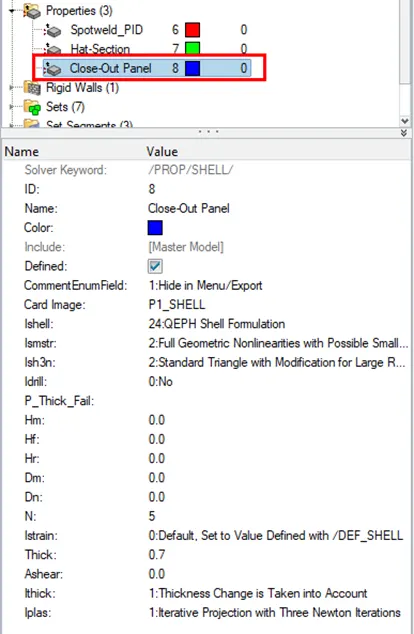
1. Run the base with changing element property
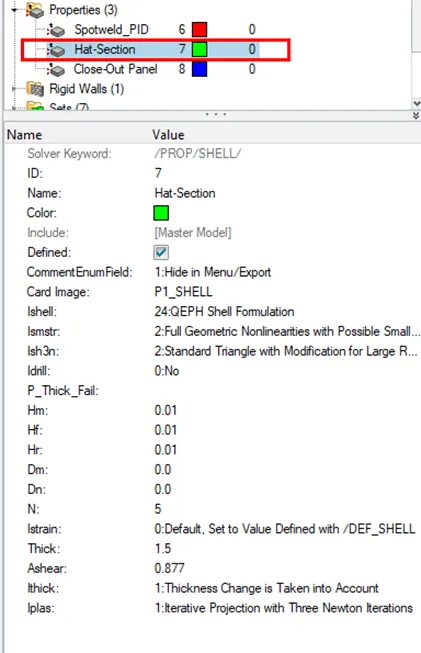
2. check generated files
3. Energy error and mass energy error checks
4.To plot the graph : total resultant force
hypermesh 2D > data file > element_formulation-shell-3_assignmentT01 > Apply
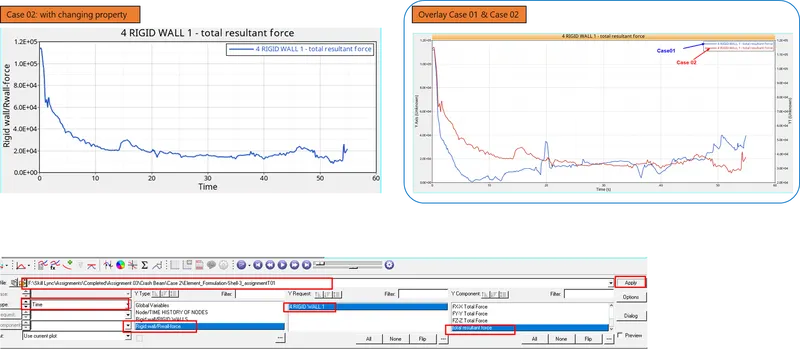
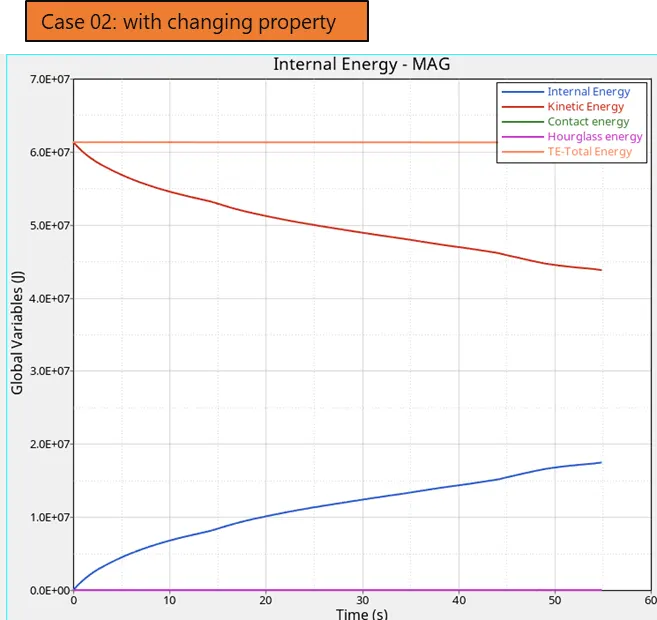
5. Graph : Internal E, Kinetic E, Hourglass E & Total E
Conclusion:

- Due to no hourglass deformation, energy error is very less or almost zero error which gives a constant Total energy throughout the process.
- Case 02 with assigning recommended shell property is very effective then default value.
Note: Please check attached presentation doc. for detail.