Assignment 2-RADIOSS Engine File Editing & 3D Meshing Challenge
Aim: Understanding the basics of ENGINE file editing in radioss.
Objective:
1.Check the material properties of the rail component and calculate the speed of sound in steel rail
2.The length of the rail is about 1000 mm. Calculate the time it takes for a shock wave to travel from one end of the rail to
the other.
3.Time for sound to travel the length of the rail
4.Edit the engine file so that the stress wave can be monitored, moving from one end of the rail to the other during an impact
5.Set the frequency of animation output to a time that will give 20 animation steps(/ANIM/DT)
6.Change /print -10.
3d meshing tetra mesh and hex mesh
Target tet size=5mm,hex size=10mm,tet collapse=0.15.
Procedure :
Step 1: Extracting the material properties
The given file is the exclusive .rad file for the Radioss solver in Hypermesh.
In order to extract the material properties for the given rail component, we need the starter file for it.There are 2 inputs to the Radioss solver
1. Starter input deck :
The starter input deck contains all the information of the model which includes all the nodes, elements, material properties,
initial condition as a time for simulation, velocities, loads, and many more.
The starter input file is written in text format so it can be opened and edited and run in the solver. Engine input deck. The
name of the starter file starts with runtime_0000 and it remains the same for all.
2. Engine input deck
The engine input file contains all the results obtained after the simulation. The engine file name starts with the
runtime_001.rad the 001 is the time for the simulation is run. If the same data is run again the file name will be 002.rad and
so on.
Here the material properties are extracted by opening the file in notepad.
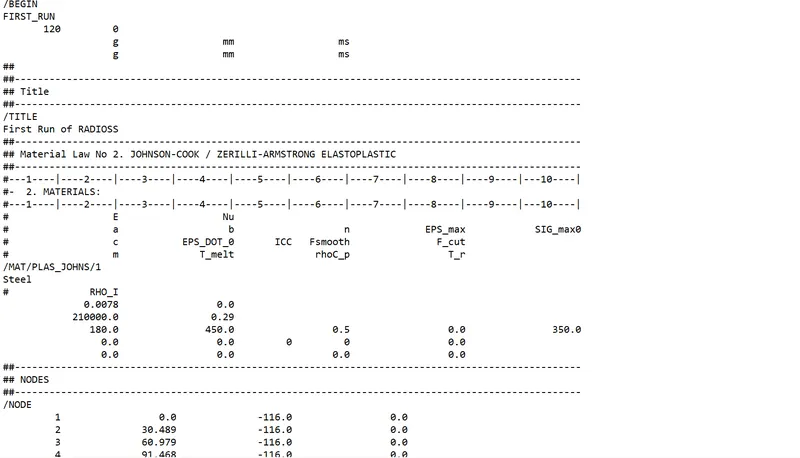
Fig 1- Starter file
The information that we need mainly here is Young’s modulus and the density for the component. All the other properties can
also be obtained in the same file.
Young's modulus - 210000
Density /rho- 0.0078
nu/possion ratio- 0.29
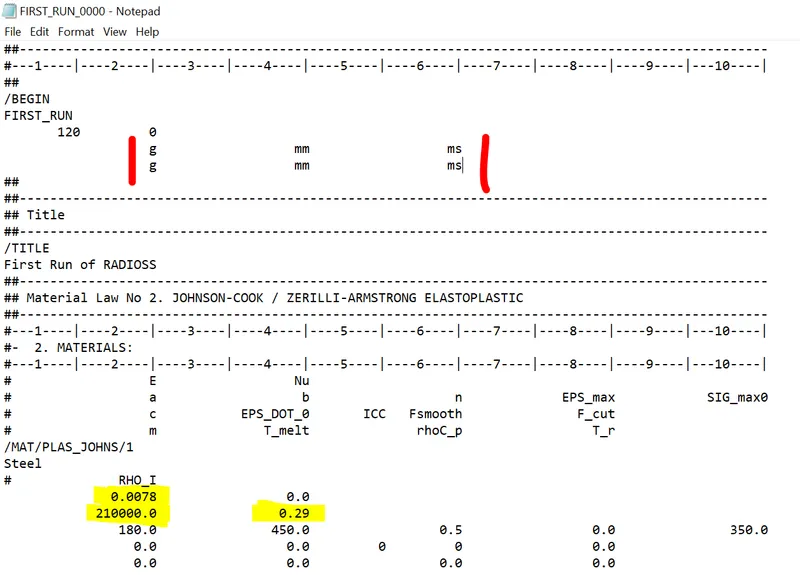
Here the material used is steel and the unit system is g-mm-ms.
The material properties in the above unit system are:
Density (Rho) = 0.0078 g/mm^3
Young's modulus (E) = 210*10^3 g/(mm.ms^2)
Poisson's ratio = 0.29.
Speed of sound can be calculated using the relation c=Eρ">c=√E/ρ
On substitution of the above values we obtain c as 5188.74
Critical timestep △tc">△tc = l/c
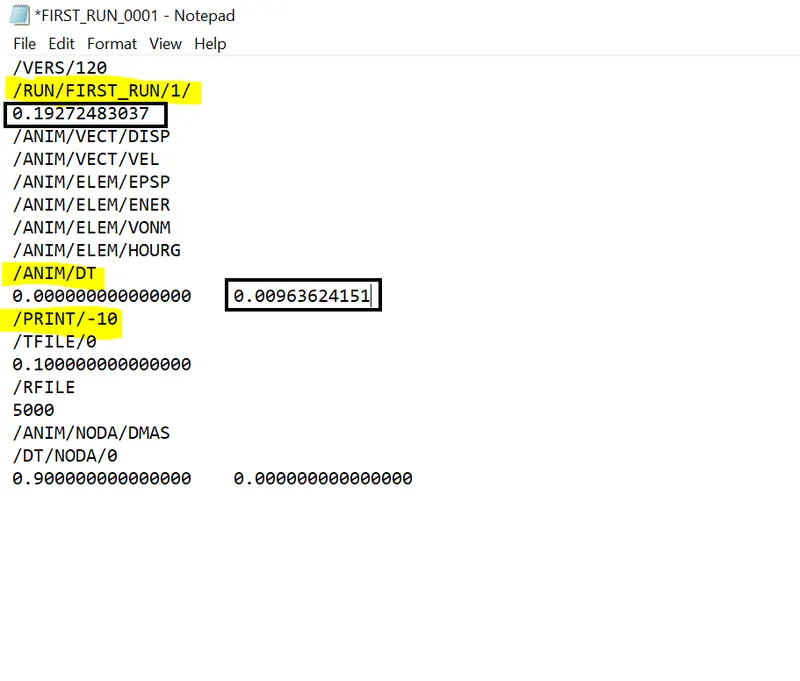
Using the length of 1000mm, the △tc">△tc△tc is 0.1927 ms.
The time interval at which plots should be written for 20 steps = 0.1927/20 = 0.009636 ms.
2. Radioss engine out file editing
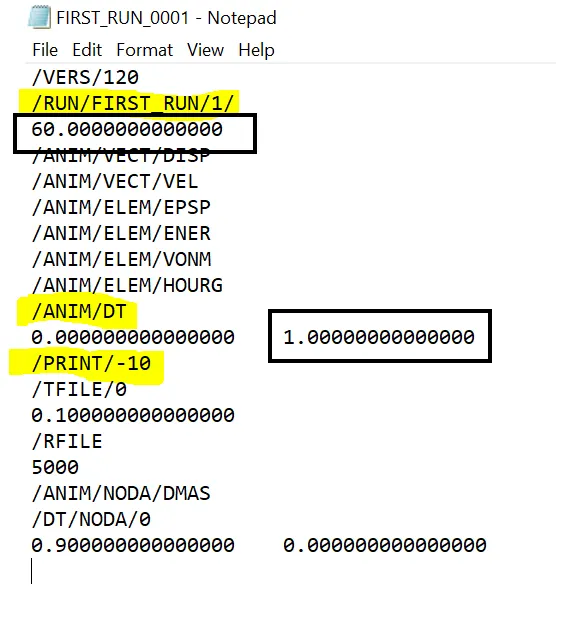
The radioss file FIRST_RUN_0001.rad contains the information about the critical timestep and the time interval at which output plots are written, as shown in the figure below.
The values of the timestep and the frequency are changed as shown below.
3D Mesh - Cover Housing - Tetramesh
AIM:
To Perform Tetra mesh for the given elemnt size and quality criteria in given components.
PROCEDURE:
1. An new Optistruct file was created in the Hypermesh and the Given component is imported using Import geometry option.
2.The given Housing model was divided in to 2 components As model 1 and 2.
3. 2D mesh was generated Initially with the element size of 5 and mesh is acepted by clicking middile mouse button , and Trias were preffered while performing the mesh.
4. Quality conditions are checked and edited according to the given conditions.
5.Before Generating Tetramesh the parameters like Tet collpase, min and max elemnt size are given in the Tetramesh parameters box.
6. Tetra mesh is created later on the 2D elements by using Tetramesh Option In the 3D pannel.
7.And after creating Tetramesh the Tet collpase was checked in Check elements panel,by selecting 3D.
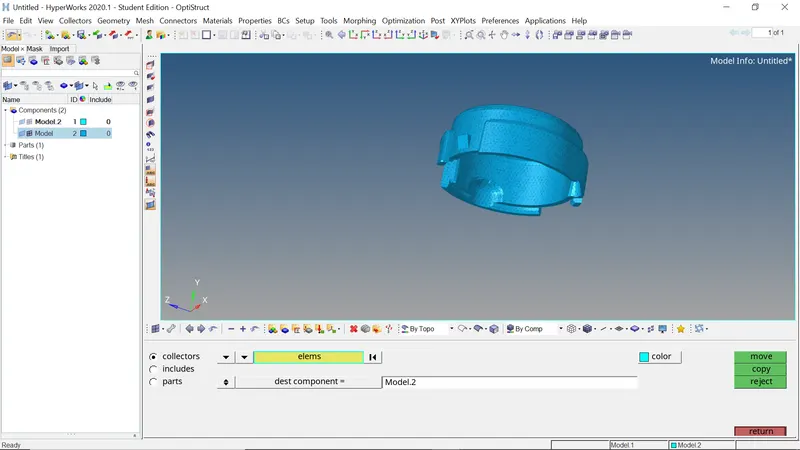
8. The same was done In Model 2 and saved.
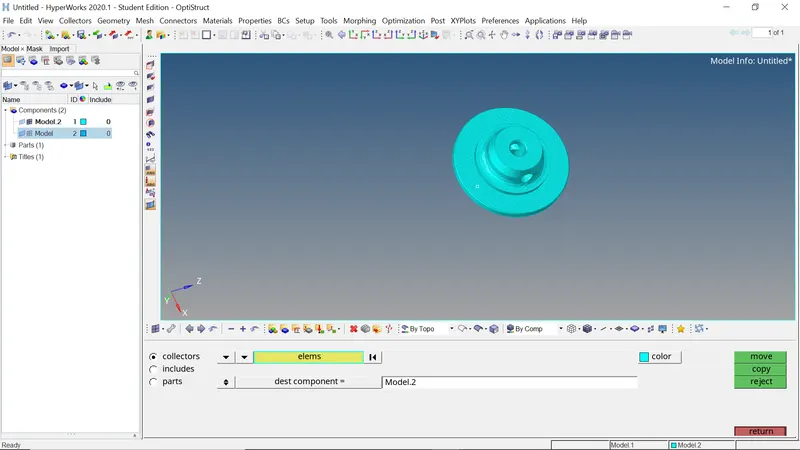
9. If the Tet collpase is failing its rectified by increasing its size by placing nodes and increasing its size from Distance Option.
Thus the components of the housing assembly have been meshed successfully using a Tetramesh.
Number of failed elements (Tet collapse 0.15) - 0
Number of elements with connectivity issues - 0
Number of duplicate elements - 0
3D Mesh - Arm bracket - hexmesh
2. Arm curve
The arm curve is connected to the base as shown in the figure below.
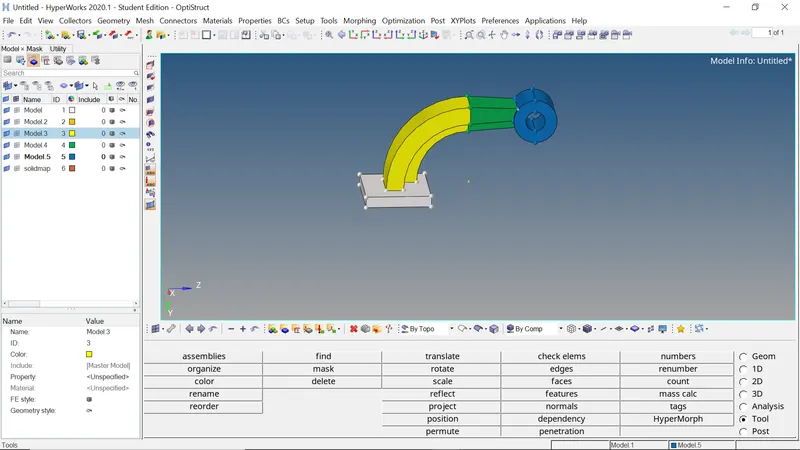
The central 2D elements on the top surface of the base are selected as the elements needed to mesh the arm curve
using the 3D - Spin command as shown below.
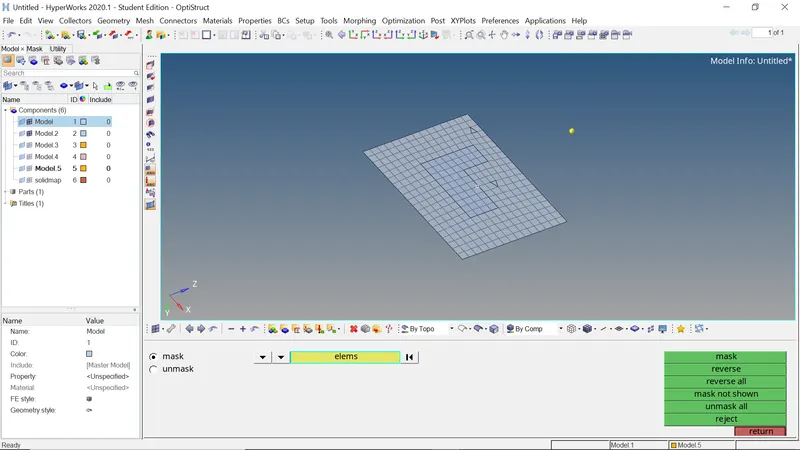
In order to spin the elements, a base node is needed, which can be created using the circle center option using three nodes in the distance menu.
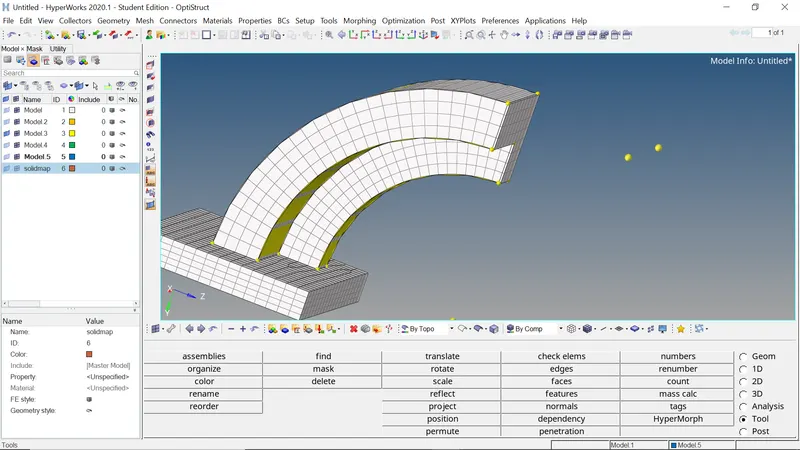
Now the central node can be used as the base node for creating the 3D mesh as shown below.
The final mesh is shown in the image below.
3. Arm Straight
The next section is a tapered section attached to the arm-curve on one end and the boss on the other end.
Therefore, this section can be meshed using the 3D- Linear solids option. This needs source and destination elements on the faces on either sides. Therefore 2D elements need to be created on either end face of the arm-straight.
The 2D elements on the arm-curve (LHS of the arm-straight) can be created using the find faces option as shown below.
On the other side (RHS of the arm-straight), 2D elements can be created using the Automesh function.
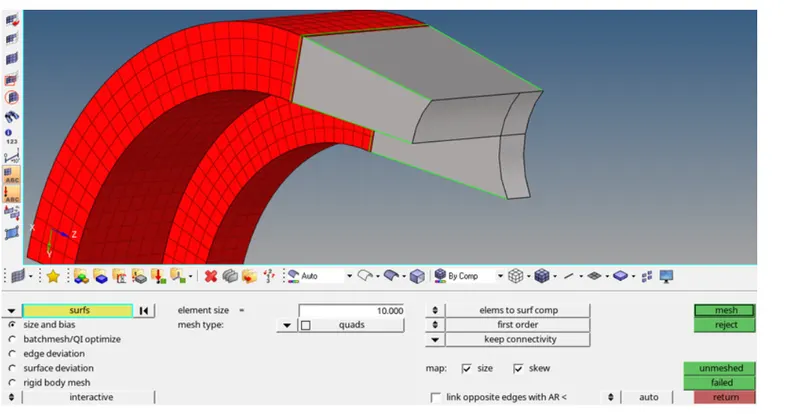
After ensuring that the number of elements on both end faces are equal, the 3D mesh can be created using the linear solids menu as shown below.
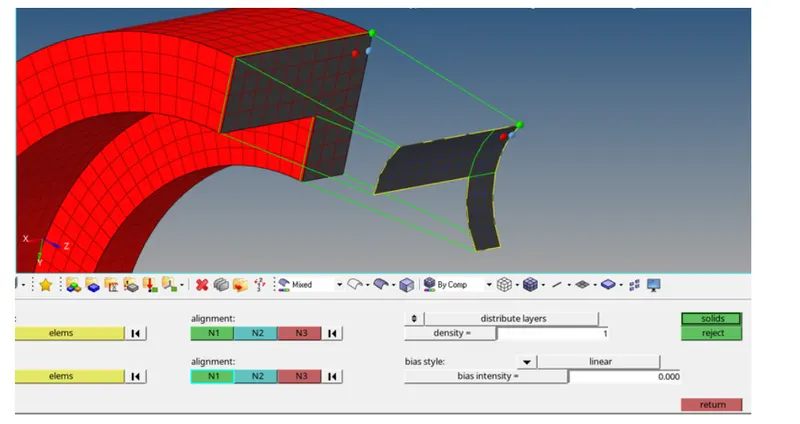
The density is given as 12 and the alignment nodes at both ends are chosen in the same order to ensure proper mesh generation.
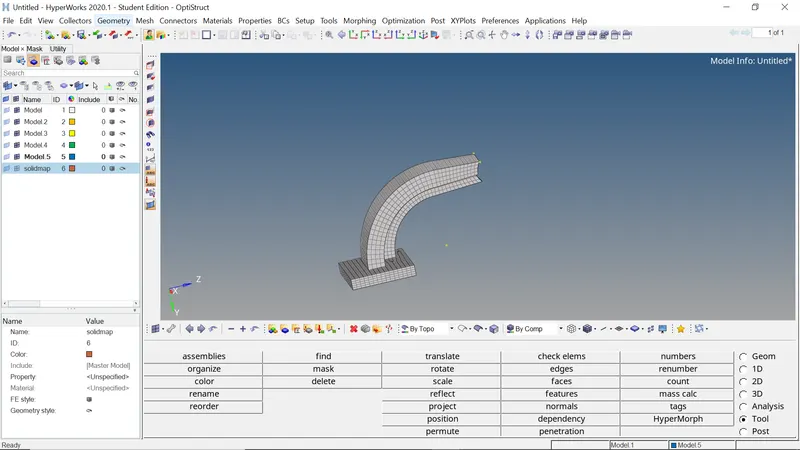
The final mesh is shown in the image below.
The final part of the assembly is the boss which can be meshed using the 3D - line drag option.
A 2D mesh is first created on the top surface of the boss using Automesh command and the same element size.
Using the above created mesh, a 3D mesh is created using the line drag option using source as none and target geom as the opposite face along the nodes on the cylindrical face.
The final mesh is shown in the image below.
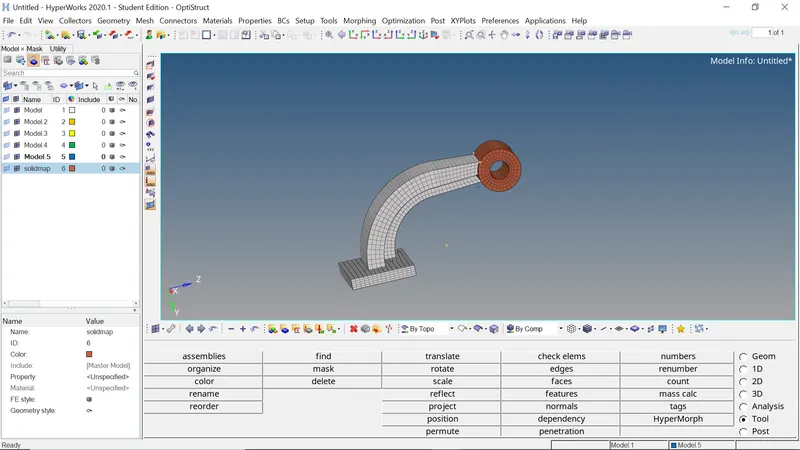
Finally the mesh can be checked for connectivity and duplicates to ensure mesh quality.
Thus the components of the arm-bracket assembly have been meshed successfully using a Hexmesh.
Number of elements with connectivity issues - 0
Number of duplicate elements - 0.
Conclusion
The four objectives have been met the requirements and the relevant model and engine files have been attached below