Assignment 1
Introduction to GT Suite
Objective:
- Explore the GUI of GT SUITE and list down modules available with brief description.
- Locate following settings:
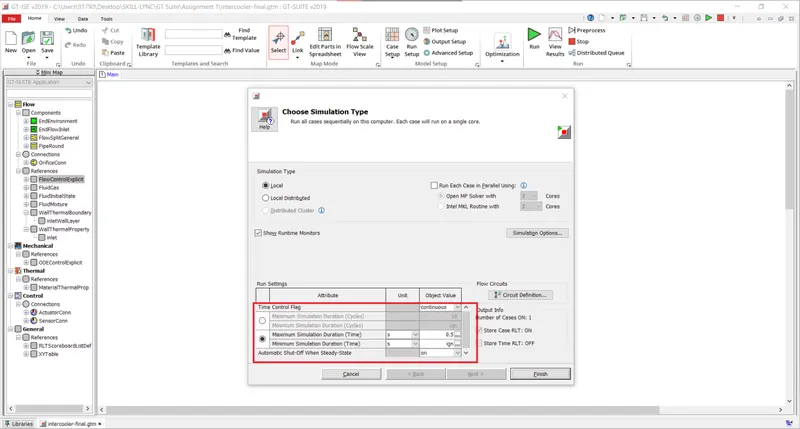
- Time control flag
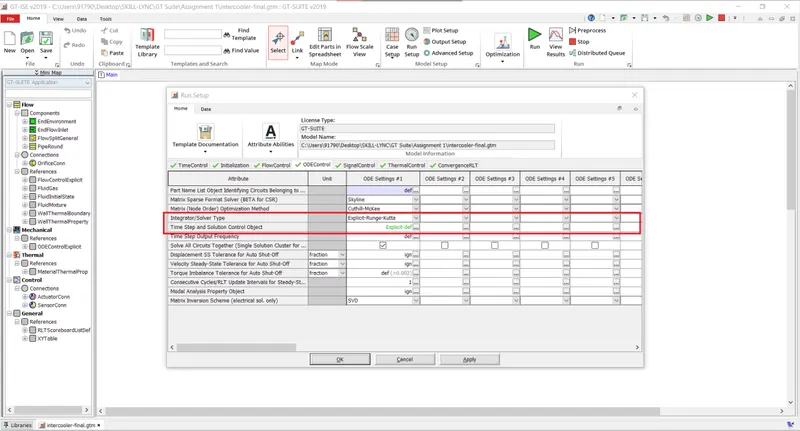
- Time step and solution control
- Integrator/Solver type
- Explore intercooler tutorial and note down all settings of:
- Run setup
- Advanced setup
- Plot setup
- Output setup
- Problem:
- Diameter of cooler inlet and outlet pipe= 50 mm
- Length of the CAC= 1000 mm
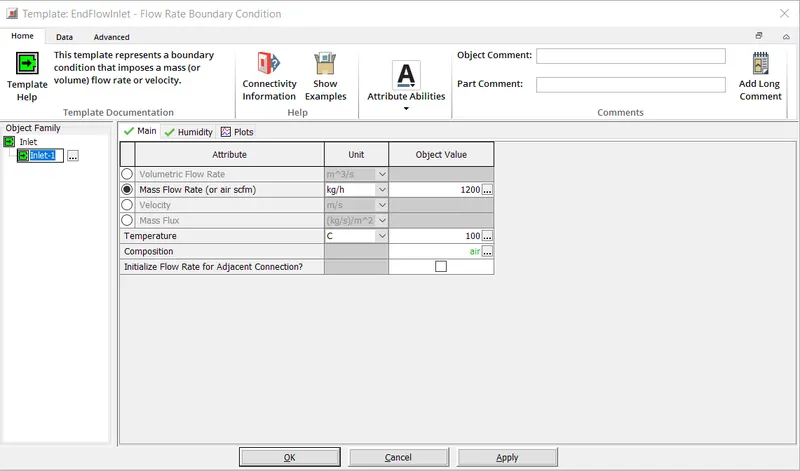
- Inlet mass flow rate = 1200 kg/ h at 100 degC
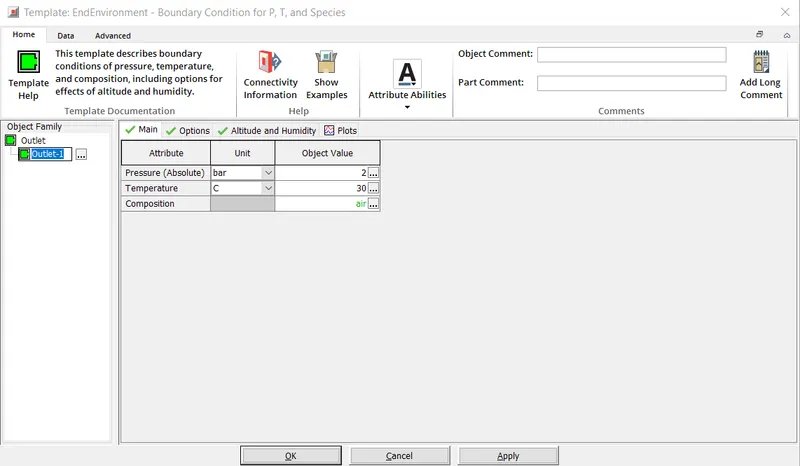
- Outlet pressure 2 bar at 30 deg C
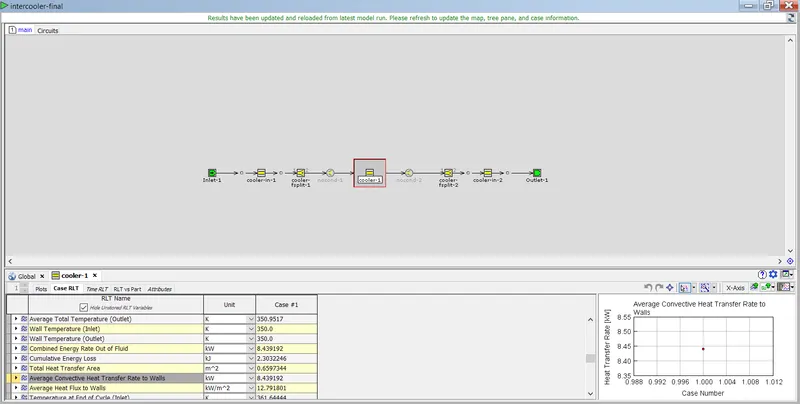
5. Calculate the total heat transfer at Charge air cooler (CAC)
6. Calculate pressure drop across CAC
Solution:
1. GUI of GT SUITE:
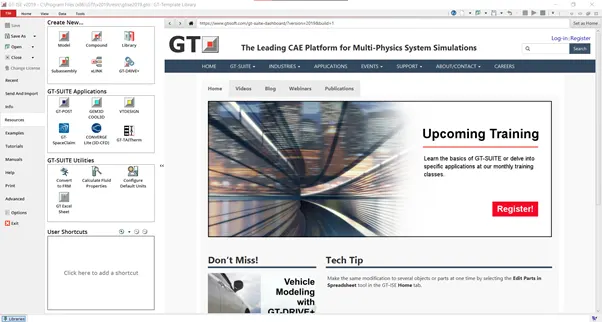
Above image is the introductory GUI of GT SUITE. This contains useful and important tabs at the left side. Few basic options such as New, Save, Save as, Open etc. The main options are Resources, Examples, Tutorials and Manuals.
Resources: Contains options to create a new model, new component, library etc. Also Interface to connect to other GT tools such as
- GT Post - Postprocessing Tool
- GEM3D - Preprocessor
- COOL3D - CAD based preprocessor
- VTDESIGN - Valve Train Design
- GTtoSpaceclaim and Converge CFD.
Examples: Contains many example case setups for various engineering applications. Does not allow editing the content but can be saved in custom name and altered.
Some of the fields are
- Acoustics
- Aerospace
- Battery
- Air conditioning
- Drivetrain
- Engine
- Emissions
- Turbomachinery
- Valvetrain etc
Tutorials: Contains systematic help documents for several cases.
Manuals: Contains documents for specific applications with several problems/systems under each applications.
In GT Suite library elements are in the order of Model->Template->Object->Part.
2.Locate following settings:
Time Control Flag:
Time step and solution control & Integrator/Solver type:
3. Exploring Intercooler Tutorial:
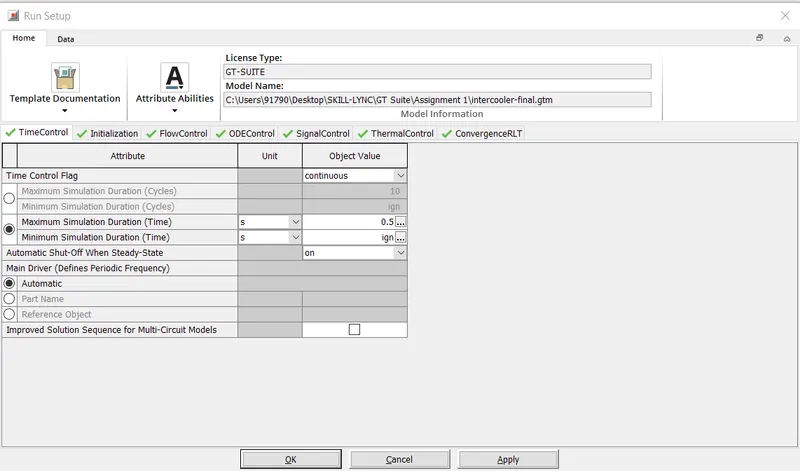
Run Setup:
Following tabs are present in Run Setup. They are 1.Time control 2. Initialisation 3. FlowControl 4. ODEControl
5. Signal Control 6. Thermal Control 7. ConvergenceRLT
Under ODEControl, solver type and time step control can be performed.
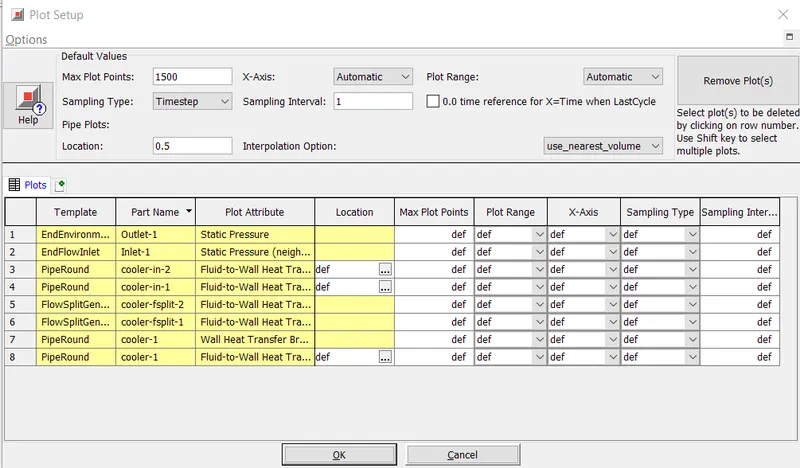
Plot Setup:
It consists of all the plots to be generated in post processing. The maximum number of points to be on the axis is equal to 1500 and Sampling type is set to Timestep based with a single interval sampling.
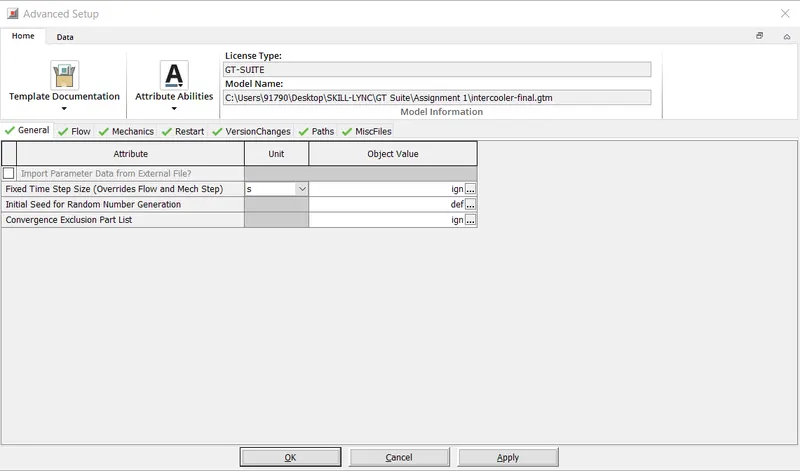
Advanced Setup:
It consists of options such as general, flow, mechanics,restart, versionchanges, paths, miscfiles.
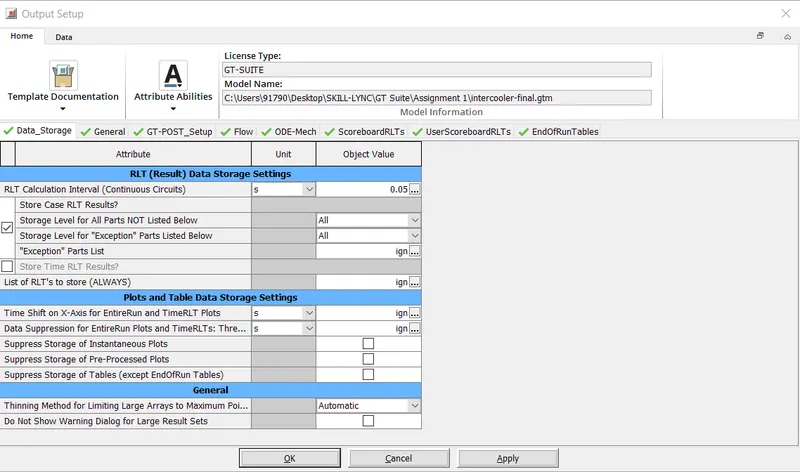
Output Setup:
4. Problem:
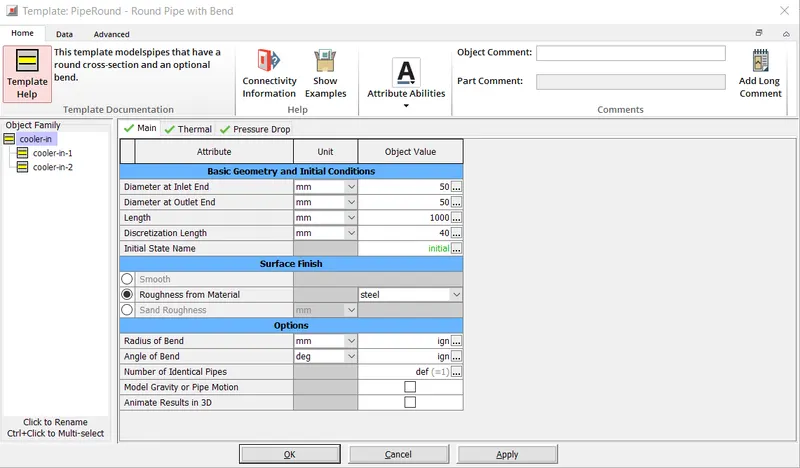
- Diameter of cooler inlet and outlet pipe= 50 mm
- Length of the CAC= 1000 mm
- Inlet mass flow rate = 1200 kg/ h at 100 degC
- Outlet pressure 2 bar at 30 deg C
Diameter of inlet and outlet = 50mm, Length of CAC = 1000mm
Inlet mass flow rate = 1200 kg/ h at 100 degC
Outlet pressure 2 bar at 30 deg C
5. Total heat transfer at Charge air cooler (CAC)
Heat Transfer at Charge air Cooler is 8.439 kW
6. Pressure drop across CAC
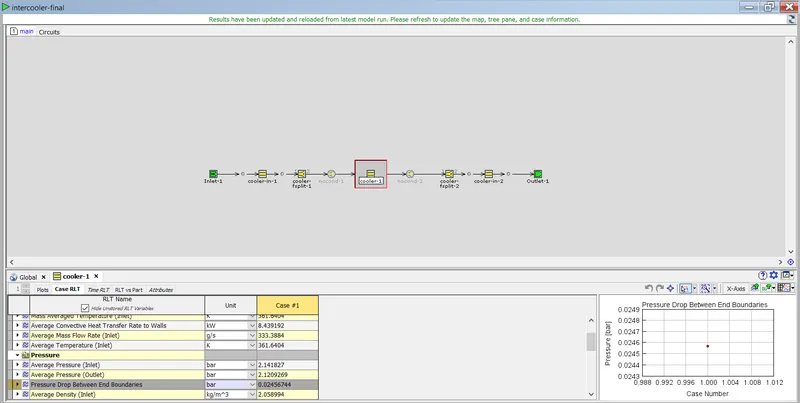
Pressure Drop across CAC is 0.0245 bar.