Assignment 1
AIM:To make geometric error free model and the extraction of mid-surface along with meshing to be done on it with zero or less off elements in given models.
PROCEDURE:(a)In order to clean the model the following option has been choosen:
(i)TOGGLE:In general it stitched the neighbouring cons together to make a connection between the respective surfaces.
(ii)SURFACE EDIT:Under this we will get a lot of trim options available which will lead to identify unneccessary surface and being trimmed and remove using delete,in the model we do require (trim with surface) option to trim expanded surface after using it unusual surfaces being removed.
(iii)FILLER SURFACE:Using this we can create a surface wherever we find vacant area having single cons.
All the above option we can get using F11 or in quick edit option available in geometry.
(b)Now completing the error free geometry the model we have got from it shown below: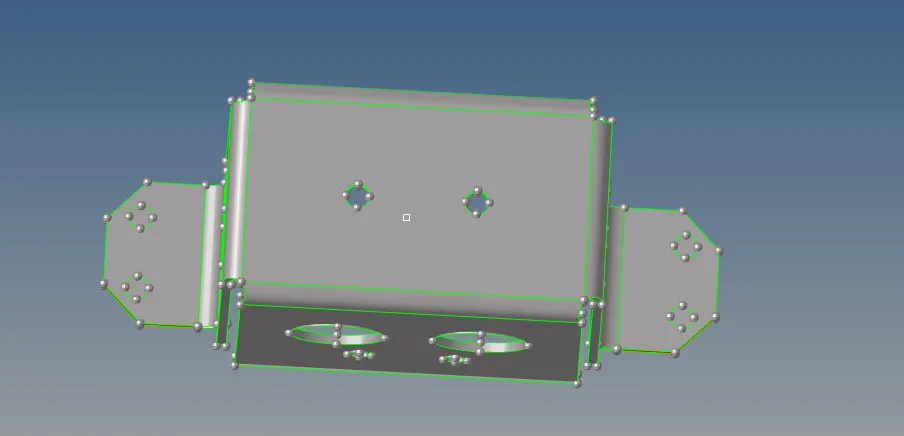
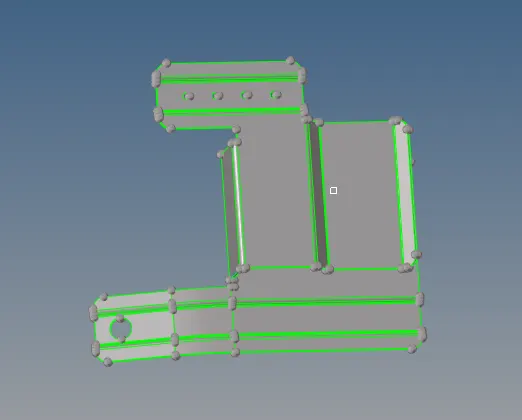
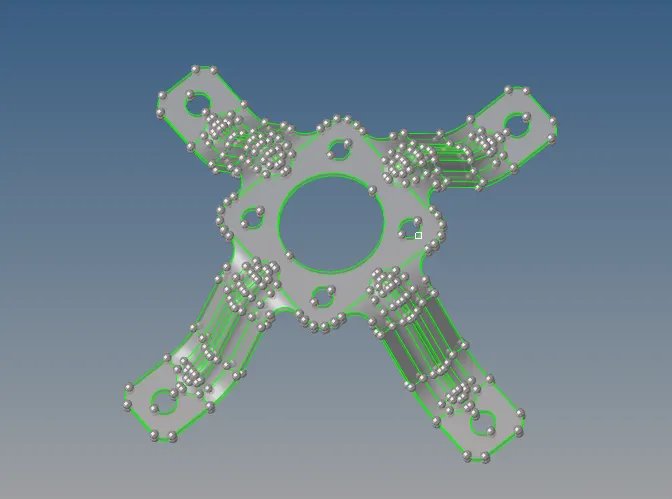
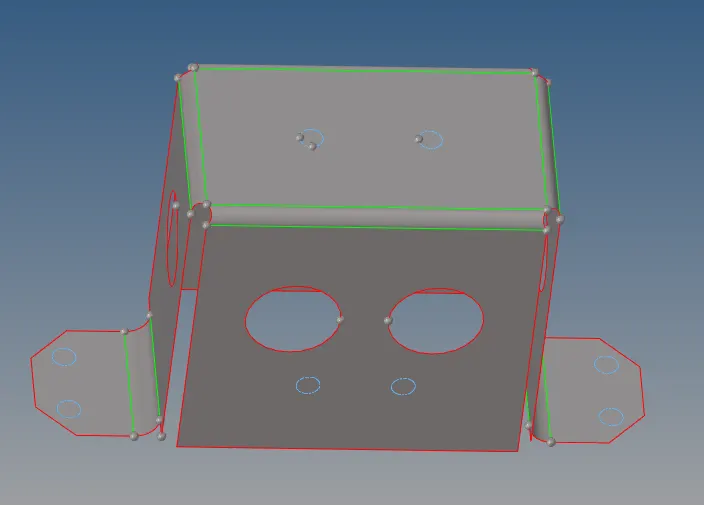
(c)After following above steps we gotta go for midsurfacing using mid surface option available in geometry mode ,midsurface that we have got are shown below:
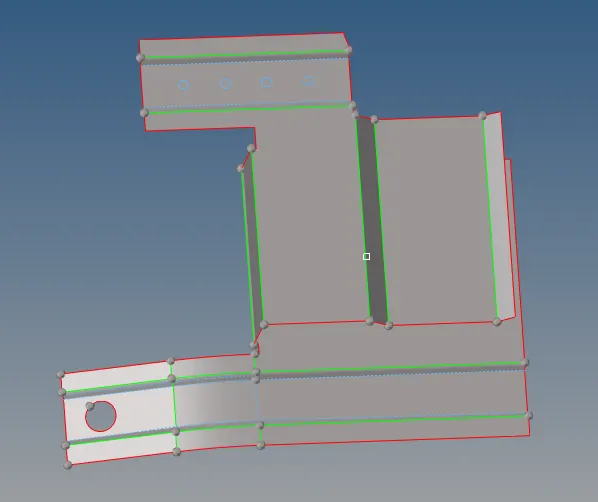
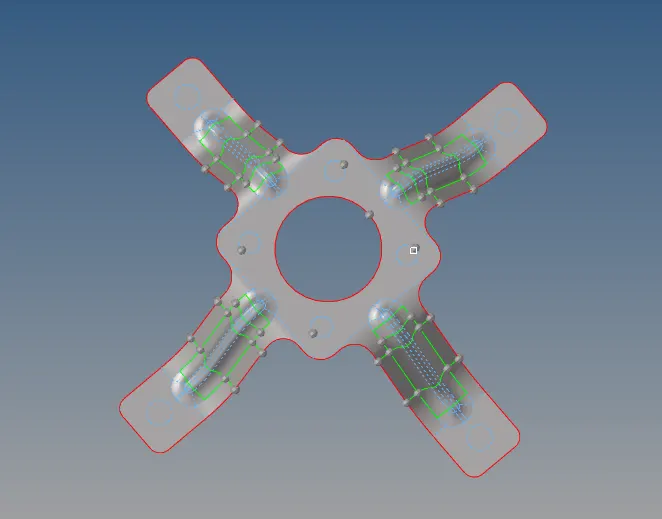
(d)After that some points needs to be remembered like there should be a proper connection in between the models also unneccesary points needs to be removed because it will leads to create an issue while doing meshing in the form of off elements,also the holes of dia.having less than 5mm(given criterion) has to be filled with surfaces and needs to toggle it.
(e)Using the defeature option in geometry we can defeature the surface fillets as well as the edge fillets as per the requirement like here the consecutive cons length wouldn't be less than 3.5mm otherwise it will fail for minimum length ,so fillets region should be defeature and the rest part should be toggle .
(f)following the above method now we got to go for meshing having proper quad elements with less trias and zero or very less off elements with a given quality criterion.Quality criterion & Meshing models are shown below:
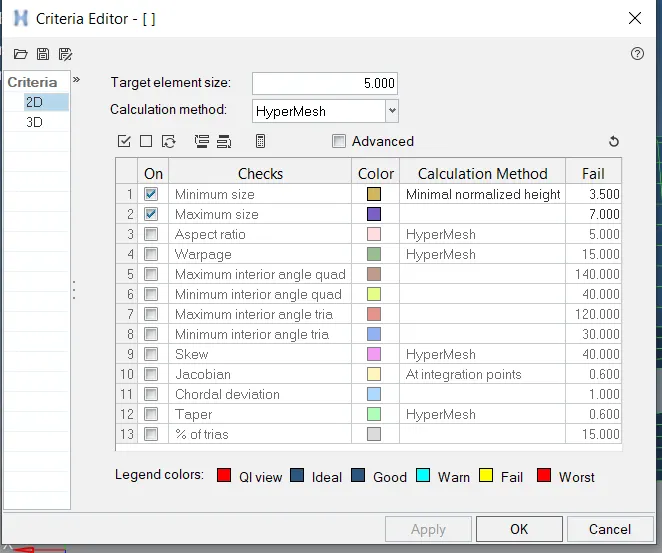
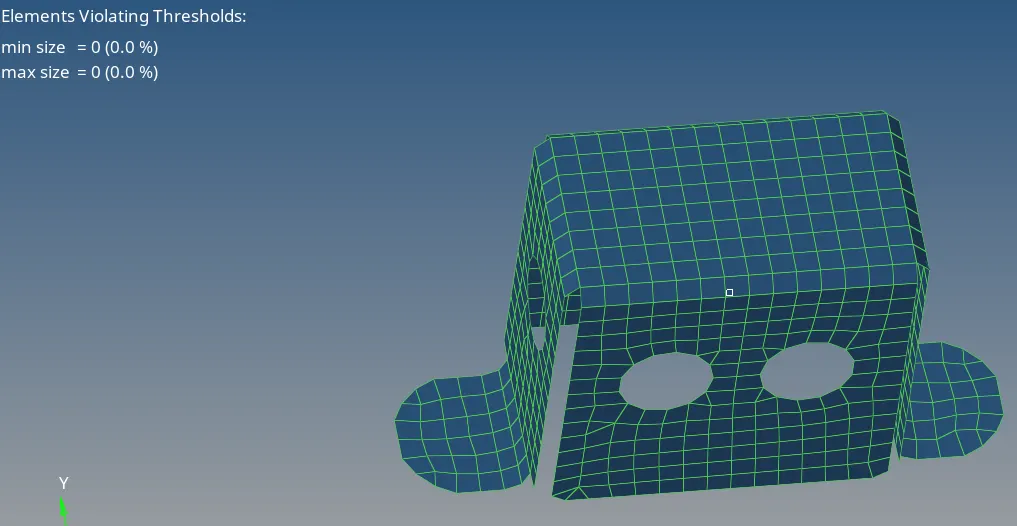
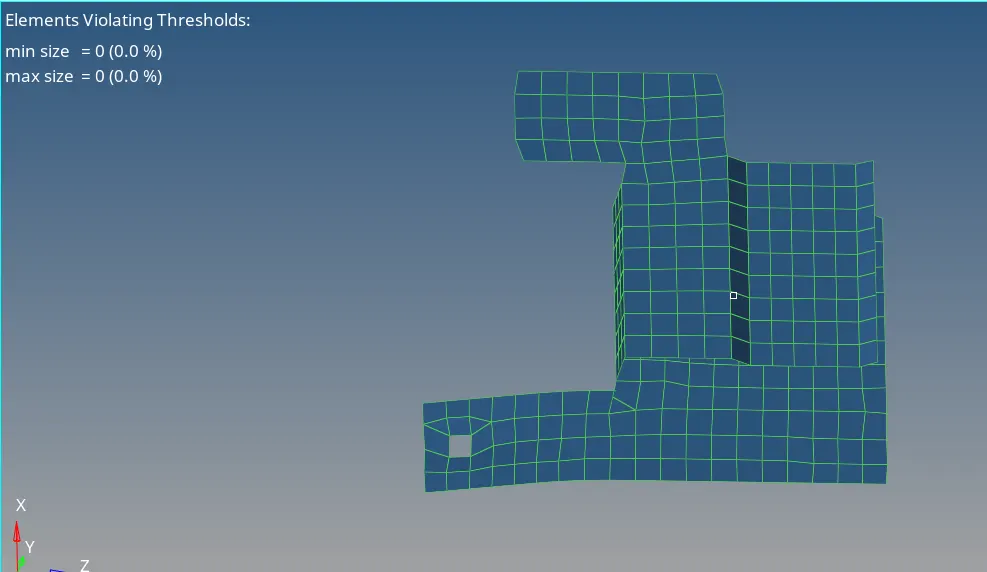
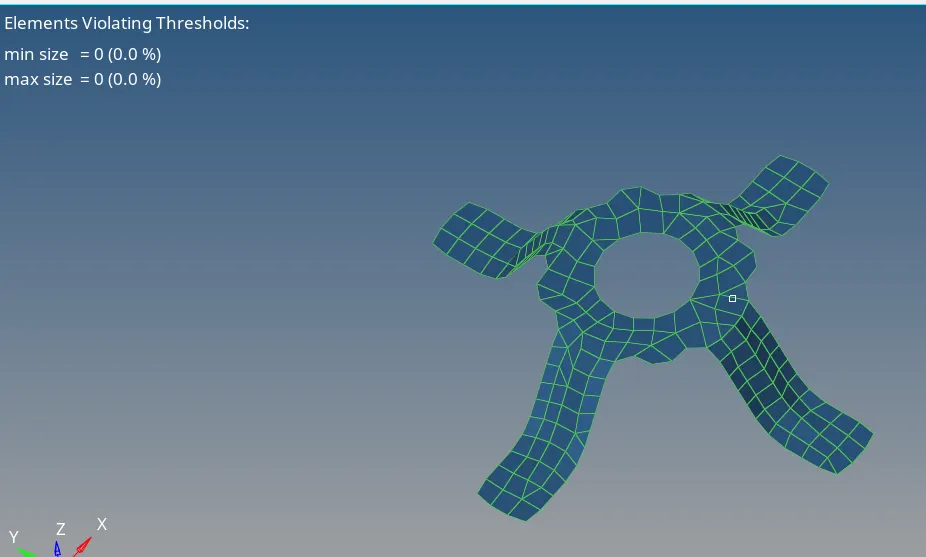
(g)Now procedure involve in meshing are automesh with element size taken to be a 5mm available in 2D option and using F11 we can put the quality criterion there too also using shift+F3 we can make a node connectivity if in case someone might have forgotten before meshing it could be done after meshing too ,it is kind of equivalence option.
(h)After creating a mesh we have to go for quality check in 2D under that cleanup tools available if in case automesh is incapable of eradicating the off elements under this we have a lot of option available like place node,node optimize,element optimize,swap edge ,split edge etc which will clear the off elements upto the great extent.
CONCLUSION:(I)Got to know the use of various option available under the geometry,tools and 2D.
(II)Also gotta understand that how to give a proper mesh flow with very less off elements and with less trias and also knew about the connectivity issue and how to get rid off to that too.