Advanced Sheet Metal Design Using NX Cad Challenge_7_ Metal bracket-II
Objective:
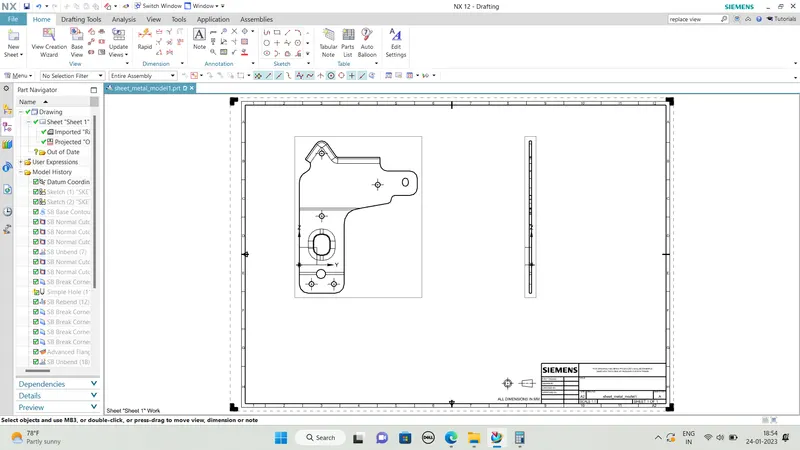
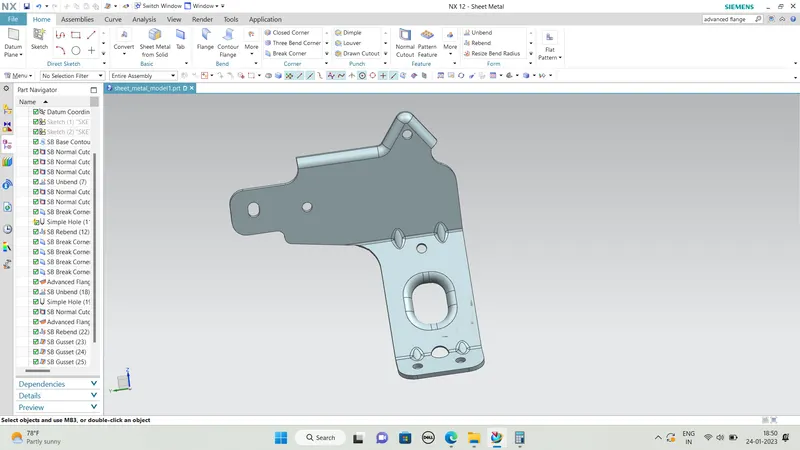
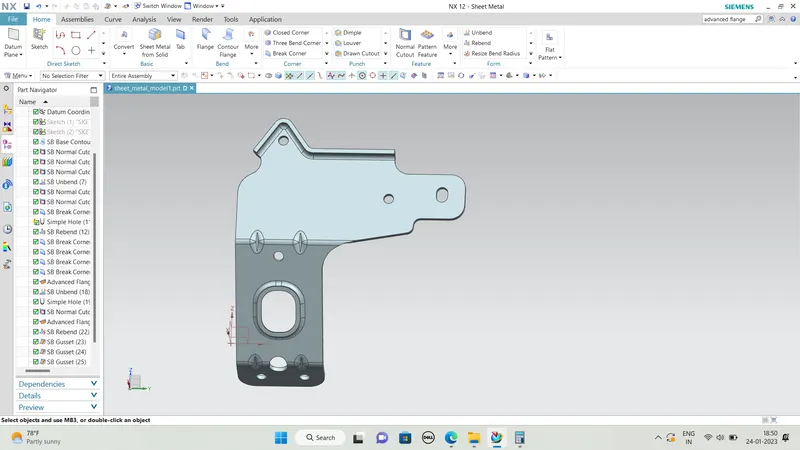
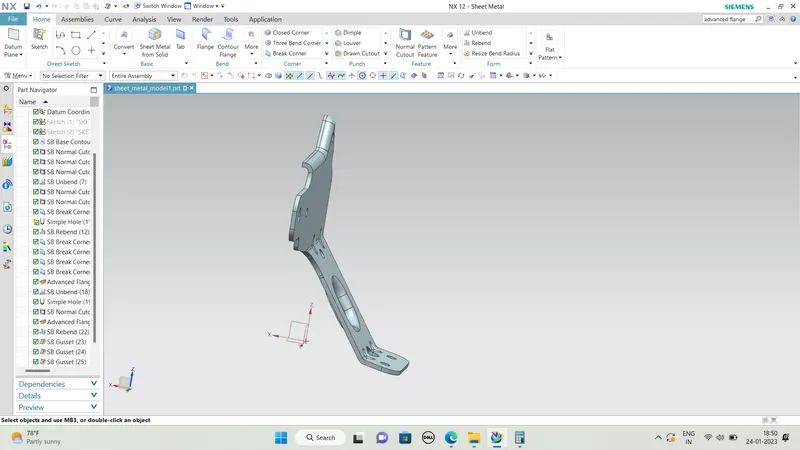
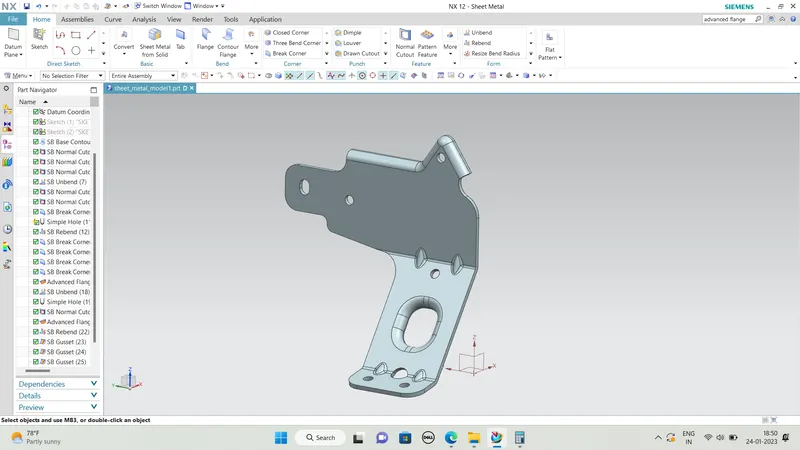
The main objective of this project is to design a sheet metal BRACKET II in NX cad sheet metal application workbench. Also, to perform the drafting for the bracket part.
Software used: NX 12.0
-
To design and model the sheet metal Bracket II in NX by using some basic features.
-
To learn to create sketches on defined planes as per requirement.
-
To master the user interface and basic features of Sheet metal application in NX like Contour flange, Normal cutout, Break corner, Unbend, Creating holes, Re-bend, Advanced flange, Gusset and Flat pattern.
Introduction:
Sheet metal Design and Fabrication:-
# NX sheet metal design software includes material and process information in sheet metal-specific modeling features: bends, flanges, tabs, cutouts, beads, dimples, louvers, corner and edge treatments, patterns and other formable features. You can also quickly convert solid models to sheet metal components, and create sheet metal parts that enclose other components.
Design Methodology:
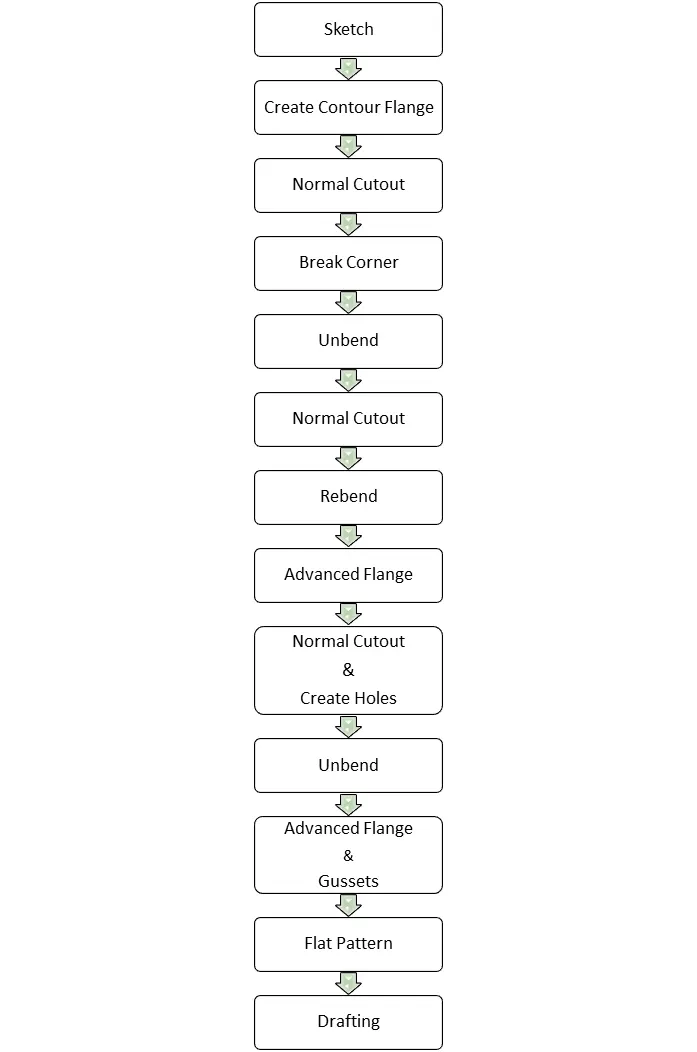
1..Direct Sketch:
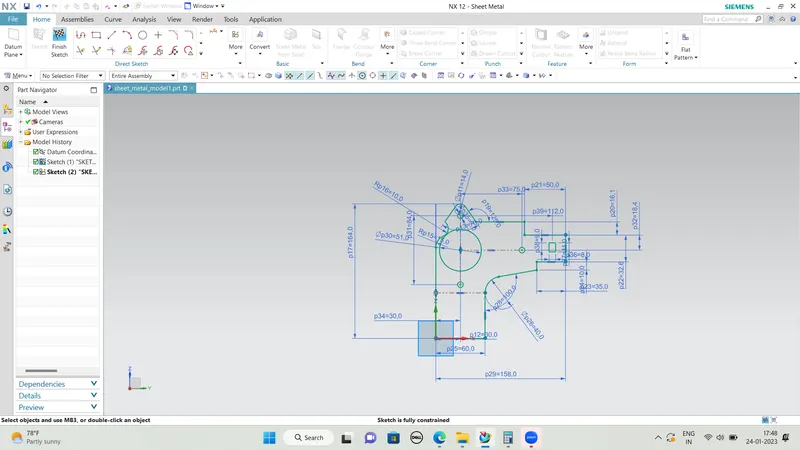
We use its tools to create a base sketch. (for eg: Rectangle, Circle, Line, etc.)
Sketch creation:
Sketch in the YZ Plane.
In order to create a couple of normal cut-outs in the bracket, the sketch is initially created keeping the profile accurately.
Contour flange creation:
The contour flange is a flange created using the open sketch created in a plane. It is different from regular flange because it can be created in any shape and it does not require choosing the edge of any tab or existing flange. It can be at any position or at any angle. For this bracket design, a contour flange is created using the earlier sketch as the curve.
Normal cutout creation:
It cuts away the material at the right angle with respect to the sketch plane. A closed sketch is created on the YZ plane to cut away the unnecessary material. Sketch 1 is projected and the required closed contours are sketched wherever cuts required. Then the operation normal cut out is carried out.
Break corner:
Break corner and chamfer tools are used to make some changes over sheet metal body. Both the tools provides a different activity in creation of the parts.
Rounds or chamfers a sharp corner of a tab or flange. Here by using this tool we can do two different operations.
One is Forming Bend to part and secondary is Forming chamfer.
Bend: Completely formed with radius and creates smooth edges.
Chamfer: This tool is applicable by distance and creates sharp edges.
Unbend:
As the tool name indicates the bend tool is used to bend the sheet metal bodies and the unbend is viceversa of the bend tool,It is to unbend the bent regions.
The part is unbend to create additional features such as hole, dimple, beads which otherwise cannot be created if it not unbend. Moreover it also helps to check whether the part is a sheet metal or not. If the part is unbending then it is a sheet metal otherwise it is still a solid body or dumb body.
Normal Cut Out creation:
A profile for the normal cut out is created. Using the command normal cut out command the material is removed.
Advanced Flange:
Unlike base simple base flange, the advanced flange can create flange from any edge which can be either curved or straight line, open or closed profile. This allows creating a flange with a match face also.
Holes creation:
The additional features holes are also created. Hole command is available in the sheet metal
Gussets:
Gussets are the strength stiffening features. They add strength and stiffness to the sheet metal parts.
.Flat Pattern:
Flat pattern is the representation of the entire sheet metal component in the 2D form of the flat sheet metal with all the bends, cut-outs, holes, and additional features in the form of lines or edges. The flat pattern ensures the ability to cut the sheet metal out of the raw sheet metal plate. It removes the possible errors such as interference or collision within the same component.
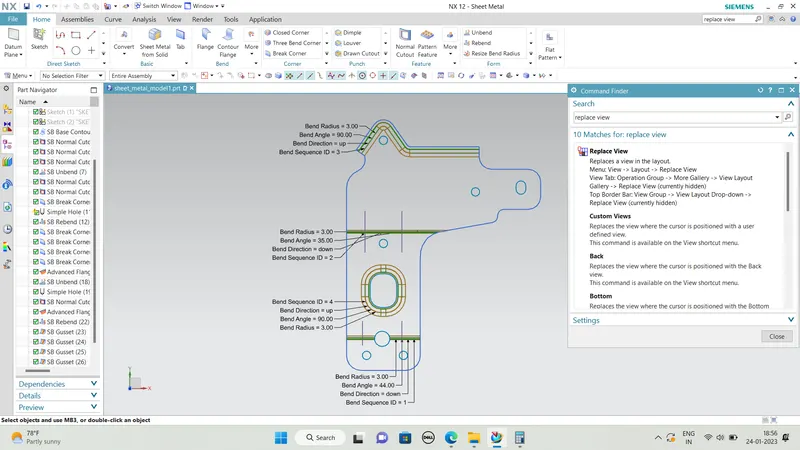
FINAL OUTPUT :
DRAFTING :