Challenge

Advanced Sheet Metal Design Using NX Cad Challenge_6_Bracket

Title of the project:- Advanced Sheet Metal Design Using NX Cad Challenge_6_Bracket
Objective:- To design a Bracket using Siemens NX Sheet metal application.
Introduction:-
Siemence NX:- NX formerly known as "unigraphics", is an advanced high-end CAD/CAM/CAE, which has been owned since 2007 by Siemens PLM Software.
Sheet metal design:- NX Sheet Metal Design provides the design professional with a complete set of tools to efficiently create and manage sheet metal parts based on the knowledge of material properties and manufacturing processes. NX Sheet Metal Design tools incorporate material and bending information, enabling the model to represent both the formed component and flattened blank shapes.
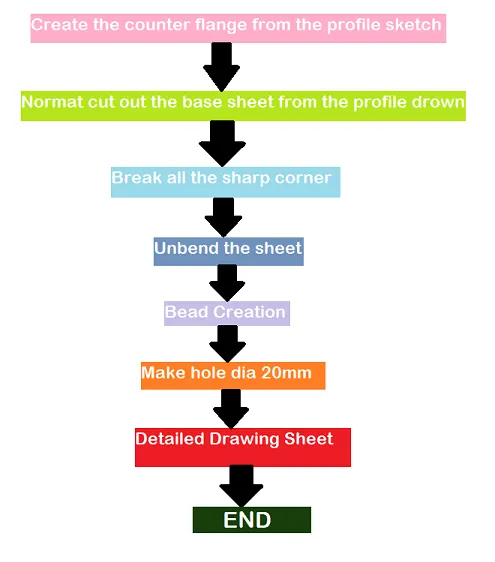
Design methodology:- Flowcharts only

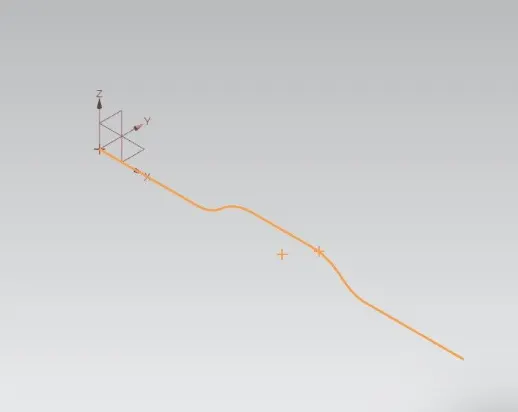
Description:- Create the base sketch from reference to the given bracket sketch. Create the sketch profile as shown in the below picture.
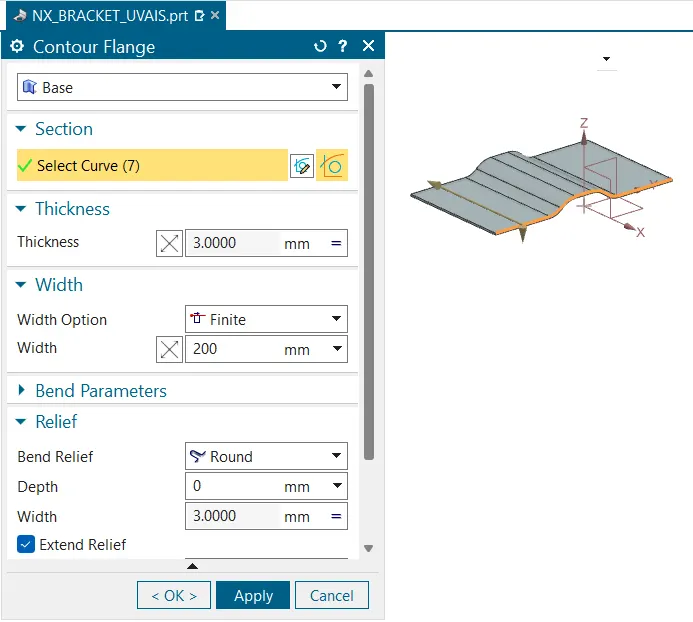
By using contour flange, create the base to a length of 200 mm.
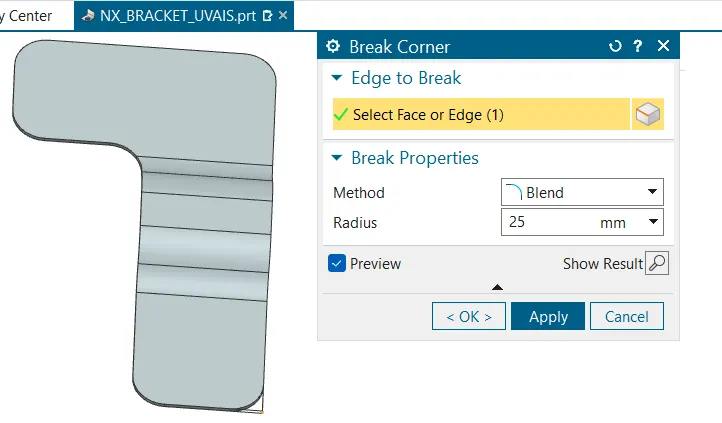
Smoothen the sharp corners using break corner option with a radius values is 25 mm
Smoothen the sharp corners using break corner option with a radius values of 30 mm
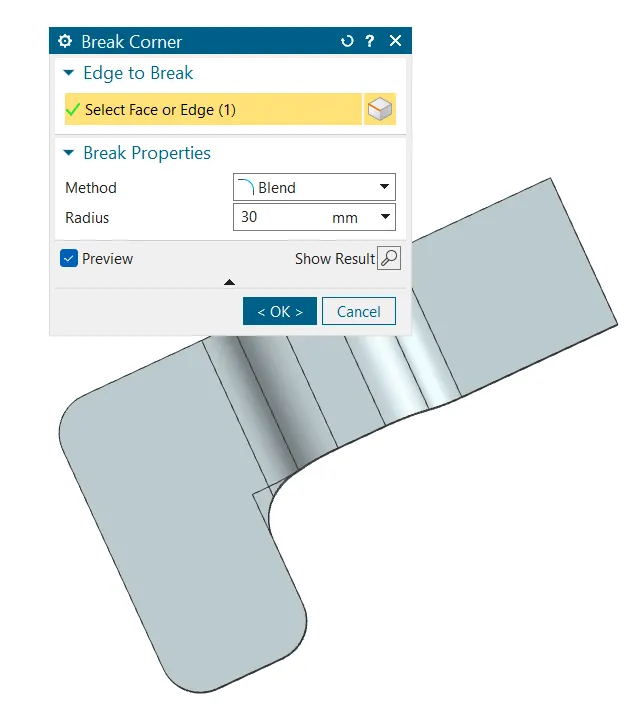
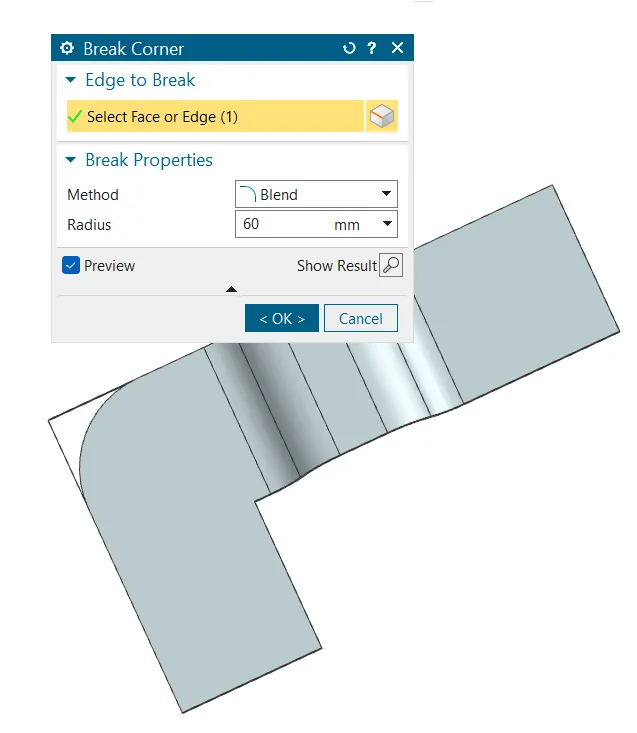
Smoothen the sharp corners using break corner option with a radius values of 60 mm
Create bead
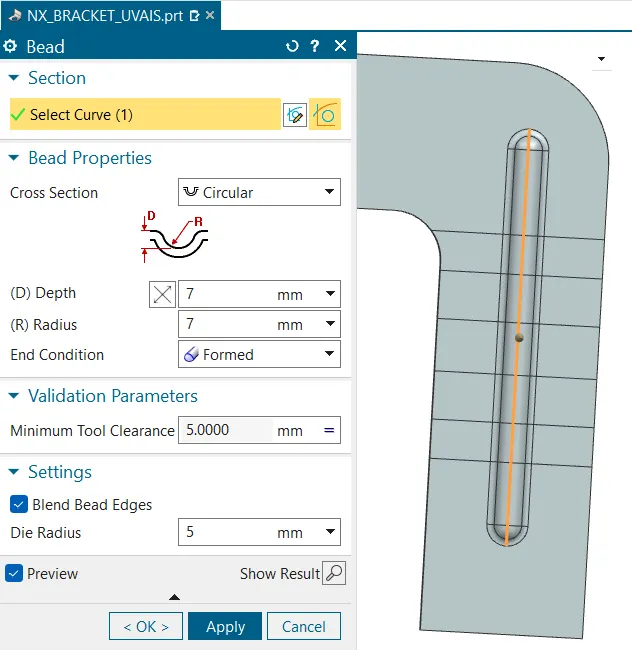
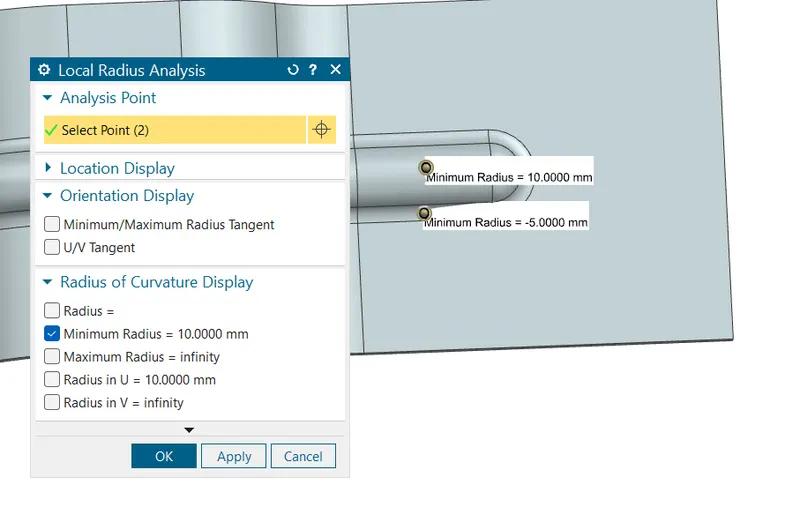
Create the holes using hole command
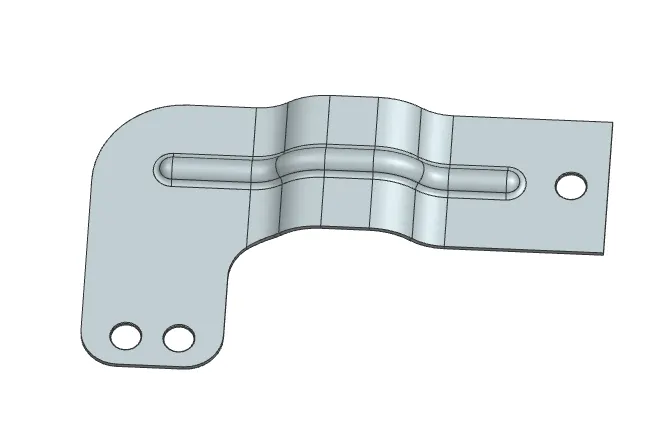
Isometric view-
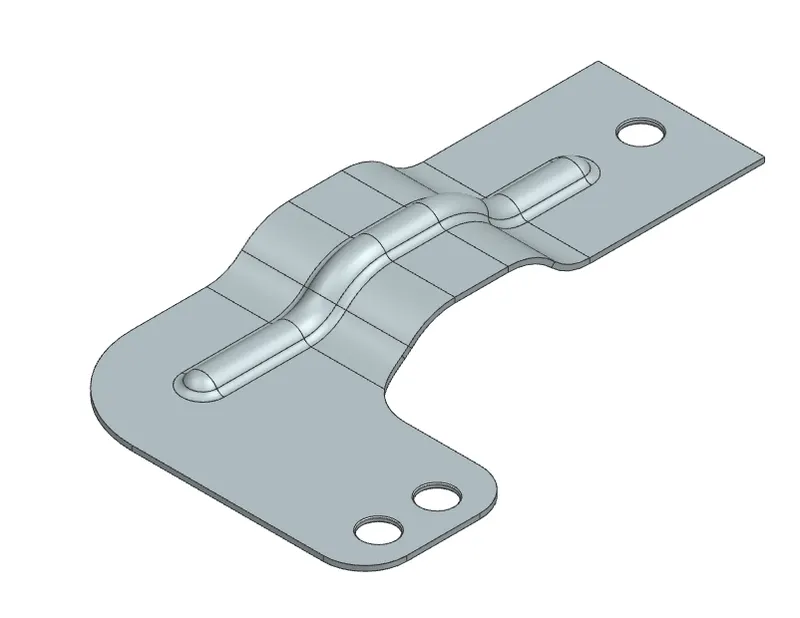
Front view-
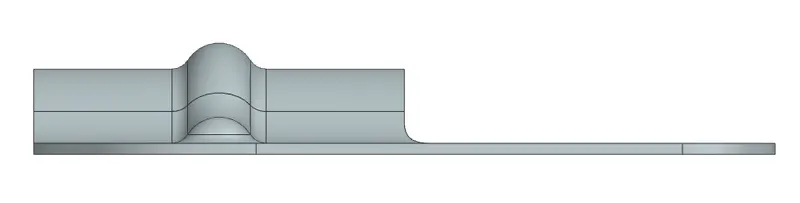
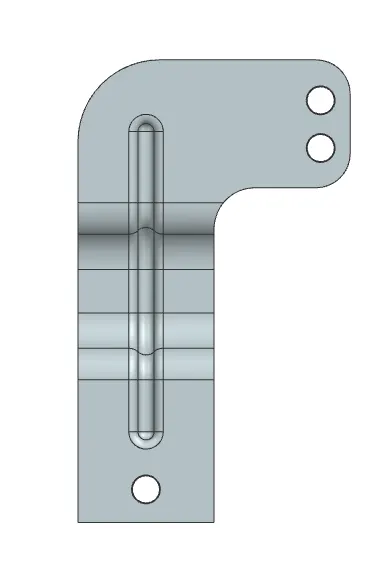
Top view-
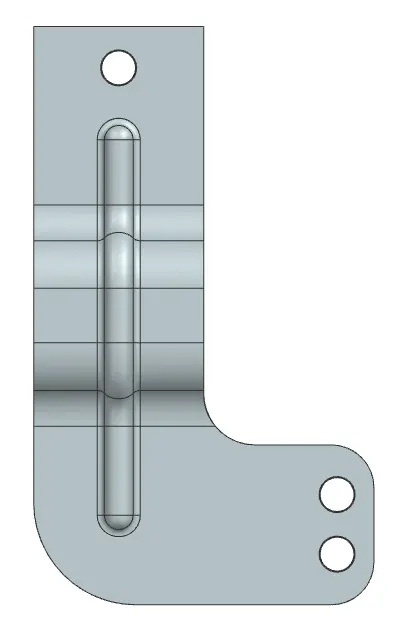
Bottom view-
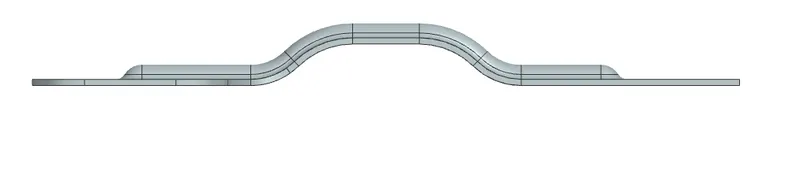
Right view-
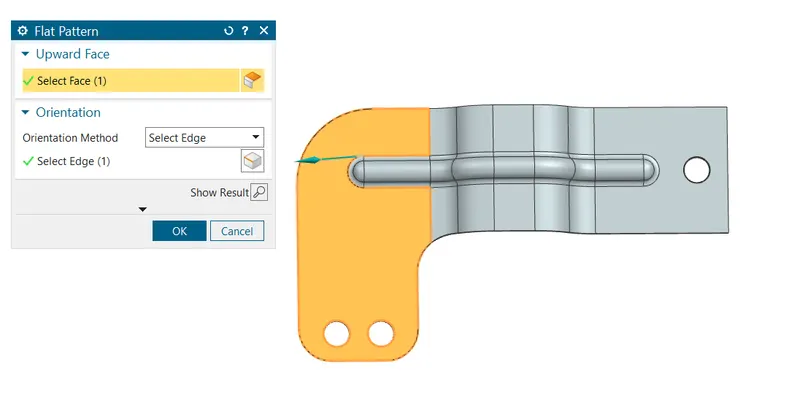
Flate pattern
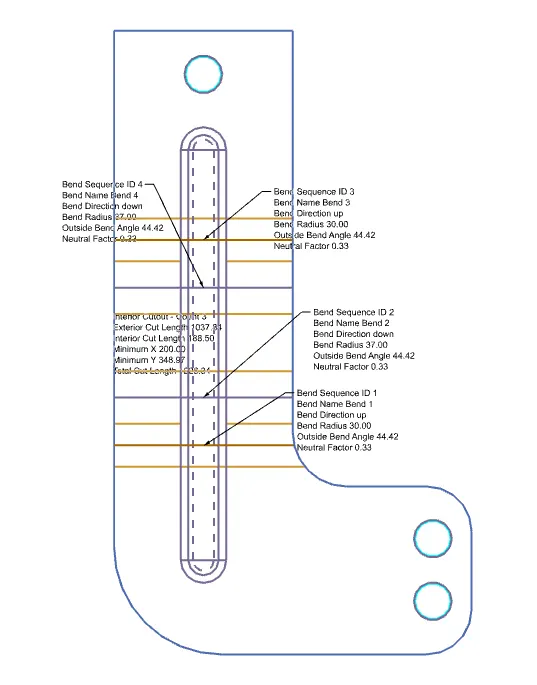
Attach Detailed Drawing Sheet Image-
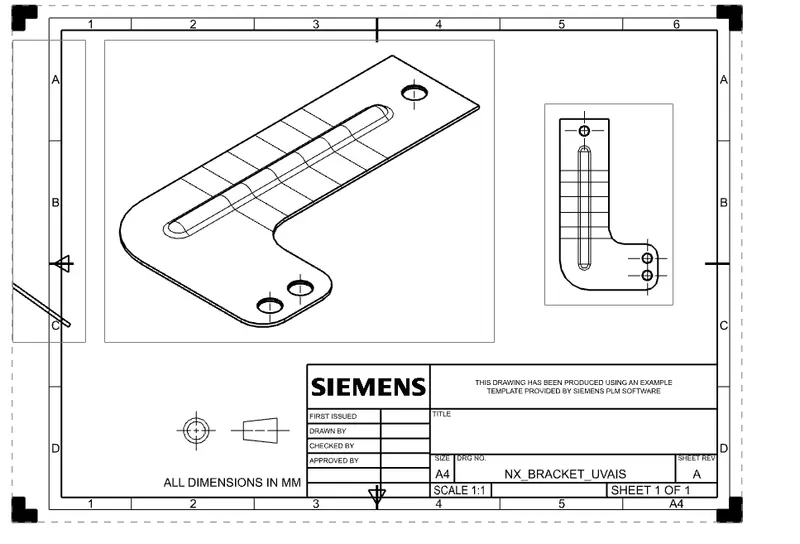
Conclusion:- Learn different kind of command and making bracket design successfully.

Your portfolio, next

Ship work like this
in your own course.

Talk to a career counsellor

Free 20-minute call. We'll map the right course to where you want to work.

By submitting you agree to our Terms and Privacy Policy.