Advanced Sheet Metal Design Using NX Cad Challenge_6_Bracket
Title of Project -Advanced Sheet Metal Design Using NX Cad (Bracket Design)
Objective- To design a bracket using sheetmetal workbench of NX cad
Introduction-
In this challenge we have to create the sheet metal part with the help of given inputes. using the sheetmetal workbench from nx , we will create the required part.
Design Methordlogy-
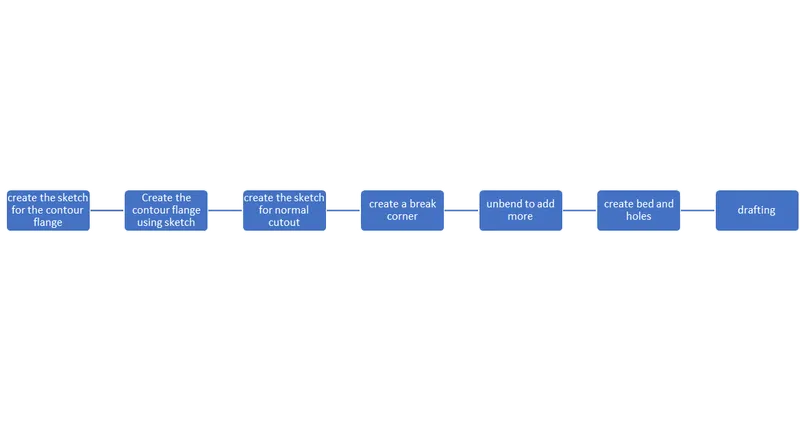
Procedure
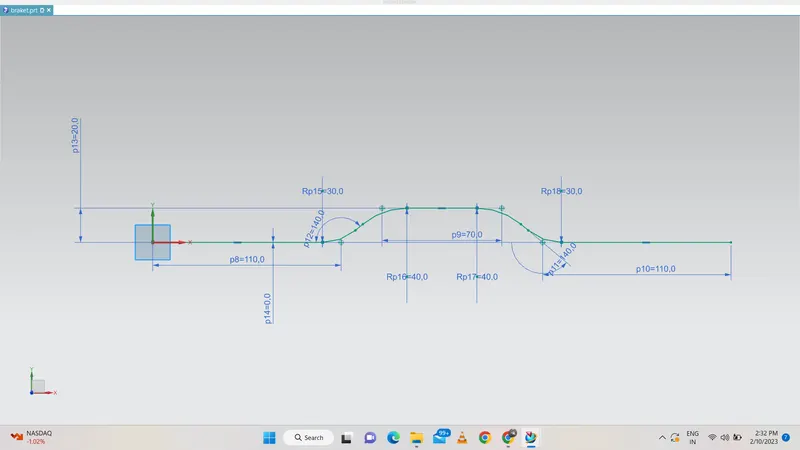
first we have to create the sketch of require flange and then we have to finish the sketch.
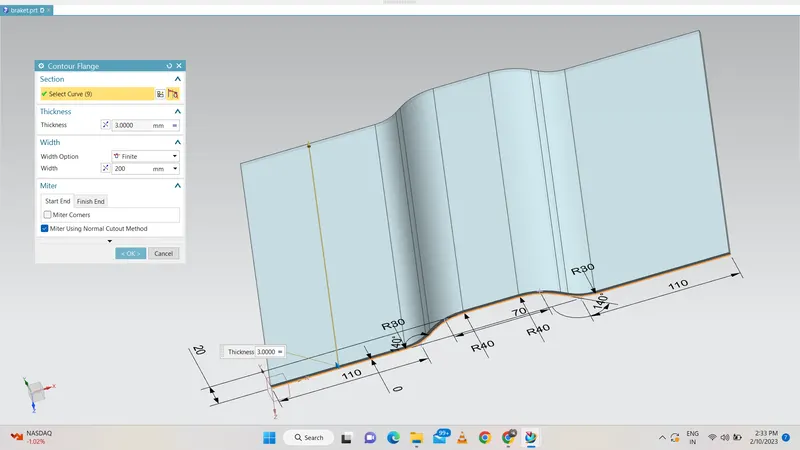
the contour flange command is clicked to create the flange of given length.and then we select the sketch and give the thickness with proper direction.
then we have to remove some part which is not require to do that we have create the sketch which is perpendicular to the surface and created the skech. normal cutout command is applied to it to make the trim of the part
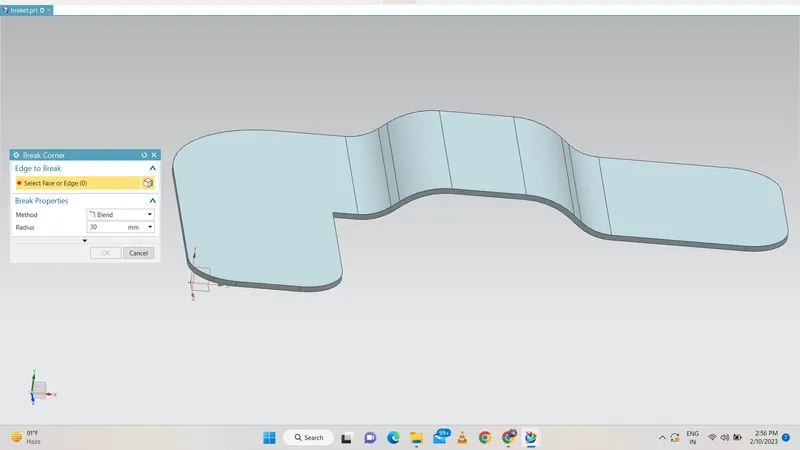
then the break corner with proper radius for each corner.the various corner are created with different radius
the part is unbend first to create the bead on it.to unbend the part first we have select the unbend command and then select the flat face first and then select all the body bend faces.
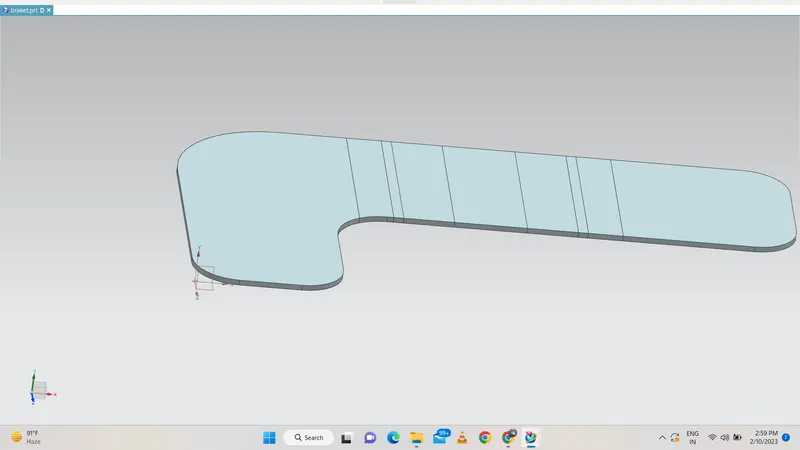
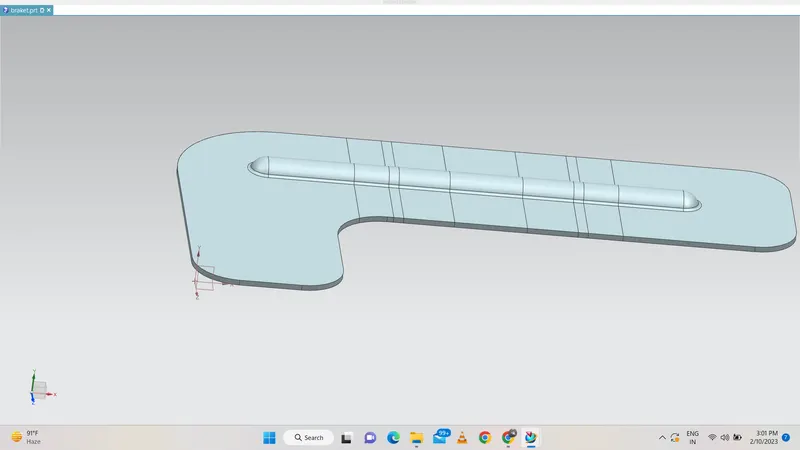
Bead is selected to create it firstly the sketch is created on flat surface and then we give the thickness and diameter to it. finally we give proper direction to it and click ok to get the bead
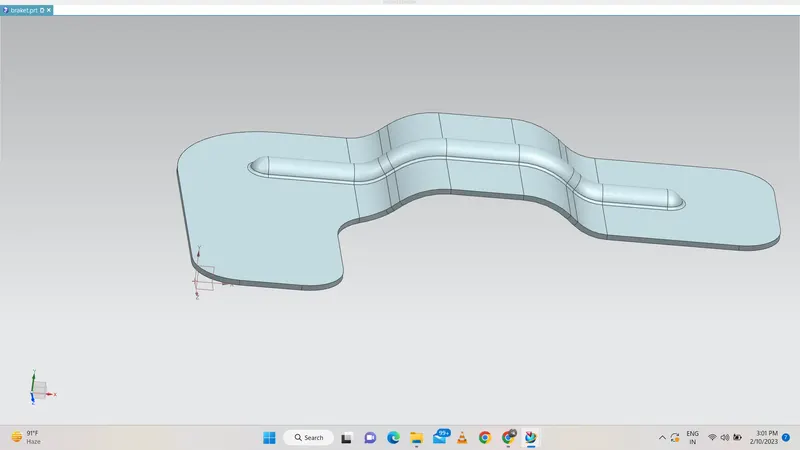
Hole command is selected to create the hole firstly we create the point and then we specify the size and depth.we rebend the bend which are created
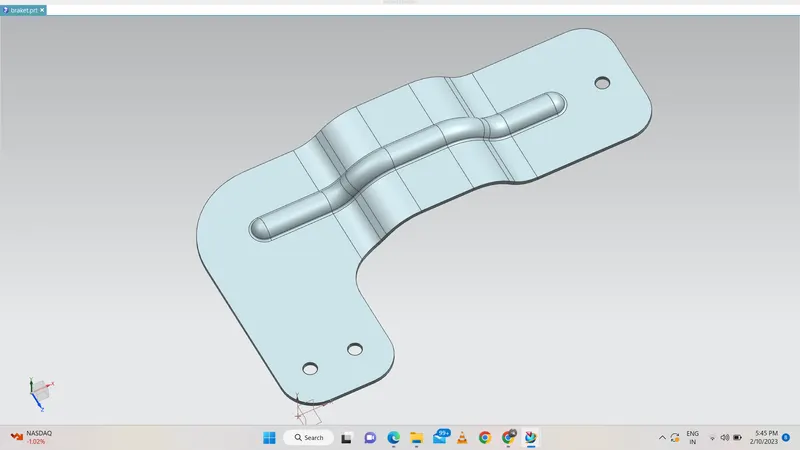
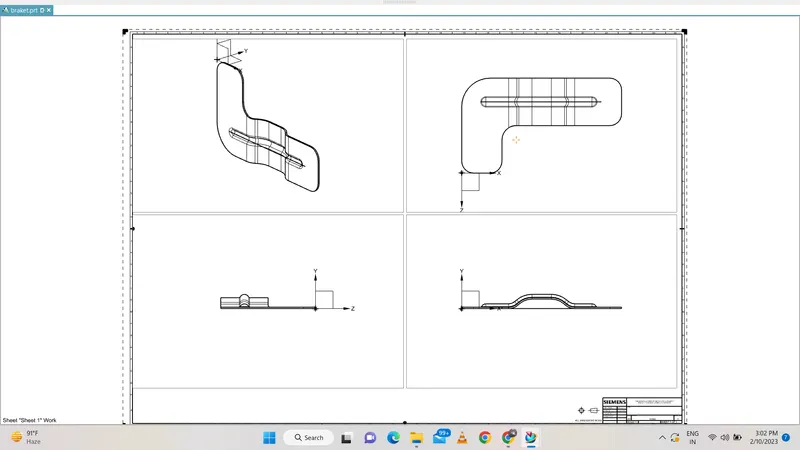
the drafting is done on the part which is created
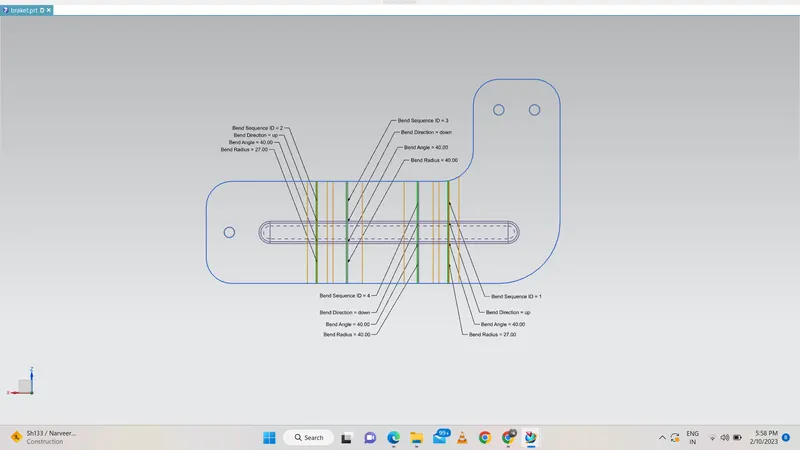
we have also crreated the flat pattern for the design as bellow
Conclusion
Thus advanced features in Siemens NX Sheet Metal Appliaction is grasped through simple Sheet Metal bracket design
In this challenge we get to know various command like contour flange,bead ,unbend and rebend.