Advanced Sheet Metal Design Using NX Cad Challenge_6_Bracket
Advanced Sheet Metal Design Using NX CAD- Bracket Design
Objective:
- The main objective of this project is to design a sheet metal BRACKET in the NX cad sheet metal application workbench. Also, to perform the drafting for the bracket part.
- Software used: NX 12.0
- To design and model the sheet metal casing in NX by using some basic features.
- To learn to create sketches on defined planes as per requirement.
- To master the user interface and basic features of Sheet metal application in NX like Tab, Flange, Break corner, Unbend, Creating holes, Re-bend, Dimple, Bead, Mirror feature, and Flat pattern.
Introduction:
Sheet metal Design and Fabrication:
NX sheet metal design software includes material and process information in sheet metal-specific modeling features: bends, flanges, tabs, cutouts, beads, dimples, louvers, comer and edge treatments, patterns, and other formable features. You can also quickly convert solid models to sheet metal components, and create sheet metal parts that enclose other components.
With NX sheet metal CAD tools, you can apply standard values, such as material thicknesses and bend radius, based on industry or company best practices. With folding and unfolding capabilities, you can work with models at any stage of the fabrication process. NX sheet metal software creates accurate flat patterns for documentation and manufacturing.
Design Methodology:
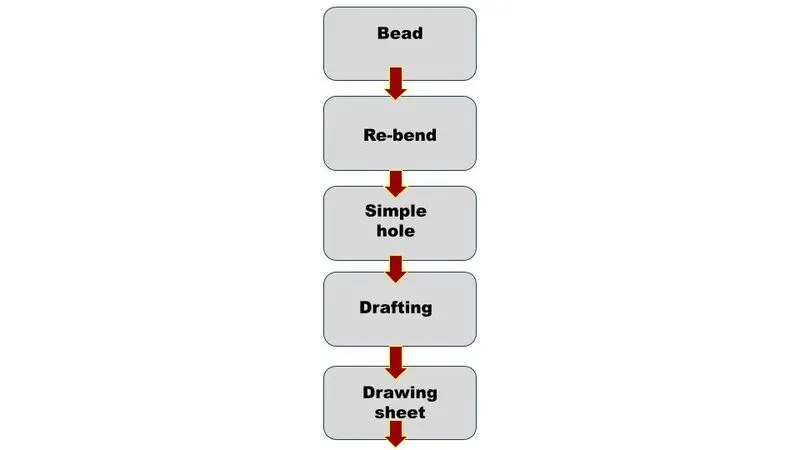
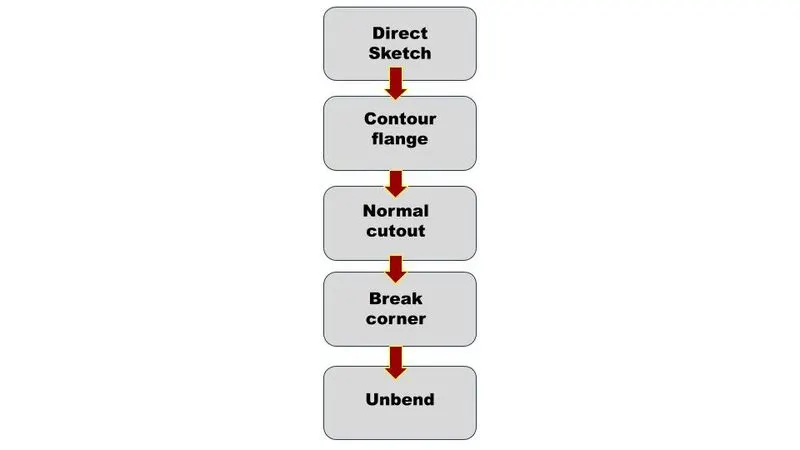
Description:
The sheet metal Bracket has been done with the above flow chart process. While designing the default thickness, bend radius relief depth and relief width value are set to 1mm at the Menu Preferences → Sheet Metal here we can change the Sheet Metal thickness whenever necessary.
The sketch is drawn in the XY plane and the tab command is used for creating the base of the part.
Procedure:
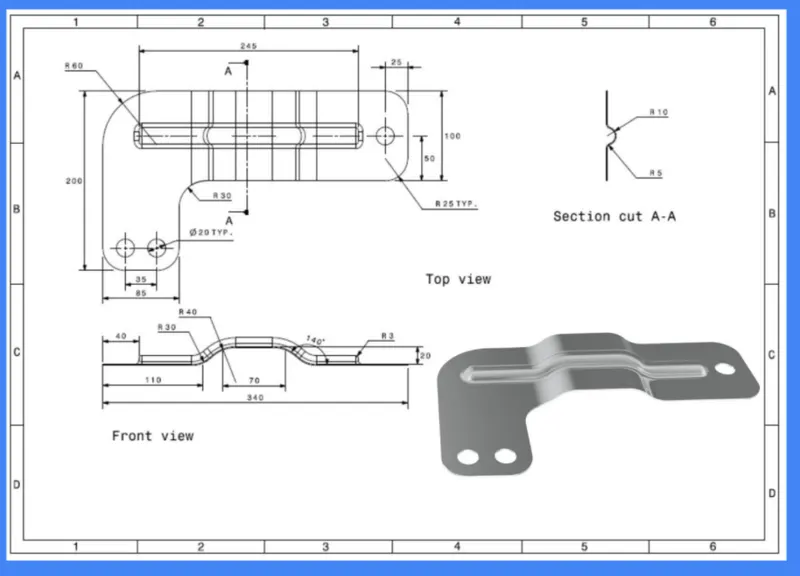
Direct Sketch:
We use its tools to create a base sketch. (for eg: Rectangle, Circle, Line, etc.)
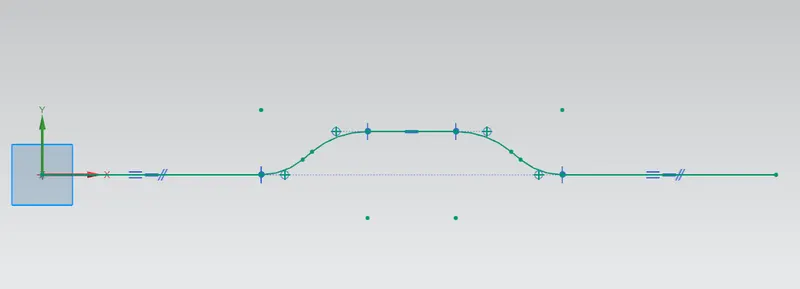
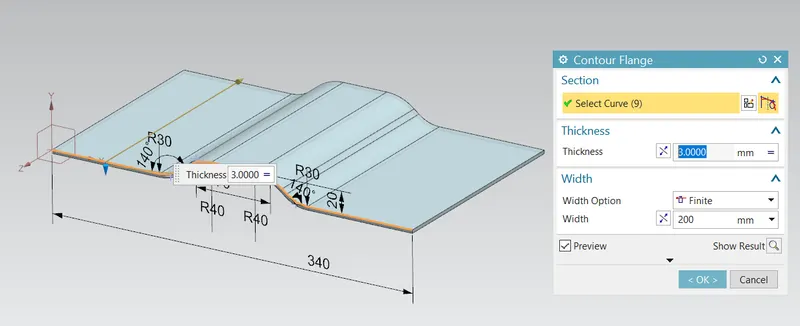
Contour flange:
In Siemens nx sheet metal contour flange command used to create a base feature by extruding a sketch along a vector or adds material by sweeping a sketch along an edge or chain of edge.
From the menu: Insert-> Bend contour flange.
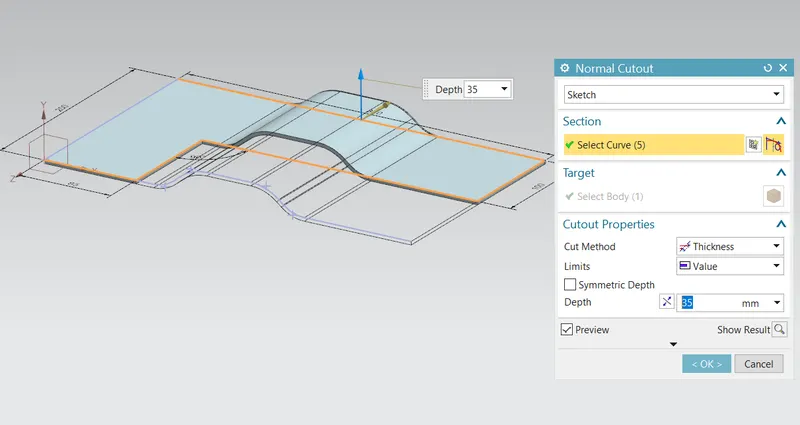
Normal cutout:
Using the NORMAL CUTOUT tool we remove the material from the required location.
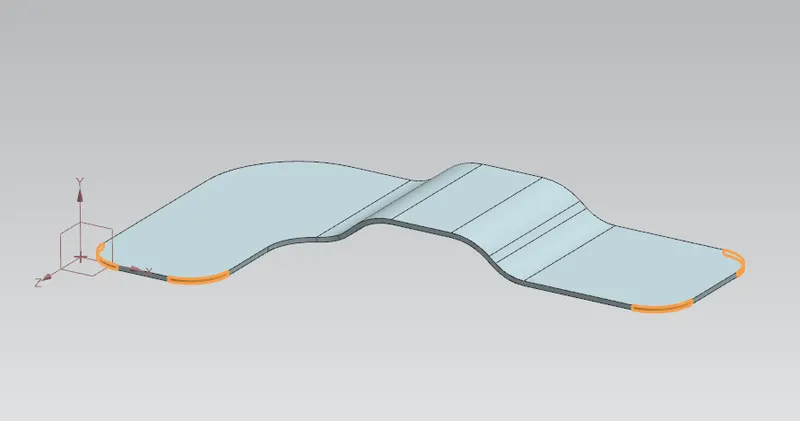
Break corner:
Break comer and chamfer tools are used to make some changes over sheet metal bodies. Both the tools provide a different activity in the creation of the parts.
Rounds or chamfers a sharp corner of a tab or flange. Hereby using this tool we can do two different operations.
One is Forming Bend to part and secondary is Forming chamfer.
Bend: Completely formed with radius and creates smooth edges.
Chamfer. This tool is applicable by distance and creates sharp edges,
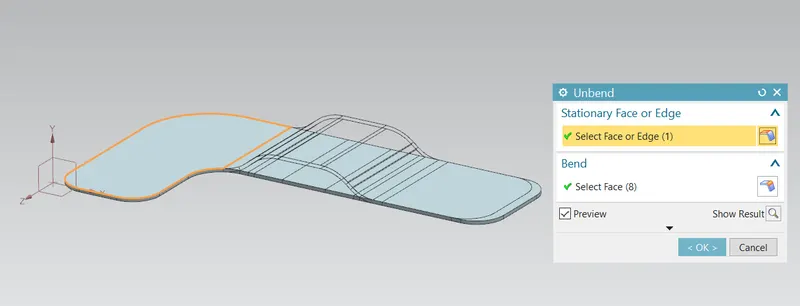
Unbend:
As the tool name indicates the bend tool is used to bend the sheet metal bodies and the unbend is vice-versa of the bend tool, it is to unbend the bent region
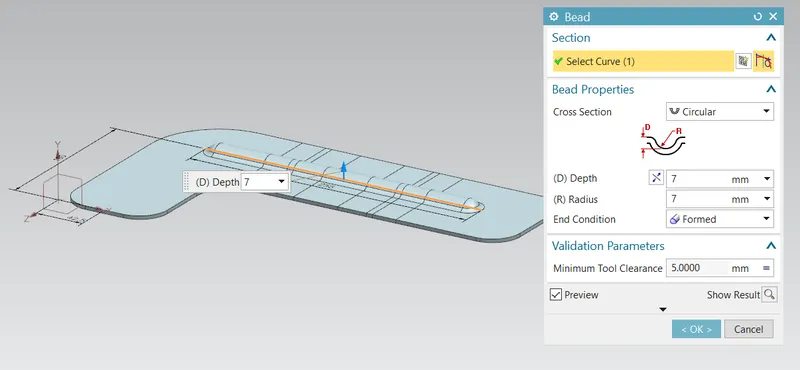
Bead:
This tool is used to create a punch formation on the selected region on the body with smooth curvature on the edges.
Also, we create circular projections with help of the BEAD command.
Re-bend:
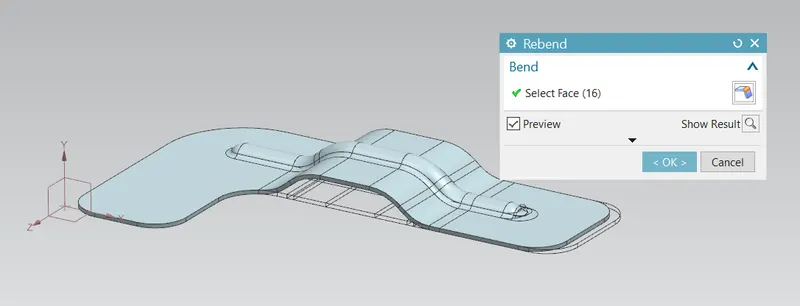
As the tool name indicates the bend tool is used to bend the sheet-metal bodies and then re-bend is vice-versa of the bend tool, It is to re-bend the un-bended regions.
Simple hole:
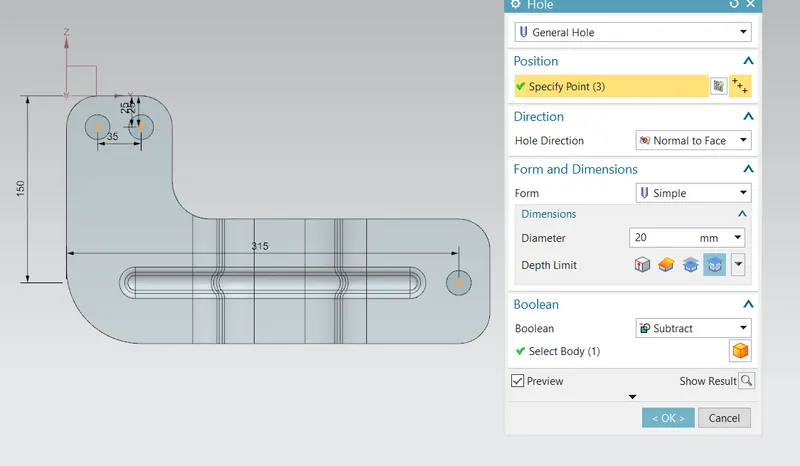
In the siemens nx modeling, hole command used to create a hole on one or more solid bodies in a part or assembly with options for counter-bored, countersunk, and
threaded.
siemens nx modeling hole command makes position point by point option.
siemens nx modeling hole command makes position point by sketch section.
create a Simple hole in nx.
Drafting:
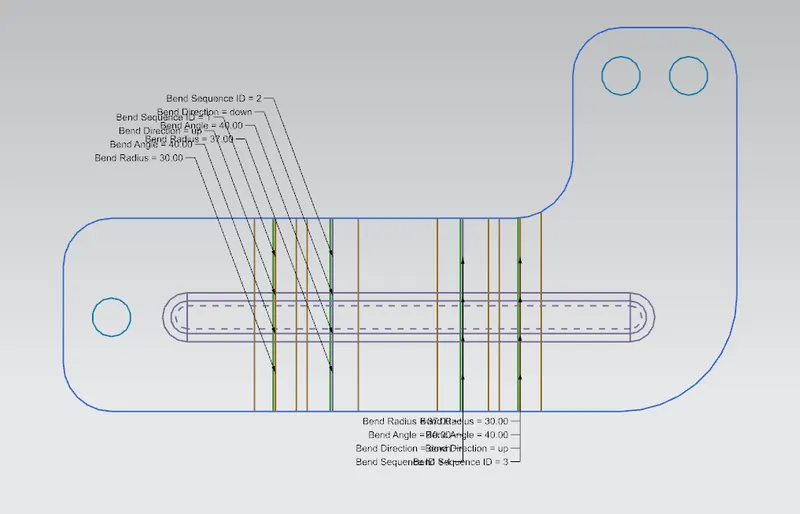
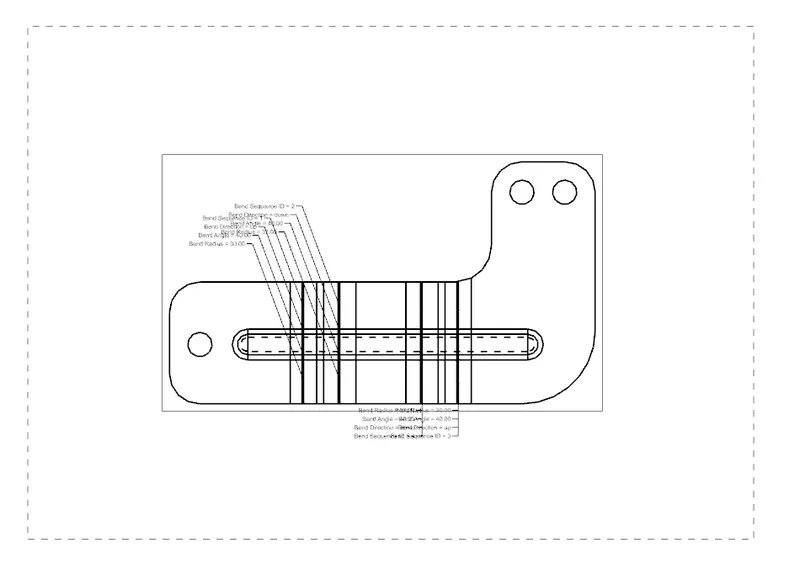
We can create 2D drawing sheets in NX CAD from the sheet metal component design. For that we have to follow the process below:
Application >> Drafting >> Base View >> In model view to use- FLAT PATTERN created >> Adjust appropriate scale >> Drawing Sheet formed Give Proper Dimensions.
Drawing sheet:
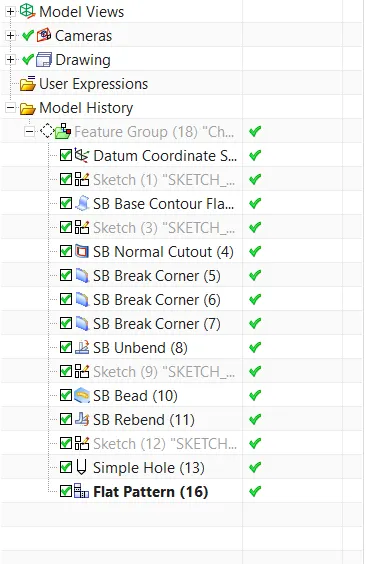
Feature tree
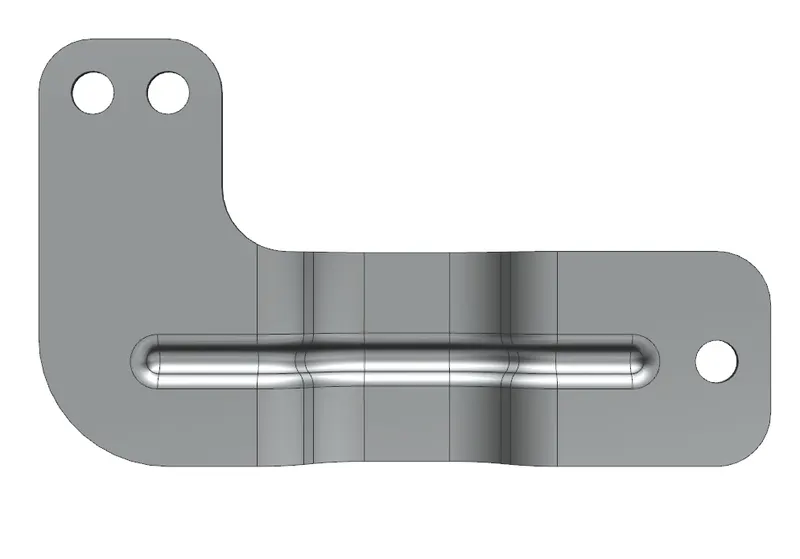
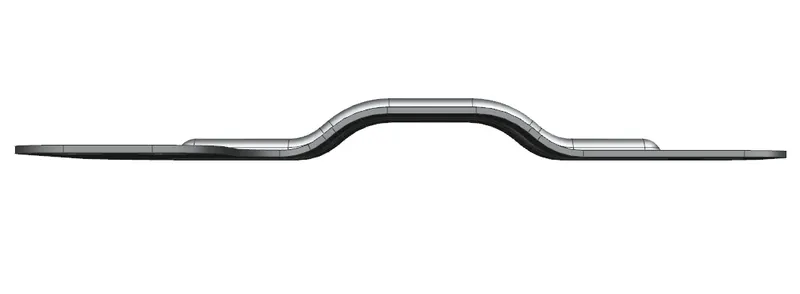
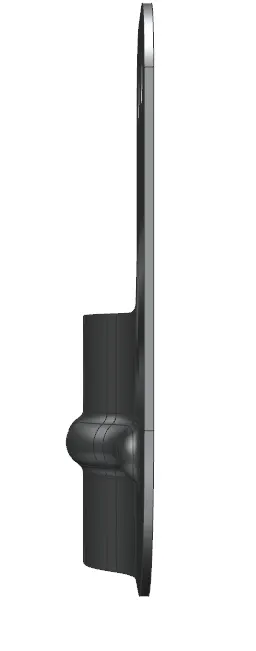
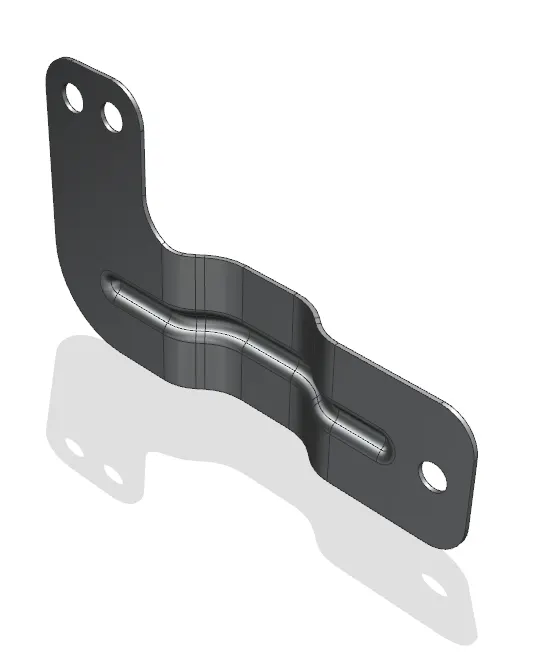
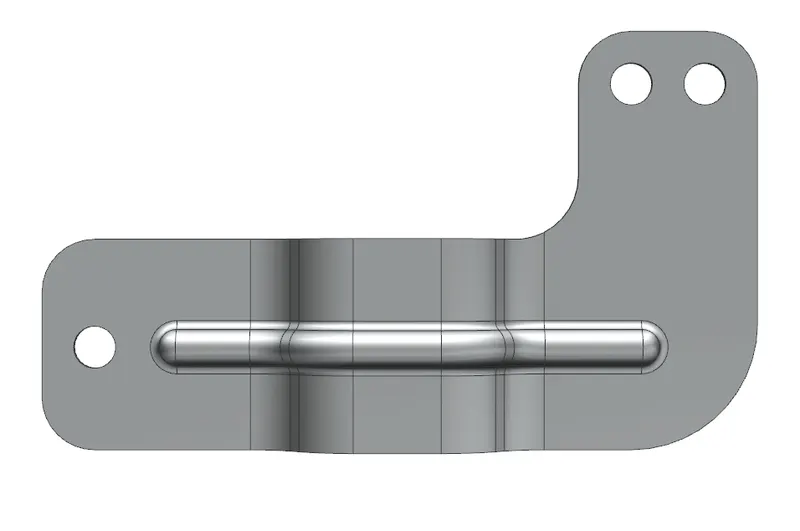
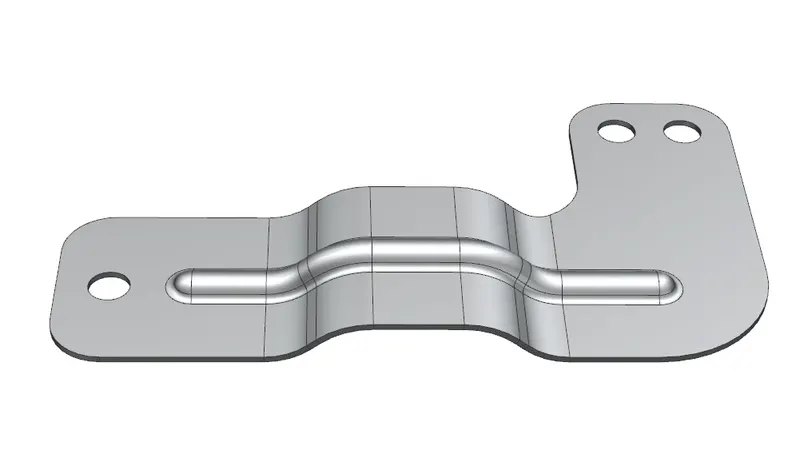
Views of the bracket
CONCLUSION:
Thus the bracket of the sheet metal is designed on the Siemens NX12.0