Advanced Sheet Metal Design Using NX Cad Challenge_5_Odd Shaped Enclosure
ODD ENCLOSURE
TITLE OF THE PROJECT : CREATION OF ODD ENCLOSURE BY SHEET METAL MODELLING
OBJECTIVE:
Points to be followed in report
- Title of the Project
- Objective
- Introduction
- Design methodology / approach (To be explained with the help of Flowcharts only)
- Description (Need to explain tools/ Features used while designing)
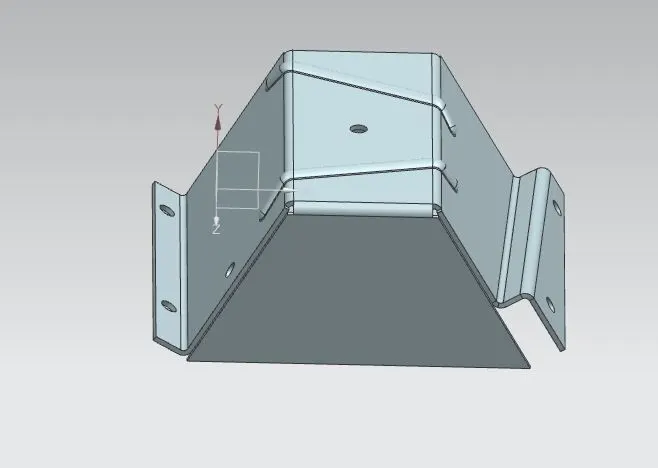
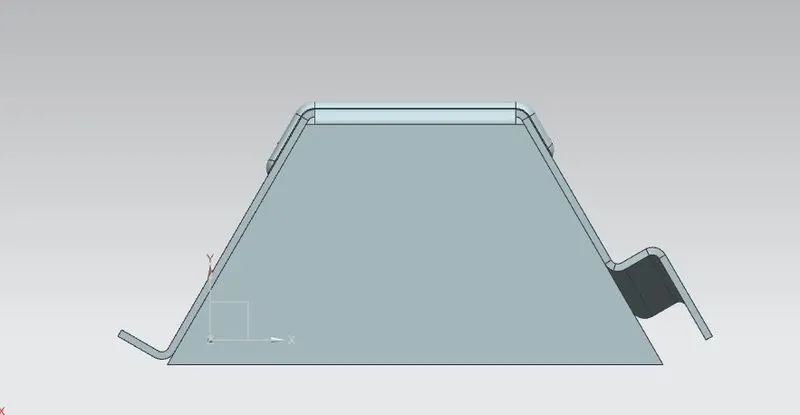
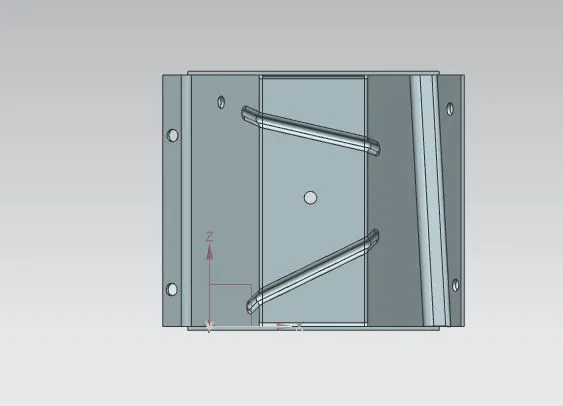
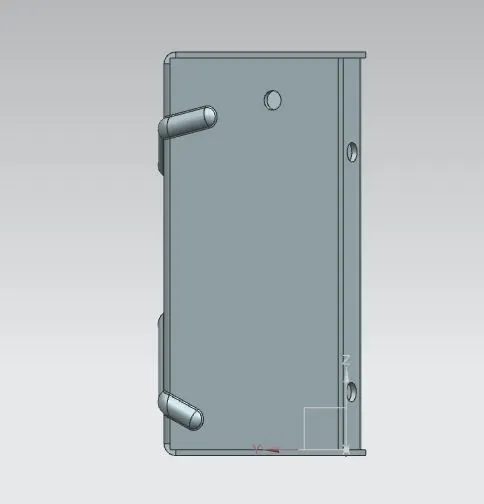
- Upload a min of four screenshots of Model in the report. (Front View, Side View, Isometric View and the Top View)
- Attach Detailed Drawing Sheet Image (If Required)
- Conclusion
INTRODUCTION: The recommended work flow followed to create enclosures with odd shapes or angles
Create a solid body
wrap the solid body with sheet metal
Add features like flange,bend etc
Unbend to add features like holes,dimple,beads etc.
Rebend
create a flat pattern.
DESIGN METHODOLOGY:
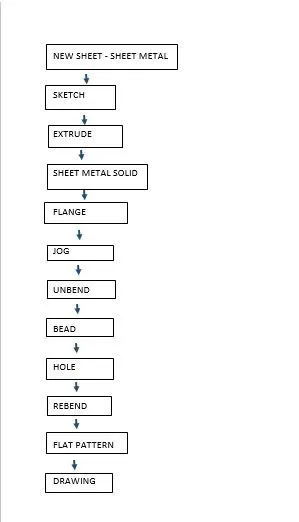
DESCRIPTION:
Go to new sheet -sheet metal body.
sketch the base feature and extrude.
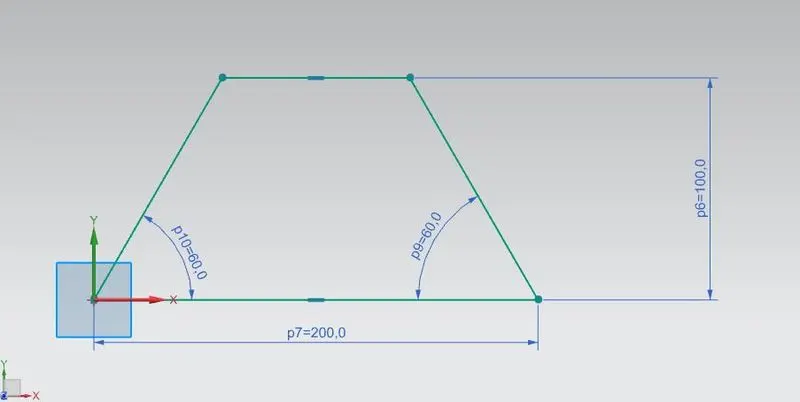
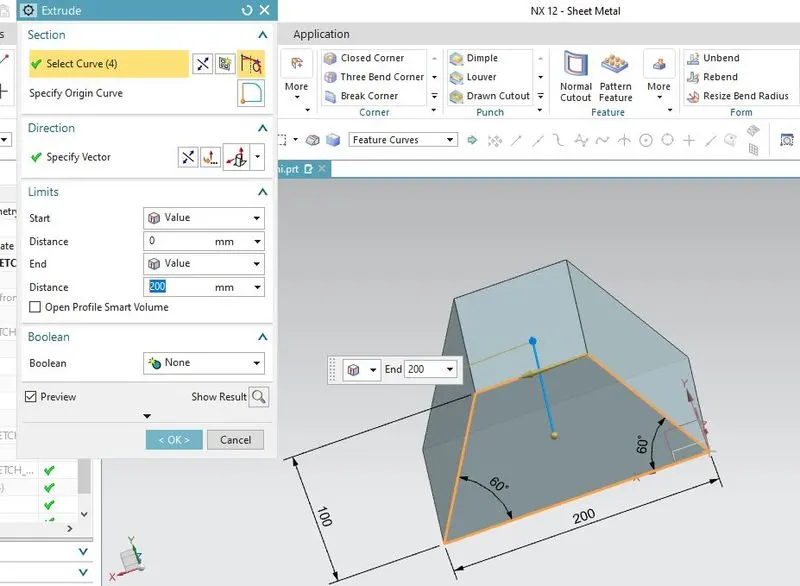
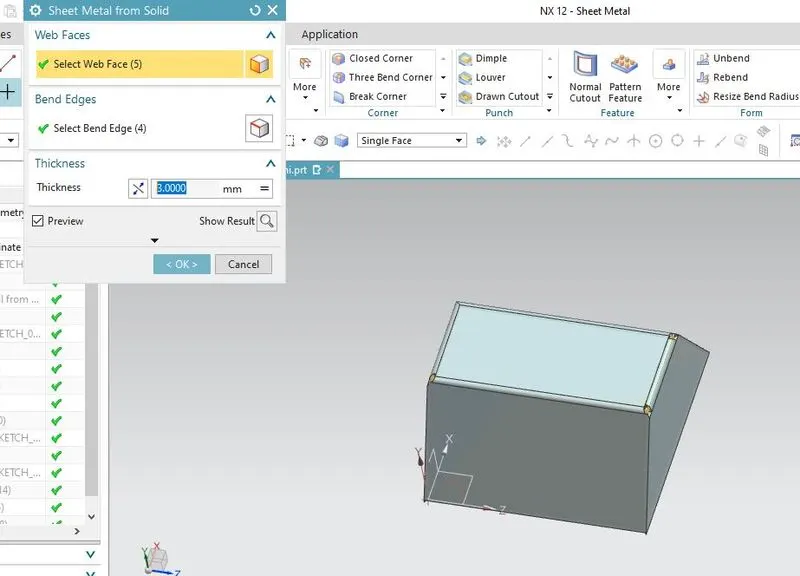
now wrap the solid body with the sheet metal body solid command, select the wrap faces and bend with thickness 3 mm
now give bends by flange and jog feature.
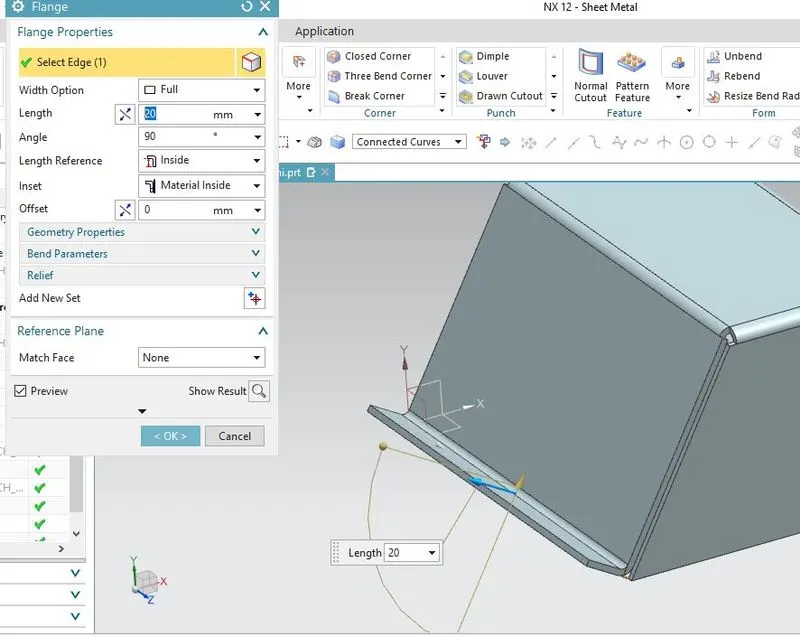
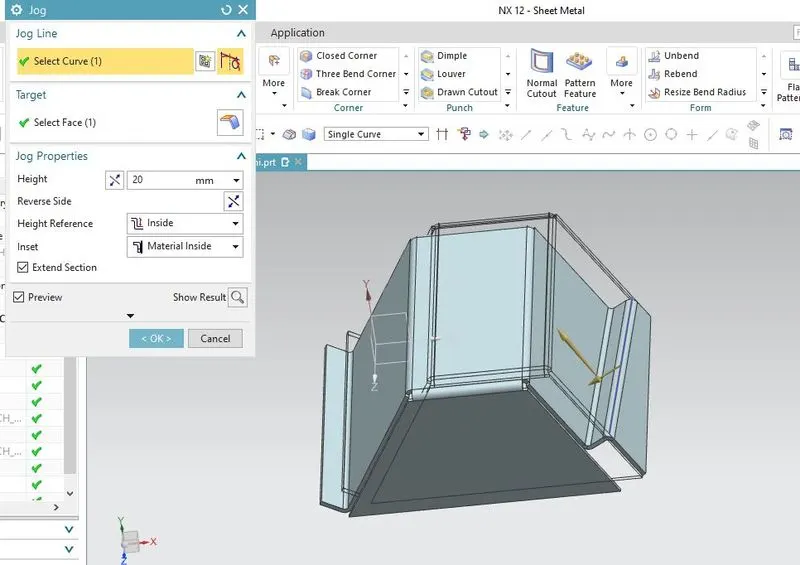
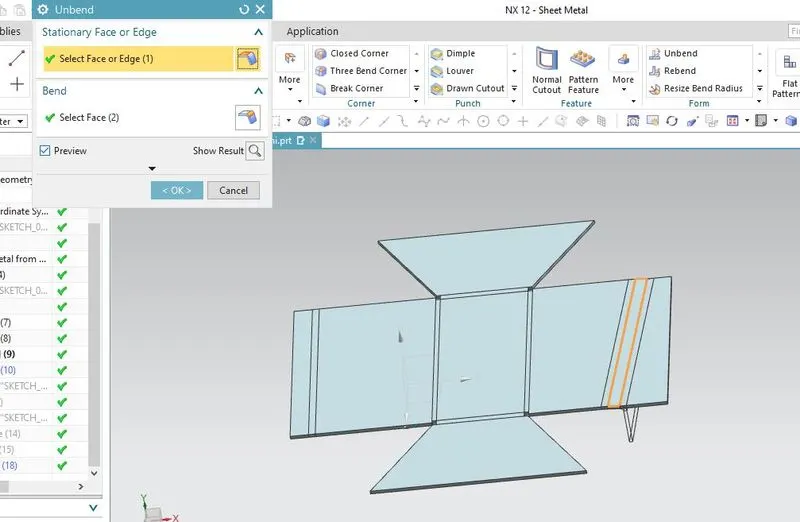
after creating the bends.unbend the body to add features like holes,beads.
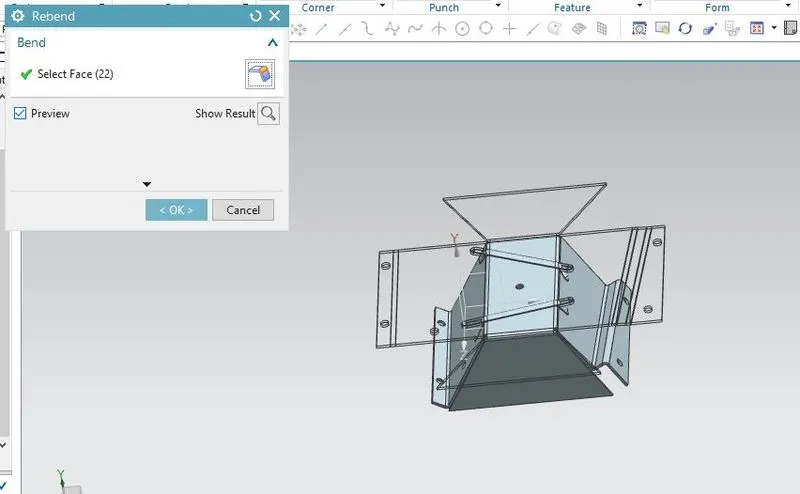
go to unbend select the face and bend to make a flat body.
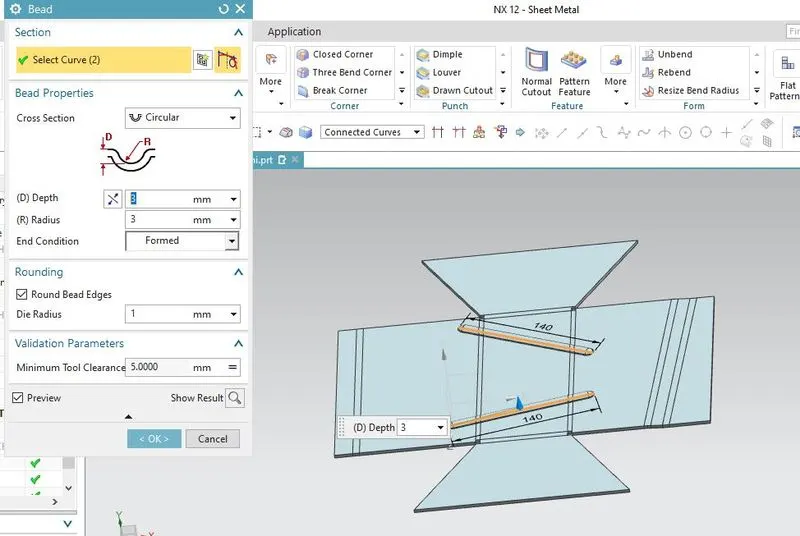
now sketch in the xy plane to create the curve for bead.go to bead command select the curve and depth of 3mm
now create point the face for holes.click holes select the point and give dia of 10cm
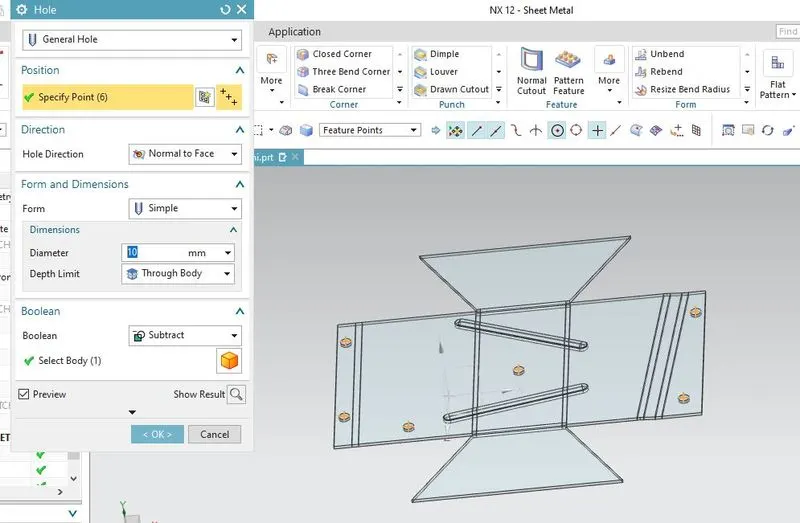
all the features and so the body can be rebend.
flat pattern is given.select the face,orientatio -edge is given select the edge.
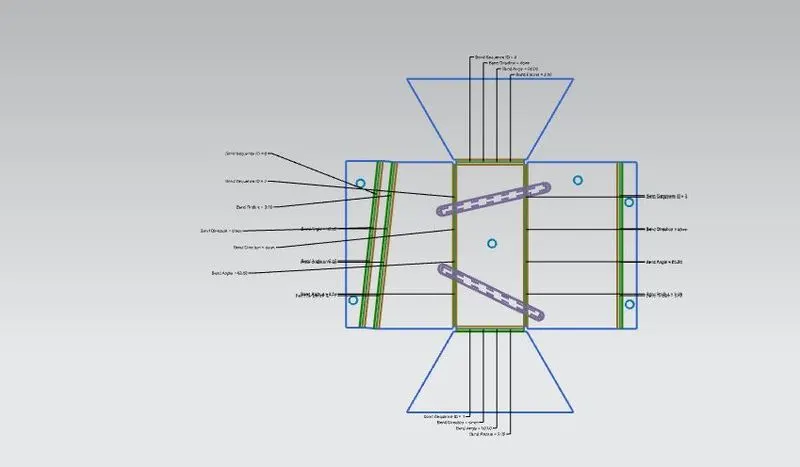
the flat view can be viewed in model views.
now go to Application -drawing and give sheet size.Go to base view and view flat pattern.
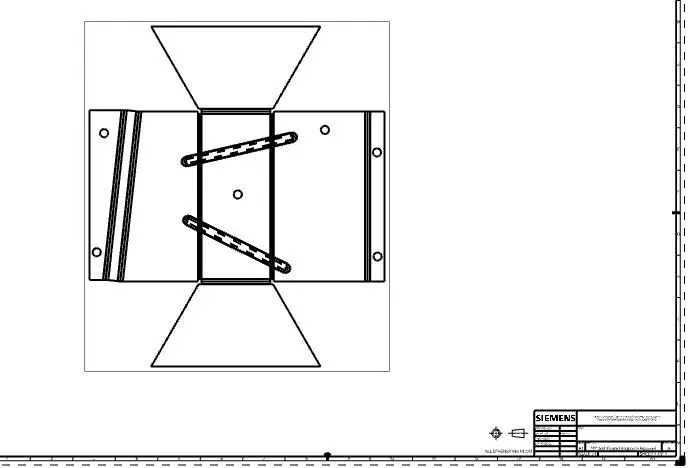
different views
CONCLUSION: the odd enclosure is modelled in sheet metal wth required features.