Advanced Sheet Metal Design Using NX Cad Challenge_5_Odd Shaped Enclosure
CREATE ENCLOSURES WITH ODD SHAPES OR ANGLES
OBJECTIVE:-
In this challenge I learn workflow procedure to design a
‘Sheet Metal part for odd shapes’ using Siemens NX Sheet Metal Application.
INTRODUCTION:-
I created enclosure with odd shapes or angles by using various command like extrude, sheet metal from solid, flange, jog, unbend, bead, hole, rebend, flat pattern, flat pattern view.
DESIGN METHODOLOFY:-
- Using extrude command make shape like below.
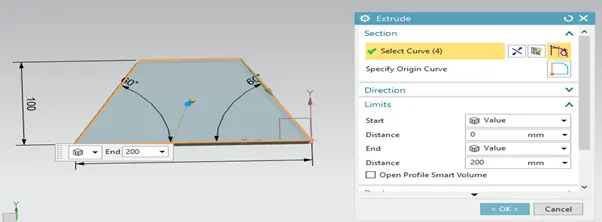
- Convert sheet metal from solid by selecting 5 web faces.
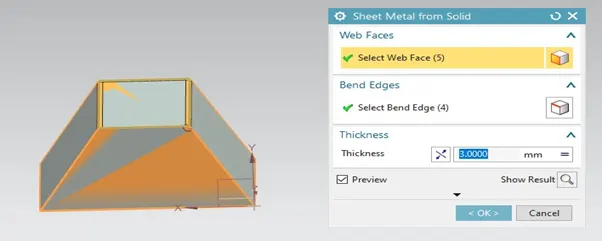
- Apply a flange command as in below picture.
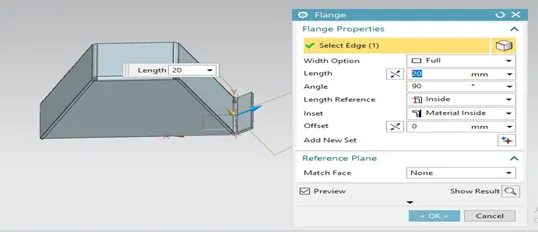
- Make 20 mm height Jog on opposite side of flange.
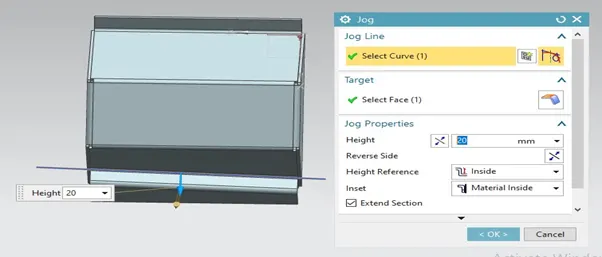
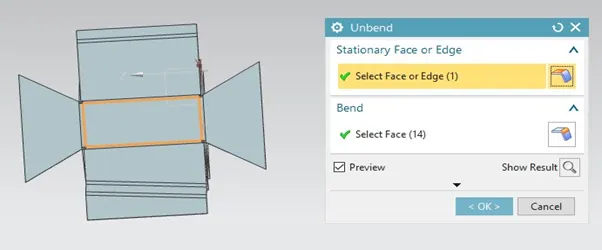
- Unbend sheet metal as shown in figure.
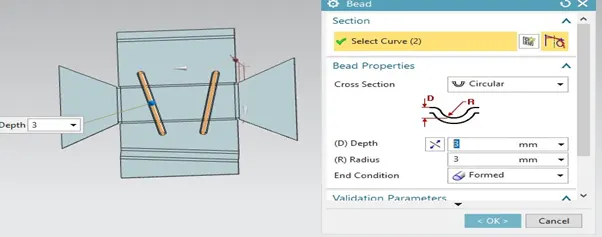
- Apply a bead on sheet metal as shown in picture.
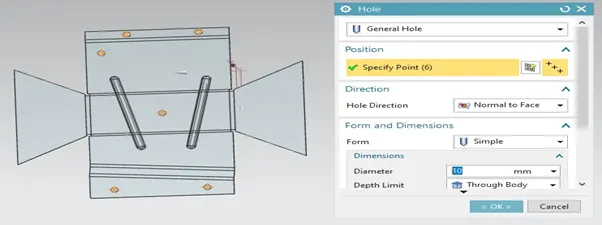
- Make 10mm diameter general size hole at different location of sheet.
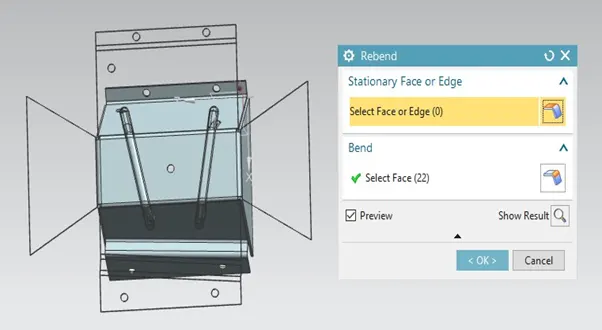
- Rebend sheet metal as shown in figure.
- Flat pattern View.
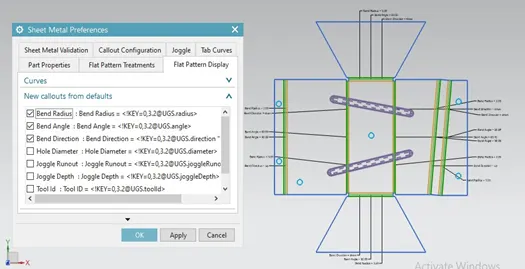
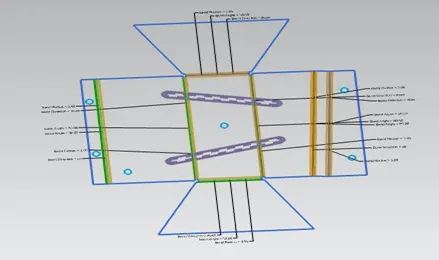
Description:-
- Flange:- Use this command to add a flat flange at an angle to a planar face and add a bend between the two. Bend consists of a two region
- BEND 2. WEB
- Unbend:- Usethe Unbendcommands to unbend and rebend non-uniform thickness bends.
- A General Size Hole :- This command use for create a general size hole in sheet metal.
- Bead:- Use the bead command to lift material along the contour of a sketch that simulates a stamping tool. Beads can also be created to stiffen sheet metal part.
- Rebend:- Usethe Rebendcommands to unbend and rebend non-uniform thickness bends.
- Flat pattern view :- A flat pattern is a 3D sheet metal model in a flattened state. Create Flat Pattern calculates the material and layout required to flatten a 3D sheet metal model. The part browser displays a Flat Pattern node, and the flattened state of the model displays when this node is active.
- Extrude:- This command used for create 3D model in NX.
- Sheet Metal From Solid:- By using NX you can convert from solid model to sheet metal.
- Jog:- Use Jog command to create an offset or step in a tab.
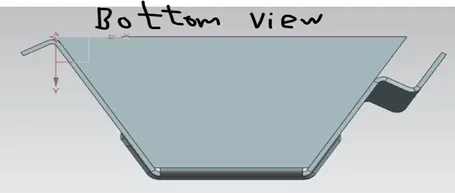
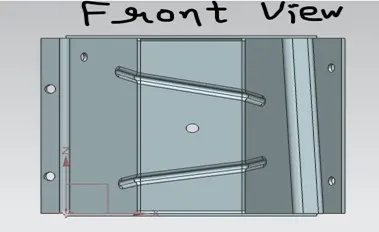
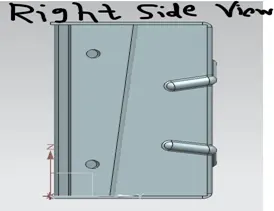
Various views in CASING DESIGN:-
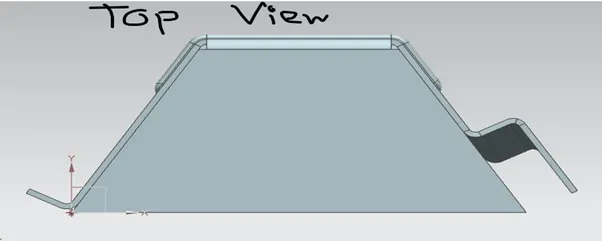
- Top view:-
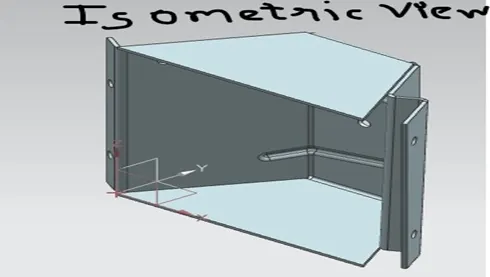
- Isometric View:-
- Bottom view:-
- Front View:-
- Right Hand Sided View:-
Conclusion:-
By using various commands we created enclosure with odd shapes or angels.
Google Drive Link:-
https://drive.google.com/file/d/1D5d7P8_rFxSkbO8k0ruhAbnAd0eDbmM7/view?usp=sharing