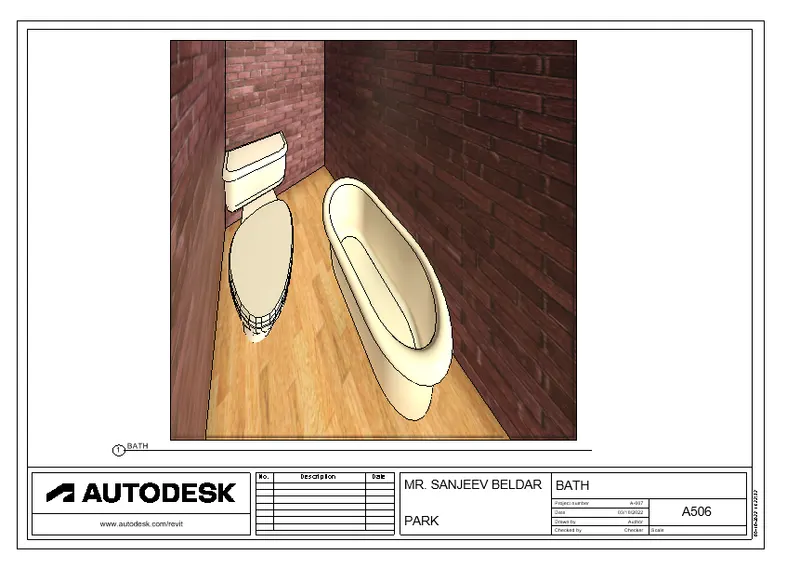
3D Creation of Celing, Roof, Architectural plan, Structural plan, Sectional view, Elevation view and Camera specific view for a house plan using REVIT
- 3D Creation of Celing, Roof, Architectural plan, Structural plan, Sectional view, Elevation view and Camera specific view for a house plan using REVIT
- QUESTION 1
- Based on the project saved from Week 3, proceed from the First Floor Level. Model a Ceiling from the architecture tab above the walls at the first-floor level
- AIM :
- PROVIDE THE CEILLING TO THE RESIDENTIAL UNIT CREATED IN WEEK 3
- PROCEDUE :
- STEP 1
- first start the revit 2023 software by double clicking on them
- after that homepage og revit software is open as shown below
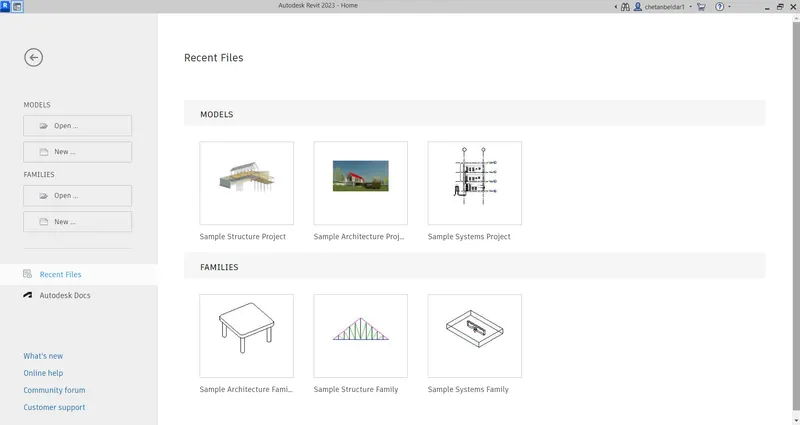
- then click on open to open the file
- select the file and open it
- as shown below
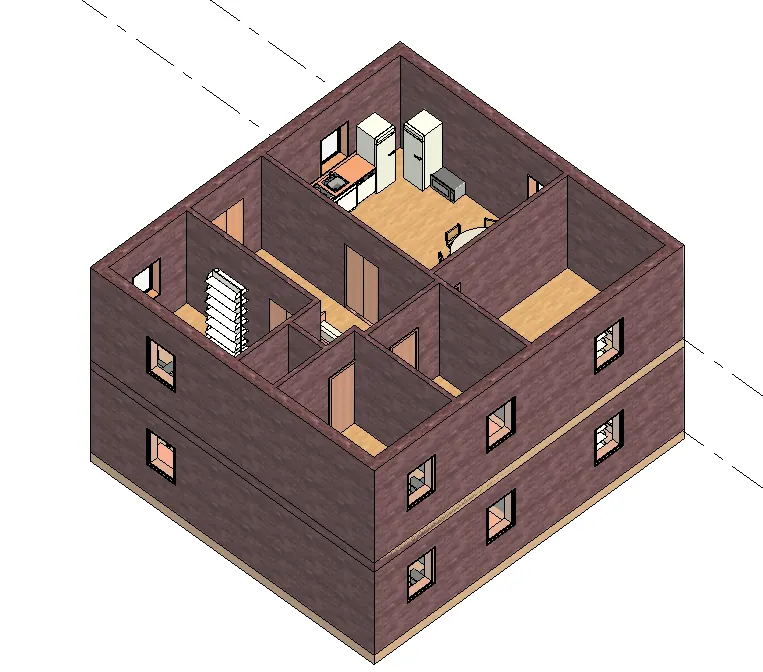
- STEP 2
- provide the ceilling
- go to the archicture tab
- click on ceilling
- then click on sketch celling
- select the pick line option as shown below
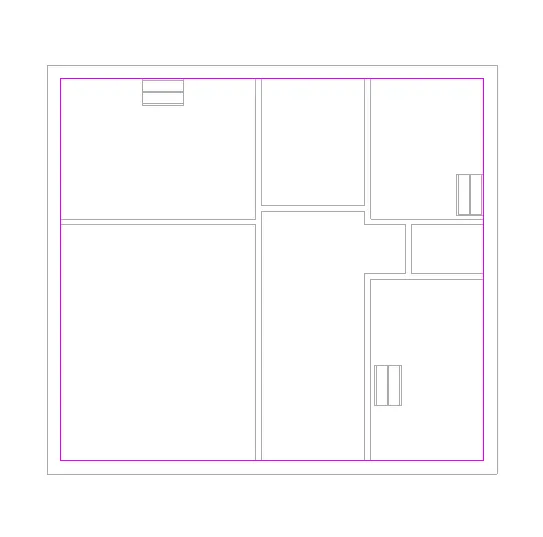
- click on MODE option
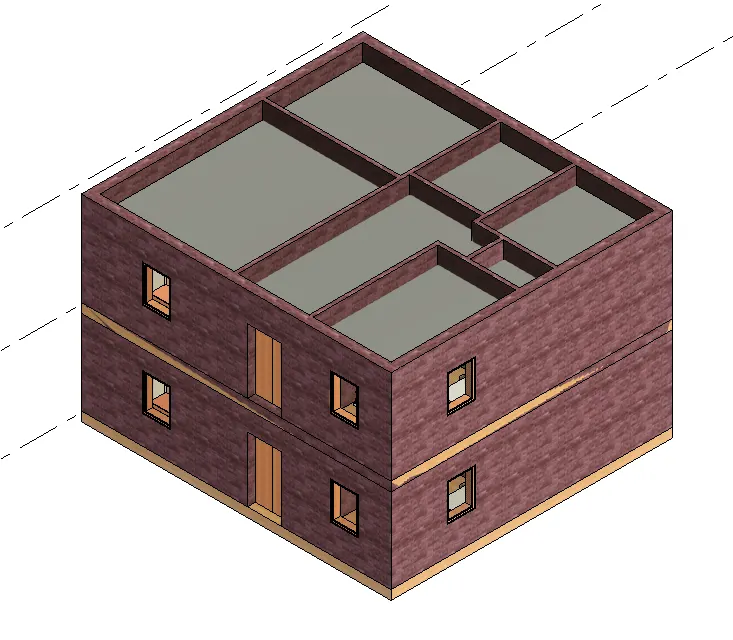
- in this way we provide ceilling to the residential model
- RESULTS :
- QUESTION 2
- Model a roof above the ceiling by selecting the footprints of the ceiling. Using the adjustment toolbars appearing on-screen adjust the roof slope to 10 degrees
- AIM :
- PROVIDE THE ROOF ABOVE CEILLING BY SELECTING THE FOOTPRIENT OF THE CEILLING
- PROCEDURE :
- STEP 1
- start the revit software
- then homepage is open as shown below
- click on open
- select the file and open it
- STEP 2
- then to to the archicture tab
- click on roof
- select the roof by footprient option
- then selet the pickline option
- then click on mode
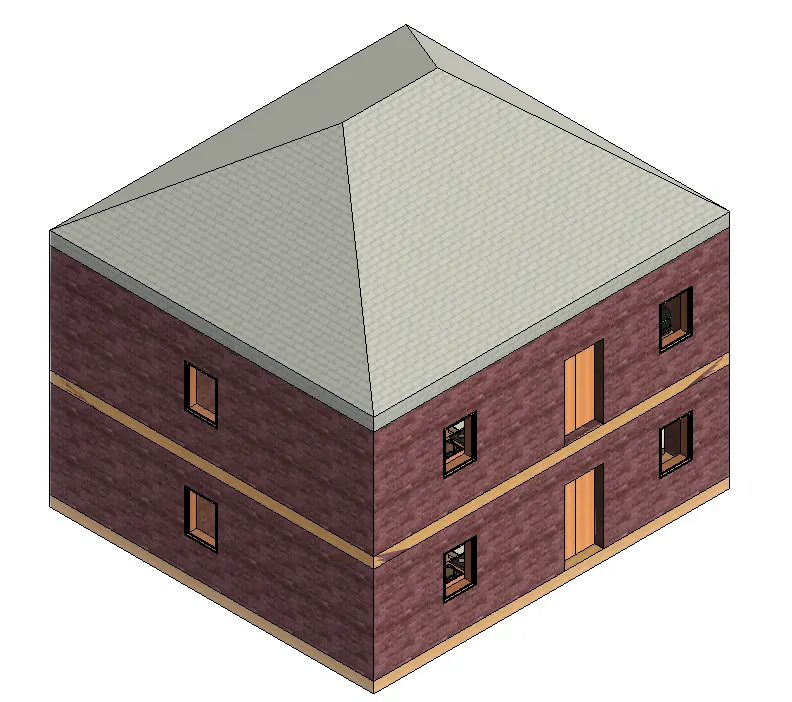
- the roof is created as show below
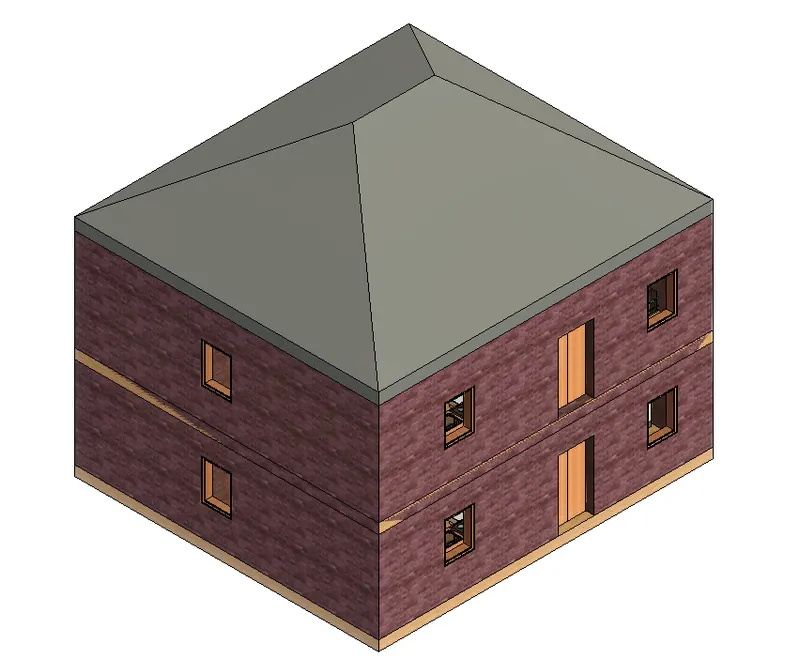
- then selct the roof
- go to the properties broswer
- give the slope value as 10 degree
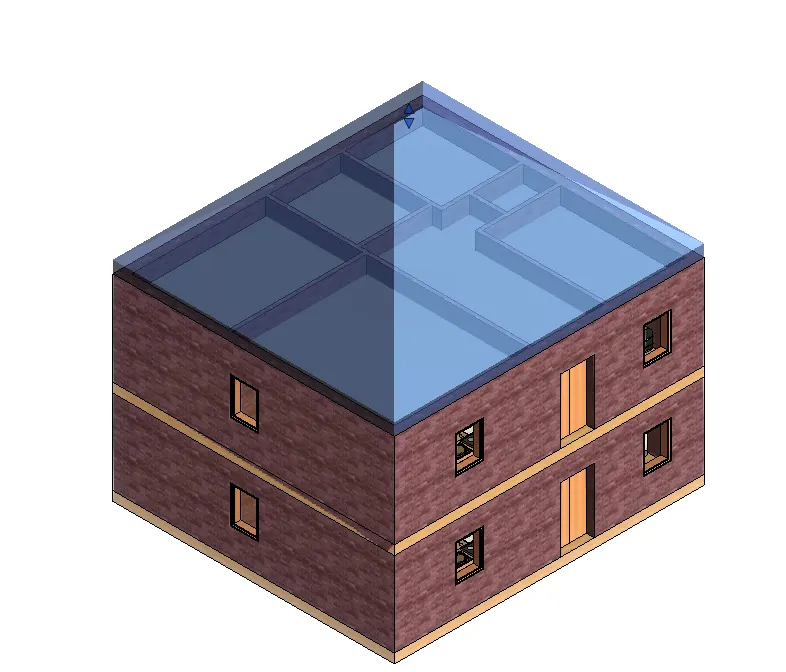
- click on apply
- the slope of roof is changed as 10 degree
- STEP 3
- change the material of the roof
- select the roof
- go to the properties broswer
- click on edit
- select the structure as roof tile
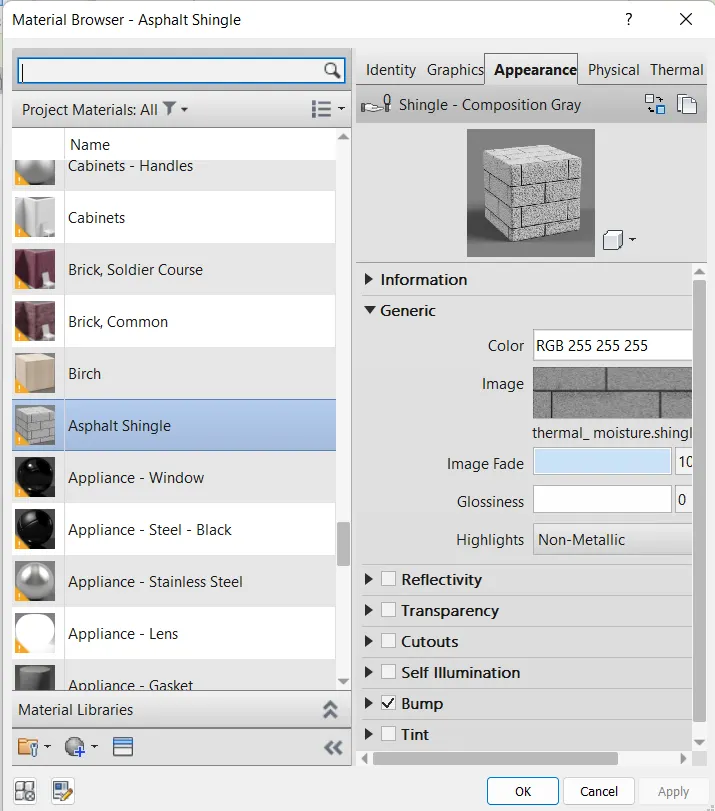
- click ok
- then apply
- the material of the roof is changed
- RESULTS :
- QUESTION 3
- Using the file saved from weeks 2 to 4, create plan views for ground floor level and first-floor level including all the walls, floors, and components. Separate them to
architecture and structural plans - a. Architecture plan must have walls, floors, and all the components placed within the building
b. Structure plan must have details of only walls, floors, and columns - AIM :
- CREATE THE ARCHICTURAL AND STRUCTURAL PLAN
- PROCEDURE :
- STEP 1
- start the revit software
- then homepage of revit software is open as shown below
- then click on open
- select the file which is alrady created in week 3
- select the file and open it
- STEP 2
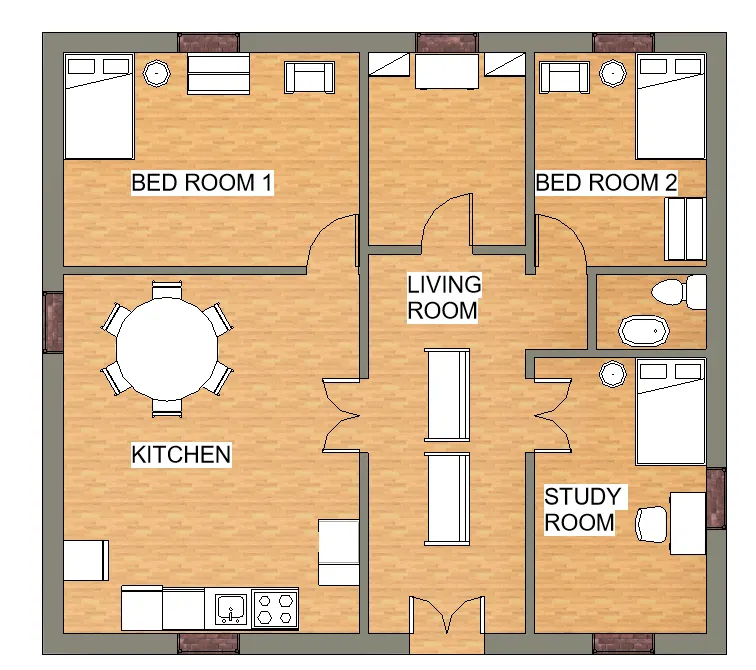
- ARCHICTURAL PLAN :
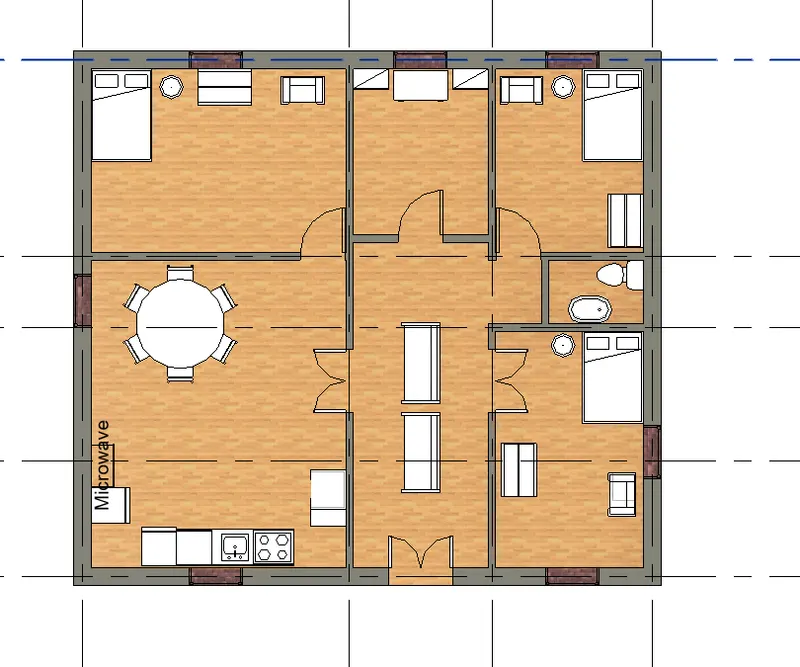
- for the archictural plan go to the properties broswer
- then click on ground floor plan
- in that archictural plan include the details about furniture wall elements etc
- shown below
- GROUND FLOOR PLAN :
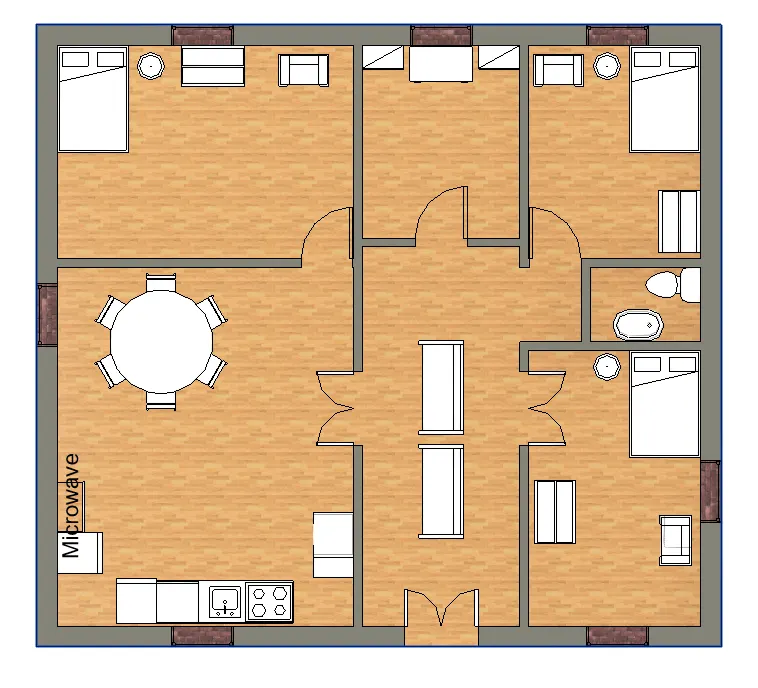
- similerly again go to the properties broswer
- click on first floor plan
- FIRST FLOOR PLAN :
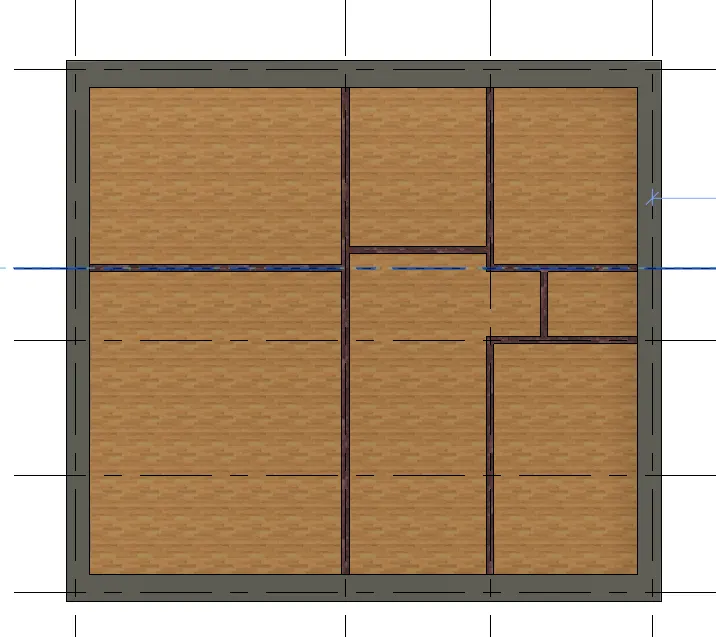
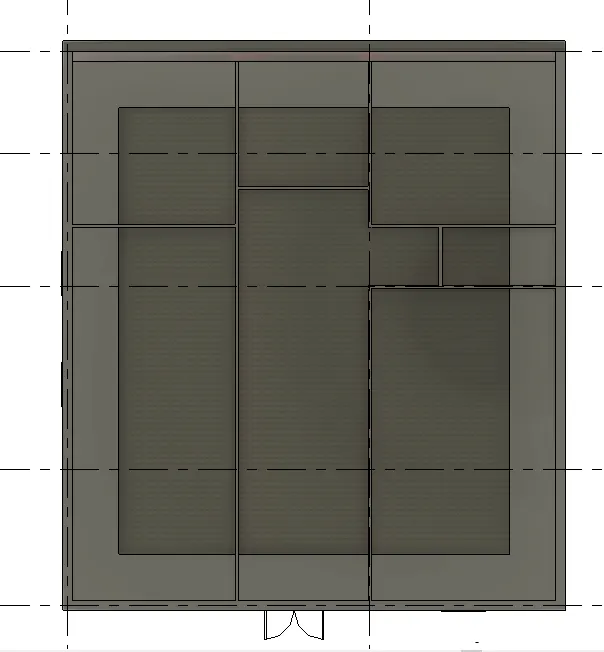
- STRUCTURAL PLAN :
- in that structural plan containt wall element column and beam elements etc
- fo the structutal plan
- click on view option
- selet the structural view
- the structural view of the residential unit is shown below
- STRUCTURAL VIEW :
- RESULTS :
- 1 . ARCHICTURAL PLAN (GROUND FLOOR PLAN )
- ARCHICTURAL PLAN (FIRST FOOR PLAN )
- STRUCTURAL PLAN :
- STRUCTURAL PLAN (ROOF )
- QUESTION 4
-
Using annotate toolbar add dimensions to all the walls and floors with reference to the longitudinal and transverse grids created in the project file
a. The architecture plan dimensions include details on where the components are placed within the buildings with relation to grids. Overall dimensions are sufficient for architecture plans
b. The Structure plan dimensions must include details on the position of all the walls and interior walls with reference to grids. Locate all the framing components of the building with reference to a fixed point using Structural plans
- AIM :
- GIVE THE DIMENSION TO THE STRUCTURAL AND ARCHICTURAL PLAN BY USING ANOTATION TOOLBAR :
- PROCEDURE :
- STEP 1
- start the revit software
- then homepage of revit software is open as shown below
- then click on open oftion
- select the file
- and open it
- STEP 2
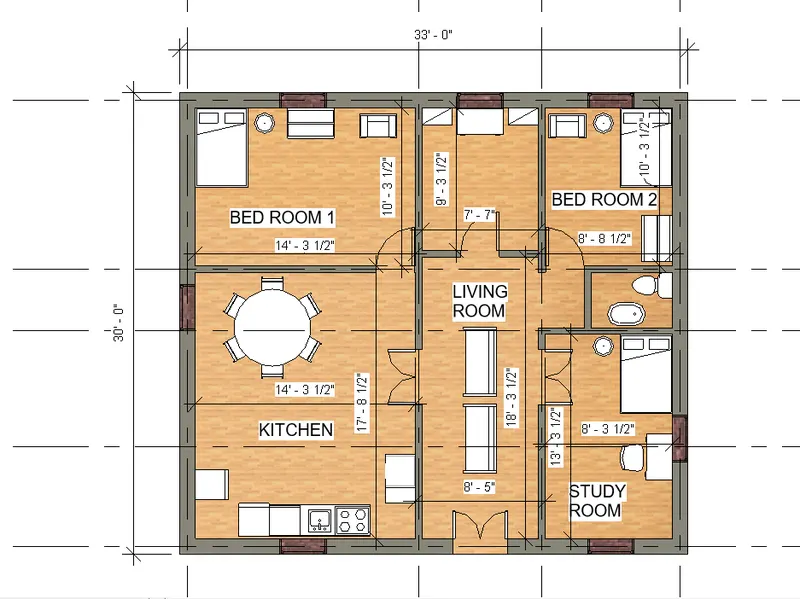
- go to the properties broswer
- click on ground floor plan
- click on anotation tab in the ribbon
- select the linner oftion to give the dimension
- type the UN for units
- select the length dimension unit as foot and imperical inches
- then given dimension shown below
- STRUCTURAL PLAN :
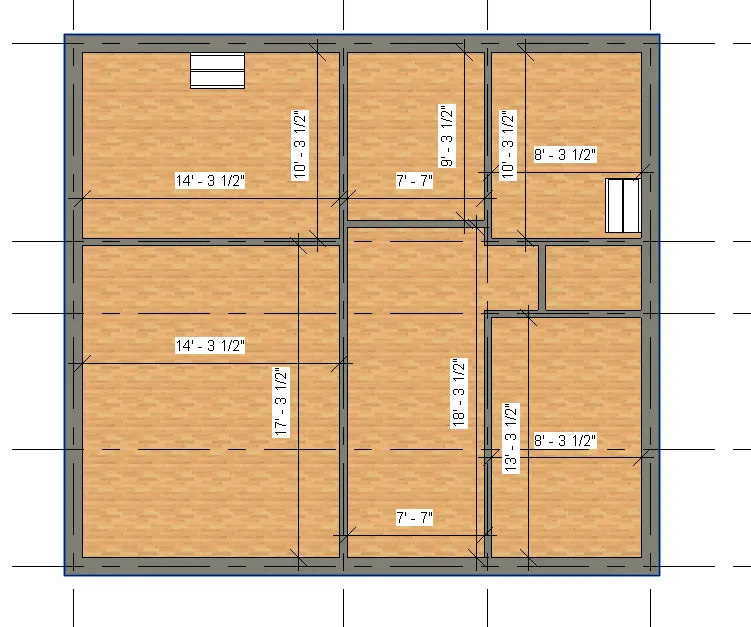
- go to the properties broswer
- click on structural plan
- then click on annotation tab in the ribbon
- then select the linner option
- and give the dimension as shown below
- RESULTS :
- ARCHICTURAL PLAN WITH DIMENSION :
- STRUCTURAL PLAN WITH DIMENSION :
- QUESTION 5
- Create a sheet template from the view tab and adjust the parameters on the sheet to add appropriate views
- AIM :
- CREATE THE SHEET TEMPLET AND ADD VIEWS IT :
- PROCEDURE :
- STEP 1
- start the revit software
- then homepage of revit is opened as shown below
- then click on OPEN option
- select the fine and open it
- STEP 2
- click on view option in ribbion
- then click on sheet option
- select the sheet templet
- and then click on ok sheet templet shown below
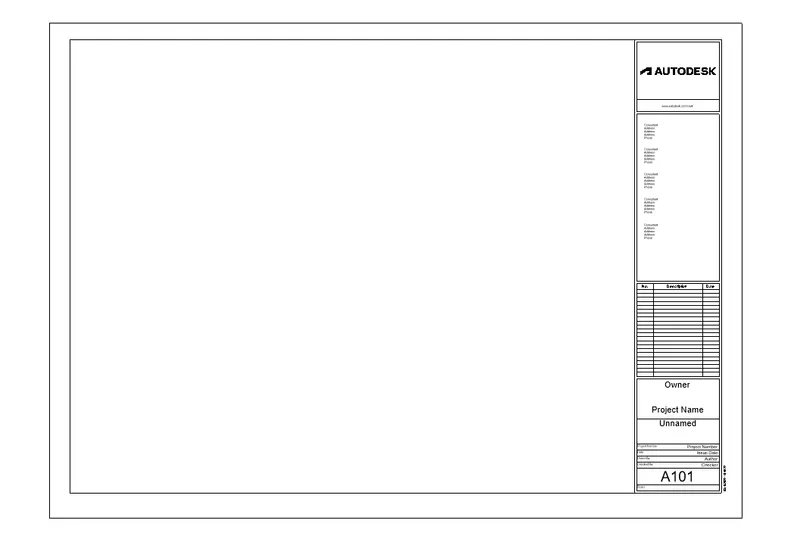
- then go to manage tab
- click on project information
- fill the all information as shown below
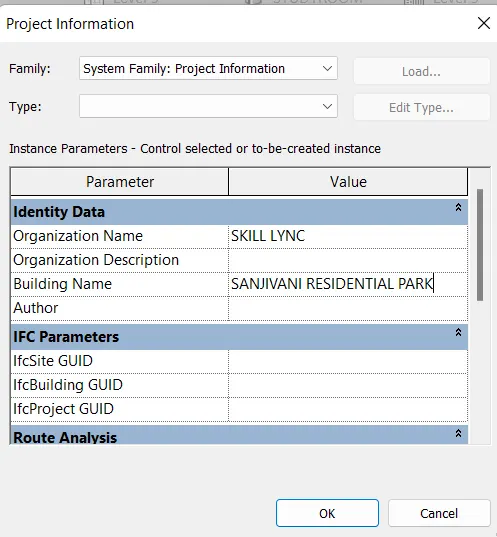
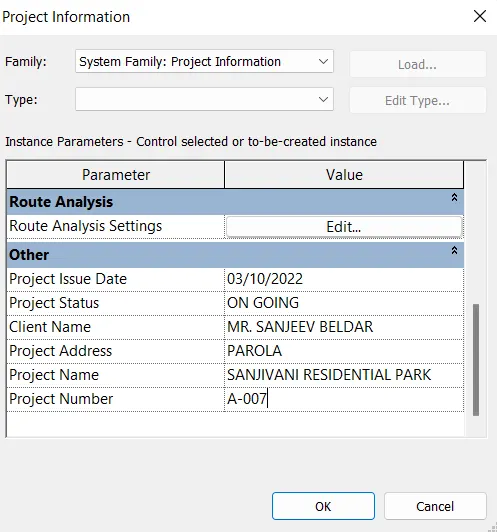
- click ok
- then go to the properties broswer
- right click on sheet option
- one dialogbox is open
- slect the rename option from that dalogbox
- and give the name as 3D VIEW OF BUILDING
- click ok
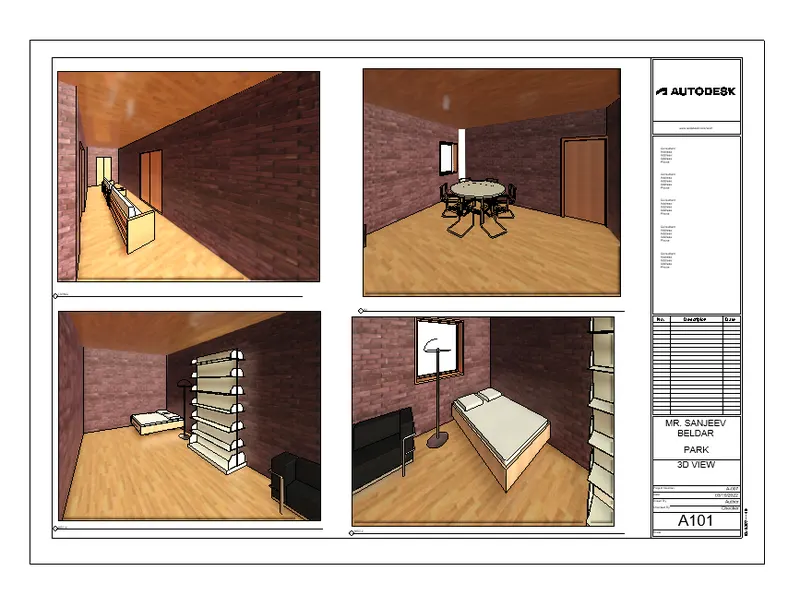
- then go to the properties broswer
- click on 3d view
- select the view and drag it into the sheet as shown below
- again go to the view tab
- click on sheet
- select the templet and click ok
- do same process and create another sheet
- give the sheet name as 3D VIEW OF BUILDING
- sheet shown below
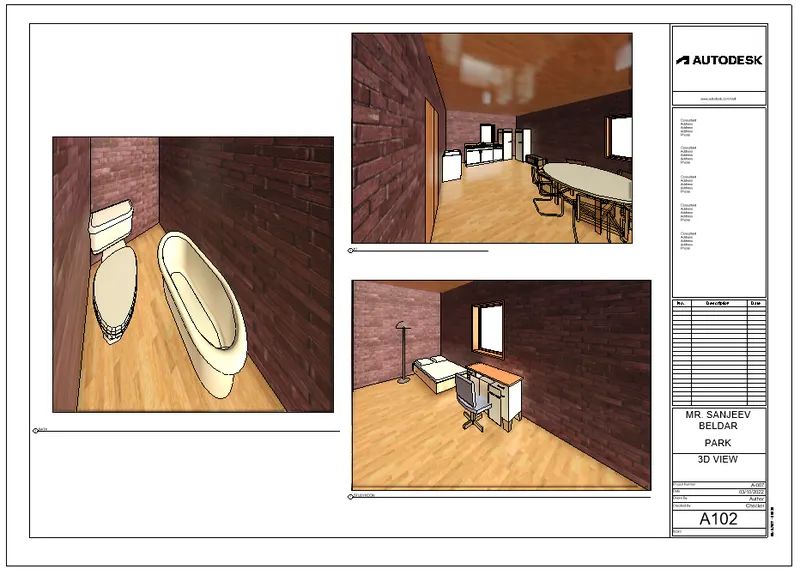
- then create another sheet name as GROUND AND FIRST FLOOR PLAN
- Shown below
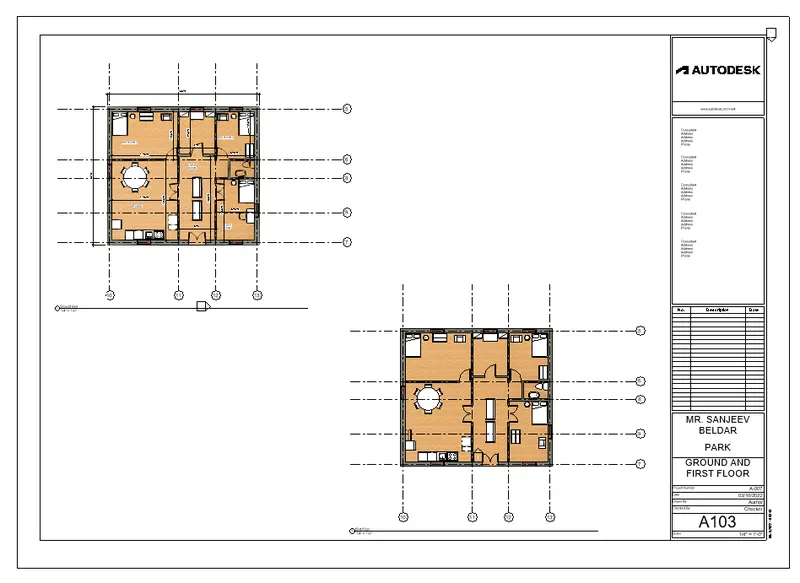
- RESULTS :
- SHEET 1
- SHEET 2
- SHEET 3
- QUESTION 6
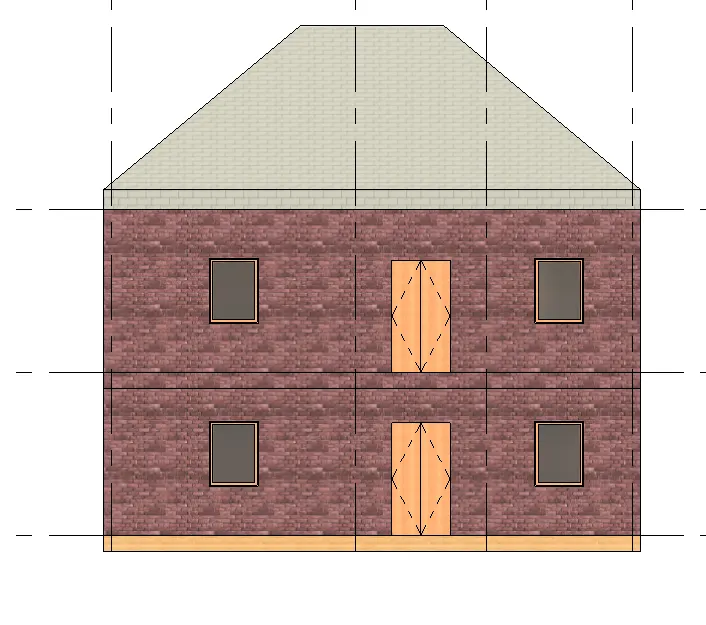
- Using the elevation tab create the elevation views, looking at your building from East, North, South, and West
- AIM :
- CREATE THE ELEVATION VIEW LOOKING AT THE BUILDING FROM EAST , NORTH , SOUTH AND WEST
- PROCEDURE :
- start the revit software
- then homepage of revit is opend as shown below
- then click on open
- select the file and open it
- STEP 2
- create the elevation
- go to the view tab in ribbon
- then click on elevation
- then go to the properties broswer
- right click on elevation view created and rename it as per direction
- then double click on EAST view
- east view shown below
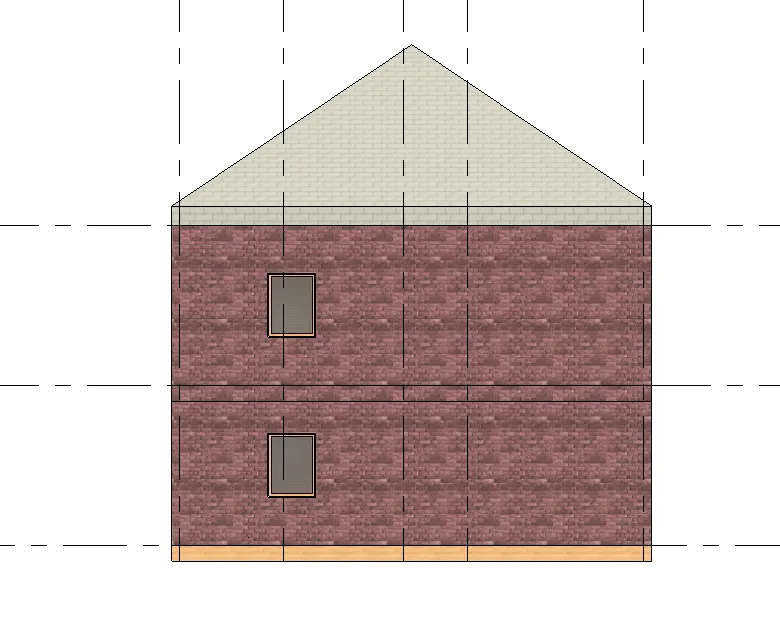
- then go to the properties broswer
- double click on NORTH side
- the view shown below
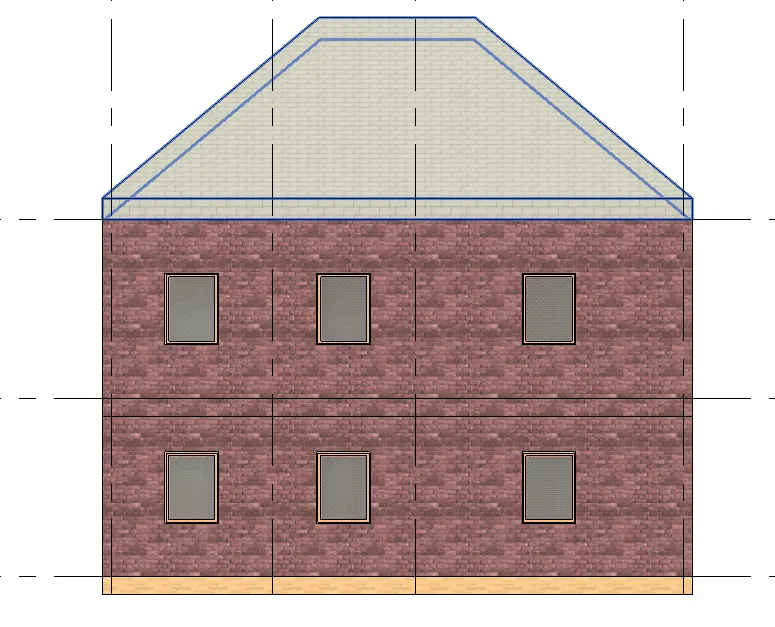
- then again go to the properties broswer
- double click on SOUTH side
- the view shown below
- RESULTS :
- EAST SIDE :
- NORTH SIDE :
- SOUTH SIDE :
- QUESTION 7
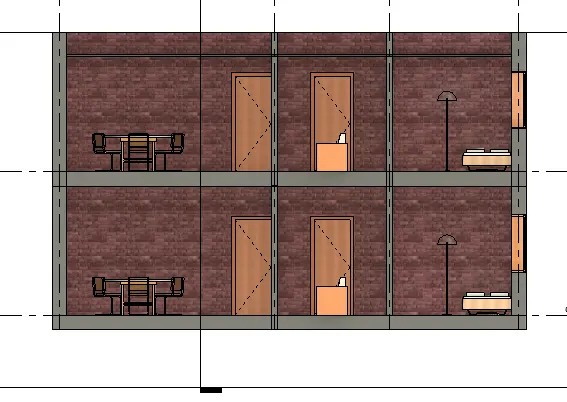
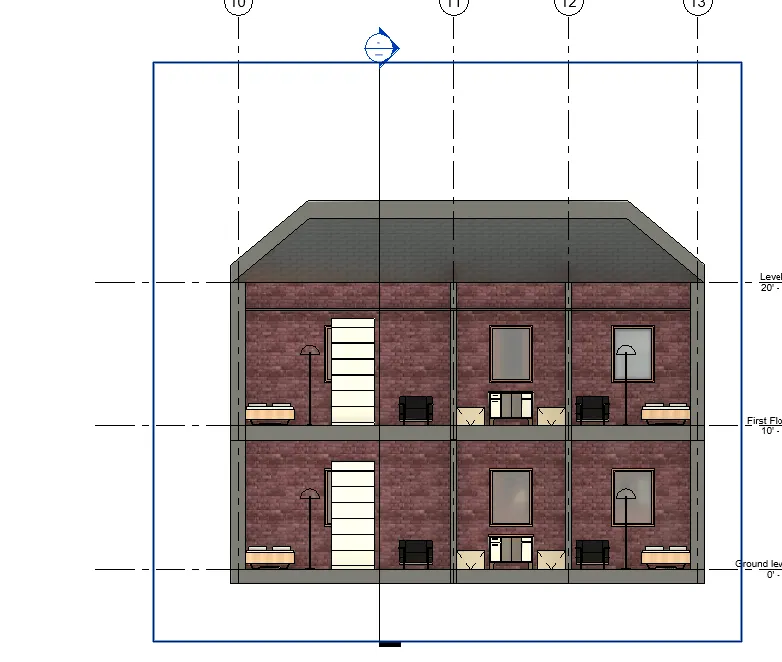
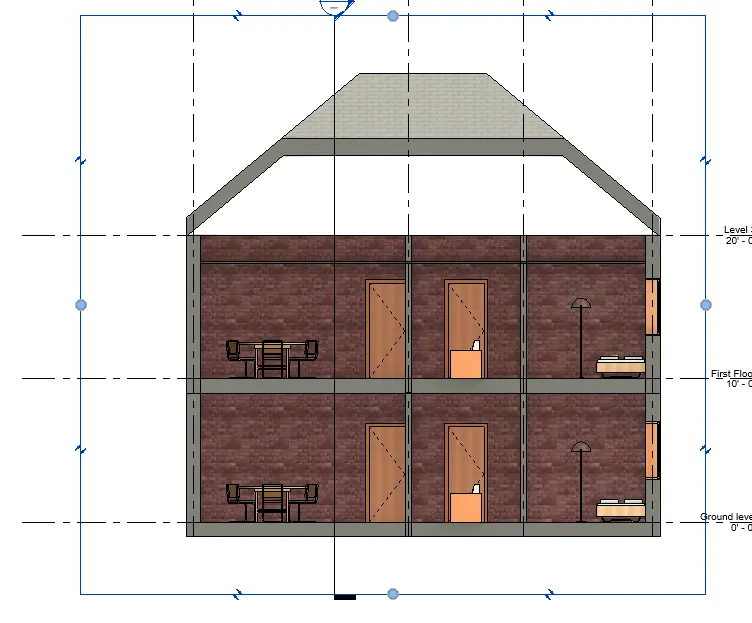
- Produce section cut through each room either cutting across longitudinally or in a transverse direction
- AIM :
- TO CREATE THE SECTION VIEW OF BUILDING :
- PROCEDURE :
- Start the revit software
- then homepage of revit software is open as shown below
- then click on OPEN option
- select the file and open it
- STEP 2
- go to the view option
- then click on SECTION option
- provide the section line shown below
- then go to the properties broswer
- where different rooms section view is created
- then right click on each section and rename it as section 1
- again go to the properties broswer
- right click on section and rename it as section 2
- RESULTS :
- SECTION 1
- SECTION 2
- SECTION 3 :
- QUESTION 8
- Classify the views, Plan Views, Section Views, and Elevation views to either Design or Documentation category using Properties browser
- AIM :
- CLASSIFY THE VIEWS AS PLAN VIEW, SECTION AND ELEVATION VIEW USING PROPERTIES BROSWER :
- PROCEDURE :
- start the revit software
- then homepage of revit is open as shown below
- then click on open option
- select the file and open it
- STEP 2
- Go to the properties broswer
- where all views are created list is availlable as shown below
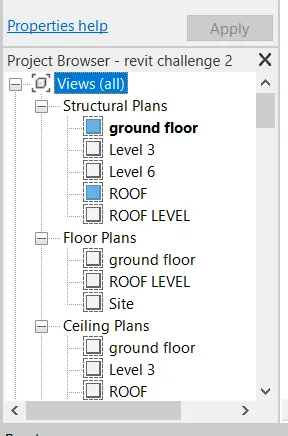
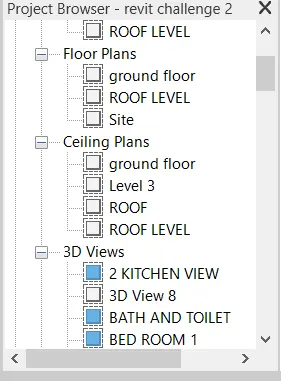
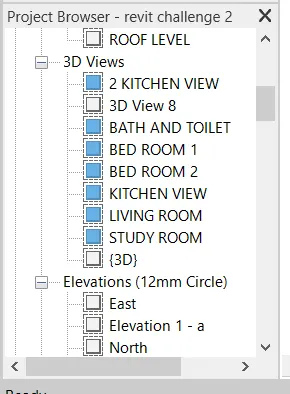
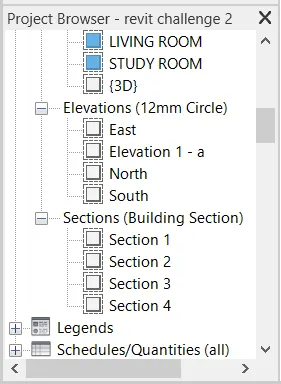
- STEP 3
- for the floor plan
- go to the properties broswer
- double click on ground floor plan
- floor plan is open as shown below
- Then click on section view
- section view is open as shown below
- then double click on elevation
- click on east side
- east side view is open
- then double click on section view
- select the section 1 by double clicking on them
- section view is open
- RESULTS
- PLAN VIEW : ( GROUND FLOOR VIEW )
- ELEVATION :
- EAST VIEW
- NORTH VIEW :
- SOUTH VIEW :
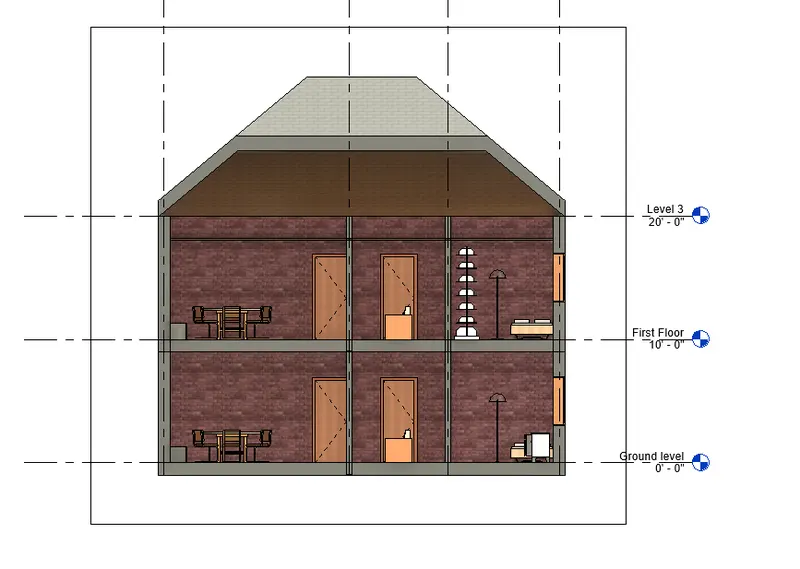
- SECTION VIEW
- SECTION 1
- SECTION 2
- QUESTION 9
-
Using the sheet template produced create multiple sheets as follows
a. A 101- Ground Floor Architecture Plan
b. A 102- First Floor Architecture Plan
c. A 103- Roof Plan
d. S 101- Ground Floor Structural Plan
e. S 102- First Floor Structural Plan
f. S 103- Roof Framing Plan
g. A-201- North-South Elevations
h. A-202- East-West ElevationsAdd additional sheets based on the sections created in your Revit file
- AIM:
- CREATE THE SHEET AND DRAG THE DIFFERENT VIEWS
- PROCEDURE :
- Start the revit software
- then homepage of revit is opend as shown below
- then click on OPEN option
- select the file and open it
- STEP 2
- create the sheet
- click on view option
- click on sheet
- select the templet file
- cilck ok
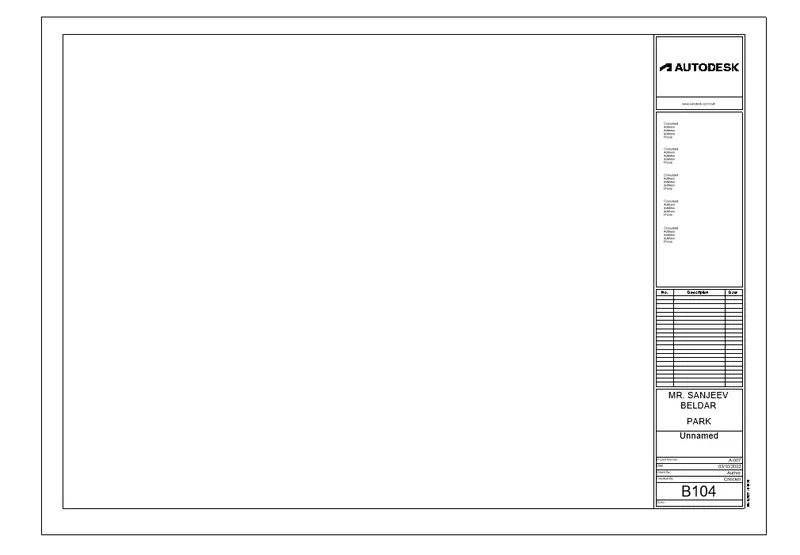
- then sheet is created as shown below
- go to the properties broswer
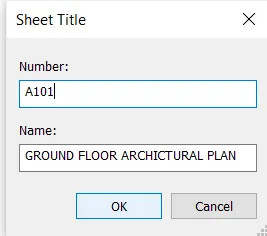
- right click on created sheet
- and rename it as a 101- GROUND FLOOR ARCHICTURAL PLAN
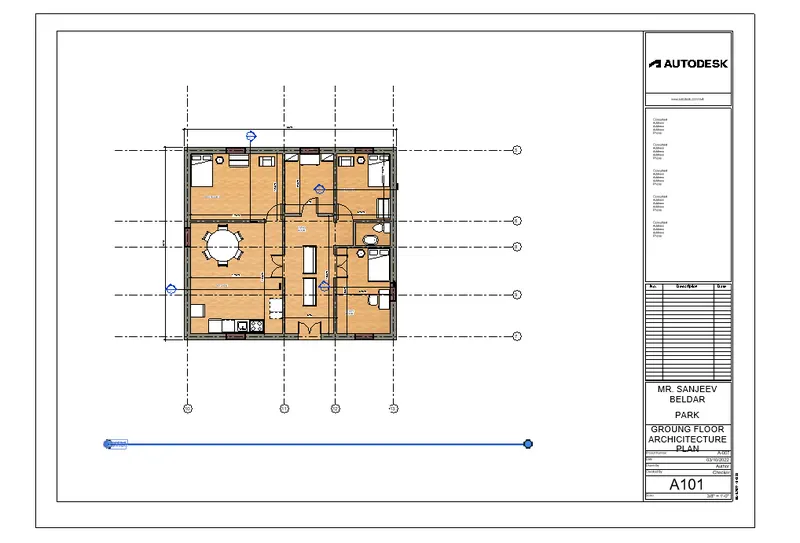
- then go to the view tab
- click on ground floor plan
- and drag it into the sheet
- shown in below
- STEP 3
- again go to view tab
- click on sheet option
- selct the templet
- and click ok
- then go to the properties broswer
- right click on sheet
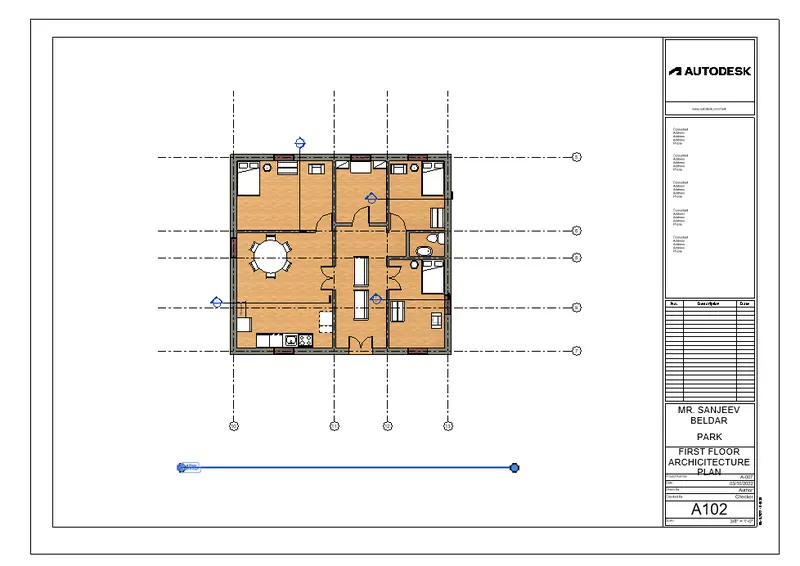
- and rename it as FIRST FLOOR ARCHICTURAL PLAN
- go to the properties broswer
- select the first floor plan
- and drag it into the sheet as shown below
- in this way created same sheet for different views shown below
- RESULTS
- A 101 - GROUND FLOOR ARCHICTURAL PLAN
- A 102 - FIRST FLOOR ARCHICTURAL PLAN
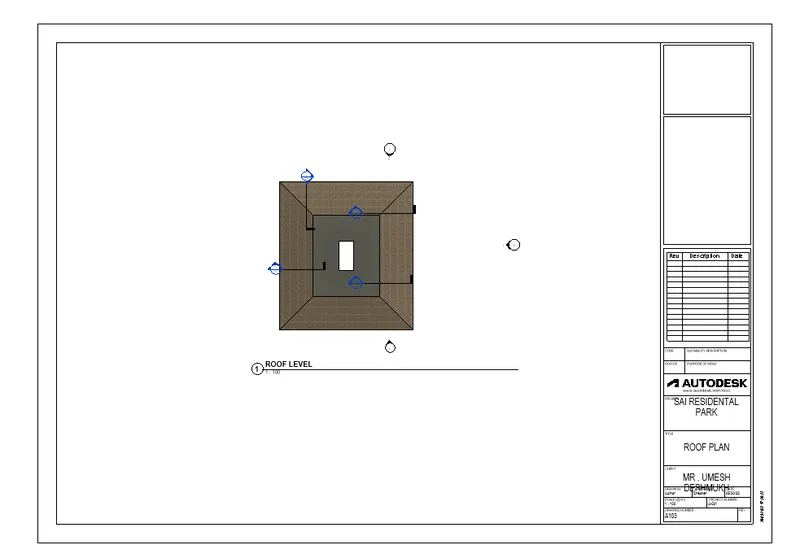
- A 103 - ROOF PLAN
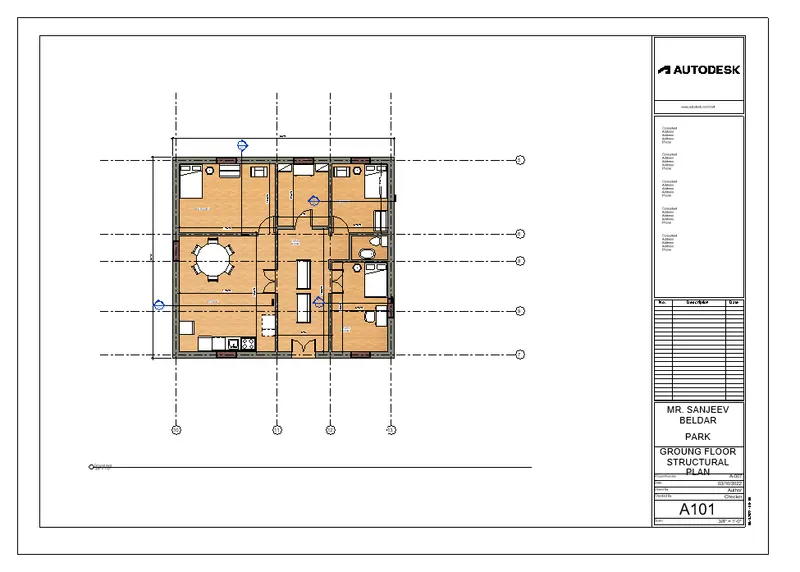
- S 101 GROUND FLOOR STRUCTURAL PLAN
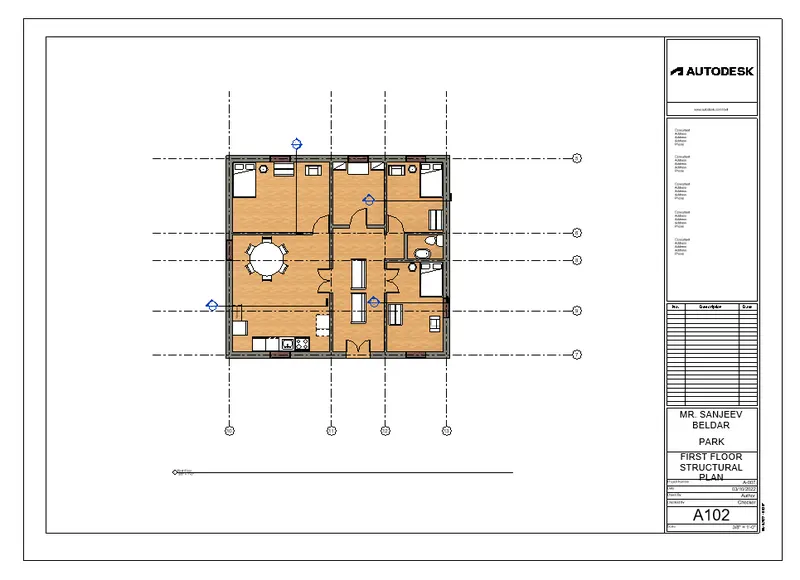
- S 102 FIRST FLOOR STRUCTURAL PLAN
- S 101 ROOM FRAMING PLAN
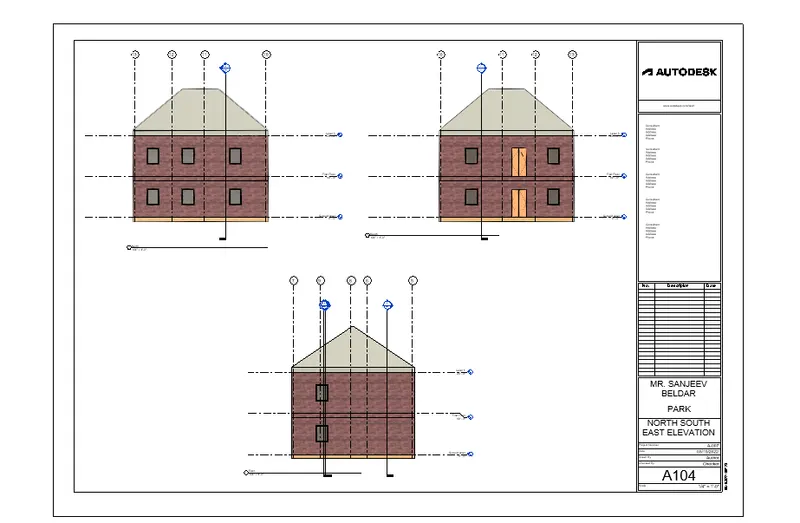
- A 202 NORTH SOUTH AND EAST ELEVATION
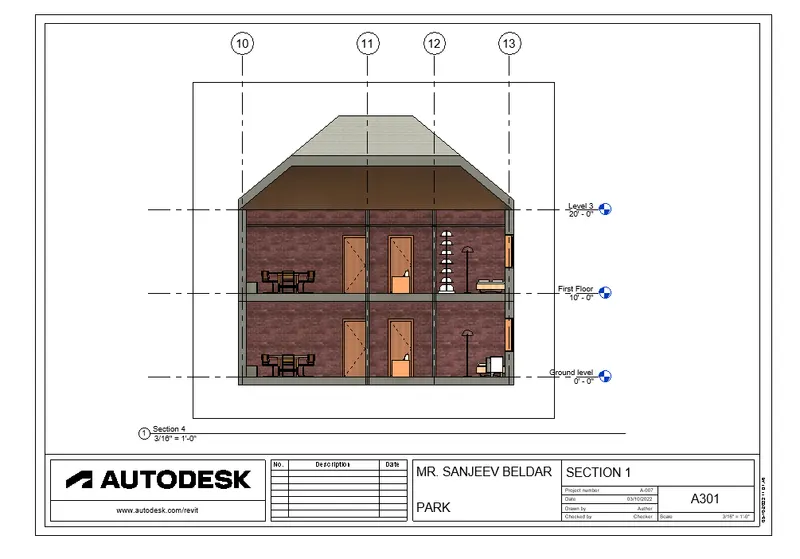
- A 301 SECTION 1
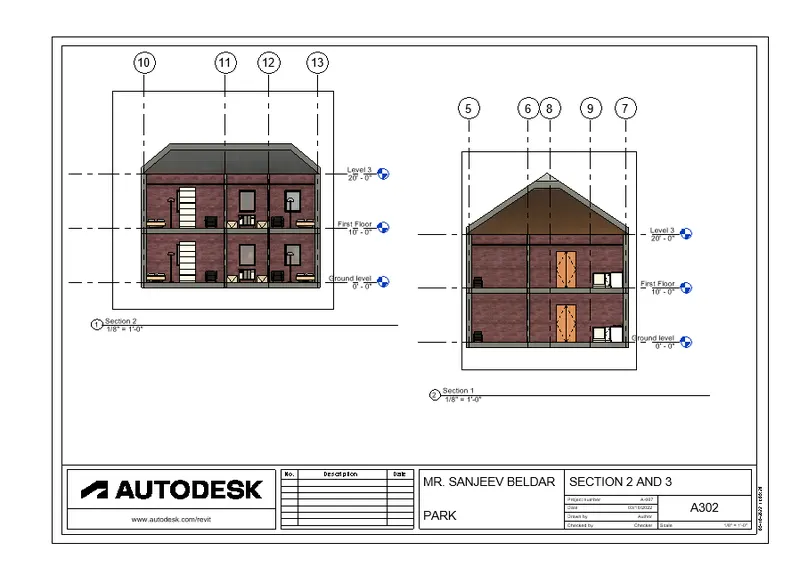
- A 302 SECTION 2 AND SECTION 3
- QUESTION 10
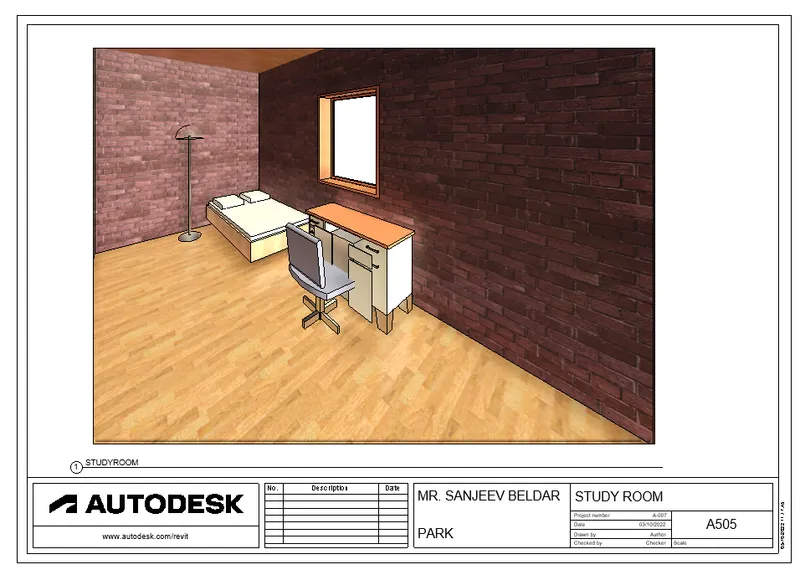
- Create a camera-specific view or a 3D view in each room ( living, dining, bedroom). Based on the views create a new set of sheets starting A-501 (you can add as many sheets after, 502, 503.. n)to place the 3D view images. Produce the sheets as a part of project drafting.
- AIM
- CREATE THE CAMERA VIEW OF EACH ROOM
- PROCEDURE
- STEP 1
- start the revit software
- then homepage of revit is open as shown below
- then click on OPEN option fromthat homepage
- then select the file which is alrady created in week 3
- select it and open it
- STEP 2
- go to the view option
- click on sheet option
- select the templet file
- and click ok sheet shown below
- then go to the properties broswer
- right click on sheet
- click on rename option
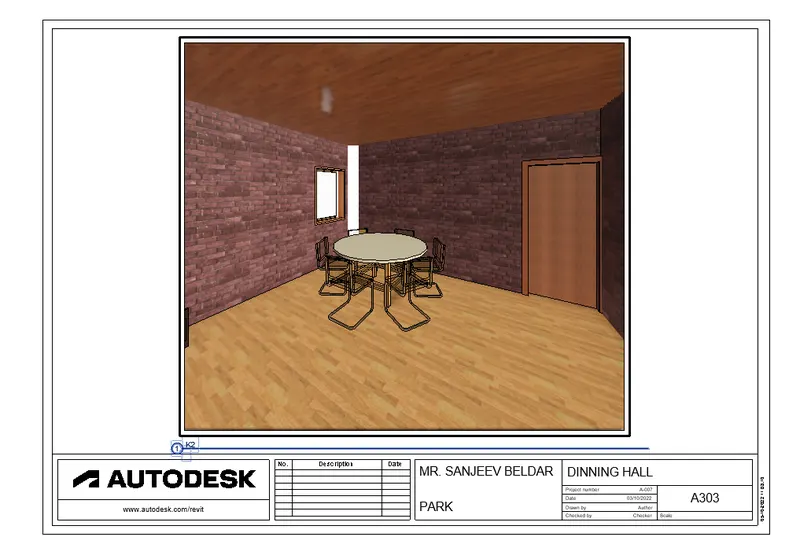
- and rename it as A 501- 3D DINING HALL
- click ok
- then go to the properties broswer
- click on view
- select the dinning view and drag it into the sheet as shown below
- then again go to the view option
- click on sheet
- select the templet file
- and click ok
- then go to the properties broswer
- right click over new sheet
- click on rename option
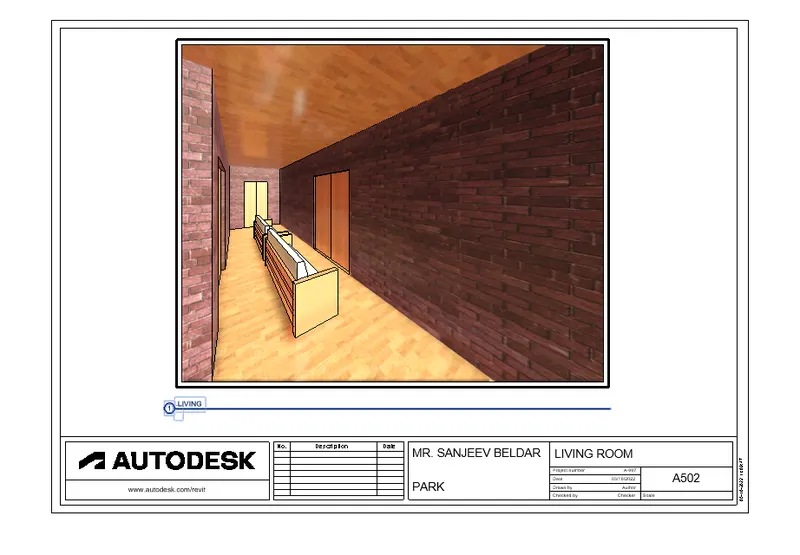
- and give the name as A 502- LIVING ROOM
- click ok
- shown below
- in this way create all the sheet shown in results
- RESULTS :
- A501 - 3D DINNING HALL
- A 502 LIVING ROOM
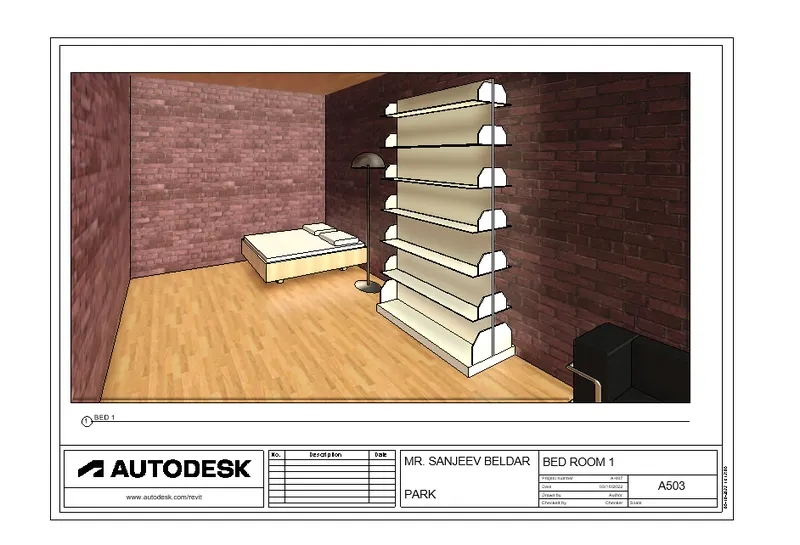
- A 503 BED ROOM VIEW
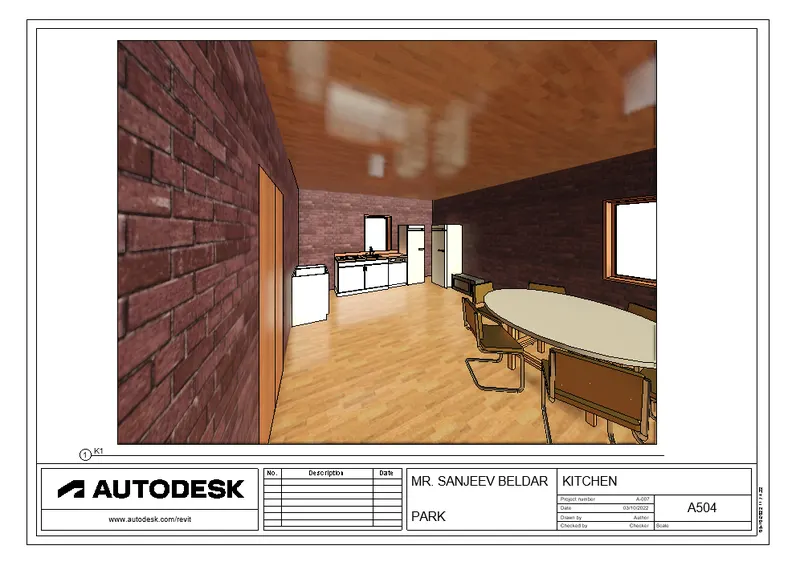
- A 504 - 3D KITCHEN VIEW
- A 5O5 - 3D STUDY ROOM
- A 506 TOILET AND BATH