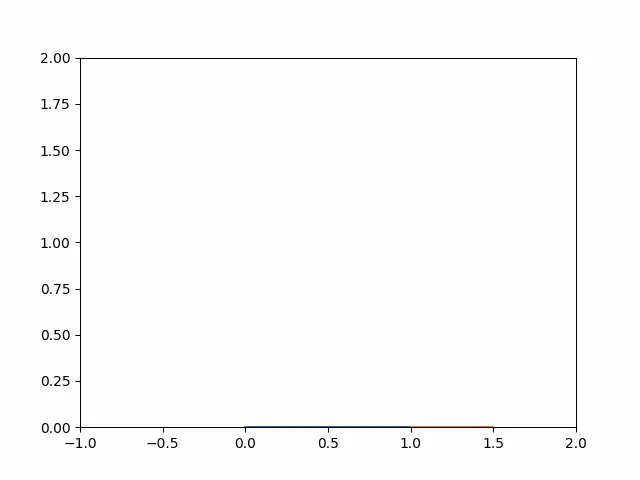
2R ROBOTIC ARM SIMULATOR USING PYTHON
The object of Project: - To Create an animation like 2R Robotic-arm movement using “Python” programming.
Strategy: -
- First, we define the robotic arm length and angular movement.
- Plot different plots of different positions of the robotic arm.
- Create an animation taken all positional plots.
All variables and Coordinates: -
- L1 = 1 m (Length of Frist Arm)
- L2 = 0.5 m (Length of Frist Arm)
- θ1 = All angular position of L1
- θ2 = All angular position of L2
- (x0,y0) = (0,0) (Starting Point of L1)
- (x1,y1) = (L1 cosθ1, L1 sinθ1) (End point of L1 and start of L2)
- (x2,y2) = (L1 +L2 cosθ2, L1 +L2 sinθ2) (End point of L2)
Main Program: -
#Programming for 2R Robotic Arm
#All Require Module Import
import math
import numpy as np
from PIL import Image
import matplotlib.pyplot as plt

#Inputs
l1 = 1      #Length of Robot first Arm
l2 = 0.5    #Length of Robot Second Arm
theta1 = np.linspace(0,(math.pi/2),10)   #Multiple value of Angle frist Arm Rotation
theta2 = np.linspace(0,(math.pi),12)     #Multiple value of Angle Second Arm Rotation
Plots = []
count = 1

for i in range(0,len(theta1)):
    x0, y0 = 0, 0                           #(x0,y0) cordinates of Start point of Frist Arm
    for j in range(0,len(theta2)):
        x1 = l1 * math.cos(theta1[i])
        y1 = l1 * math.sin(theta1[i])       # (x1,y1) cordinates of End point of Frist Arm and Start point of Second Arm
        x2 = x1 + l2 * math.cos(theta2[j])
        y2 = y1 + l2 * math.sin(theta2[j])  # (x2,y2) cordinates of End point of Second Arm
        filename = str(count) + '.png'      # Write File name
        count += 1
        plt.figure()
        plt.xlim(-1,2)
        plt.ylim(0,2)               #Define x, y axis limit
        plt.plot([x0,x1],[y0,y1])   #Plot Robot first arm
        plt.plot([x1,x2],[y1,y2])   #Plot Robot Second arm
        plt.savefig(filename)       #save Plots
        Abd = Image.open(filename)
        Plots.append(Abd)           #All plots Add in Plots List
        plt.close()                 #For Close All plots After Creat

Plots[0].save('2R robotic arm animation.gif', format='GIF',
            append_images=Plots[1:],
            save_all=True,
            duration=300, loop=0)       #For Save all plots as Animation
Problem Statement:-
- I faced a problem in making animation taken all plots.
Solution: -
- I got the above problem’s solution online at https://www.geeksforgeeks.org/python-pil-image-save-method/
Result: -
All plots and animation of this program are saved in Google Drive at https://drive.google.com/drive/folders/1Q9fAtlcgFhBksO3a_bGS1PxPeOUufnGE?usp=sharing
Animation:-