Top 5 Data Visualisation Tools in 2023
Today’s world is increasingly becoming data-driven; however, just collecting and storing this isn't enough. We need ways to view and comprehend this data; this is where data visualisation is useful.
 Skill-Lync·13 Apr 2023·3 min read

Top 5 Data Visualisation Tools in 2023
Today’s world is increasingly becoming data-driven; however, just collecting and storing this isn't enough. We need ways to view and comprehend this data; this is where data visualisation is useful. This blog will explore the various data visualisation tools available and their advantages and disadvantages.

What is Data Visualisation?
The graphic representation of information and data is known as data visualisation. Data visualisation tools offer an accessible way to view and comprehend trends, outliers, and patterns in data by utilising visual elements like,
- Charts
- Graphs
- Maps
Additionally, non-technical users are not left out as it does not require any technical knowledge and training. By 2027, the global market for data visualisation is expected to hit USD 19.20 billion, growing at a CAGR of 10.2%.
Data Visualisation Tools
Any organisation can appreciate the value of data when making critical decisions. For the same reason, data visualisation is grabbing people's interest. A data visualisation tool is a program that is used to visualise data. Each tool has a different set of features, but at their most basic level, they let you enter a dataset and modify it graphically. Most, but not all, include pre-built models for making straightforward visualisations.
1. Tableau
Tableau, one of the most popular data visualisation platforms, provides interactive visualisation solutions to more than 57,000 businesses. Tableau effectively generates visualisations and graphics from sizable, dynamic datasets for Artificial Intelligence (AI), Machine Learning (ML), and Big Data applications. It offers integration for sophisticated databases like,
- Teradata
- SAP
- My SQL
- Amazon AWS
- Hadoop
Advantages of Tableau
- Simple to use
- Superior efficiency
- Allows for connectivity with a variety of info sources
- An informed community exists for mobile responsiveness
Drawbacks to Tableau
- Expensive
- No scheduling reports options
- Can not auto-refresh reports
2. Google Charts
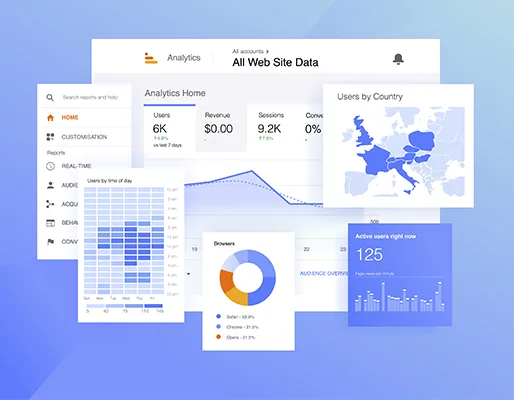
Google is a giant in the world of tech, with most of the world’s data flowing through Google and its servers. It's no surprise then Google would build its one data visualization service, Google Charts. It is renowned for its ability to create graphical and pictorial data visualisations. It is coded with SVG and HTML5. Zooming is a feature of Google Charts, which also offers users unparalleled cross-platform compatibility with iOS, Android, and even earlier iterations of the Internet Explorer web browser.
Advantages of Google Charts
- Convenient base
- Simple data integration
- Visually appealing data diagrams
- Compatibility with goods from Google
Drawbacks to Google Charts
- The export function is complex
- Inadequate tool demonstrations
- Lacks the ability to be customised
3. Power BI
Microsoft's user-friendly data visualisation utility, Power BI, can be installed on-premises or used with cloud infrastructure. One of the most comprehensive tools for data visualisation is Power BI, which supports a wide range of backend datasets, including Teradata, Salesforce, PostgreSQL, Oracle, Google Analytics, Github, Adobe Analytics, Azure, SQL Server, and Excel.

Advantages of Power BI
- No need for specialised technical assistance
- Easy Integration
- Superior protection
- No speed Limit
- No capacity limit
- Good compatibility with Microsoft products
Drawbacks of Power BI
- Unable to deal with a large datasets
4. IBM Watson
This top-notch data visualisation tool, named after IBM's founder Thomas J. Watson, employs data analytics and Artificial Intelligence (AI) to find trends and insights in structured and unstructured data. The intelligent, self-service visualisation tool from IBM Watson walks users through the full insight discovery process using Natural Language Processing (NLP).
Advantages of IBM Watson
- Good platforms support
- Predictive analytics
- Screens for self-service
Drawbacks to IBM Watson
- Bad customer service
- High upkeep costs
5. Data Wrapper
One of the market's few free data visualisation tools is Data Wrapper. Because of its innate ability to rapidly make charts and present graphical statistics on Big Data, it is well-liked by media businesses. Data Wrapper allows users to create maps and charts to incorporate into reports quickly.
Advantages of Data Wrapper
- Doesn't need installation to create charts
- Great for beginners
- Use is free
Drawbacks of Data Wrapping
- Sankey-style complicated charts are difficult to construct.
- Given that it is an open-source application, security is a concern.
Conclusion
So, there you have it: some of the best data visualisation tools that enable you to work effectively without wasting time. We at Skill-Lync offer various courses on data visualisation tools like Power BI, business intelligence using Power BI, etc. We also offer a Post-Graduate Program in data science. So, let’s start the journey with us by booking a free demo!